There are two definitions for “as-is”: insert the code in the Typst file or read the code directly from the source code file.
Here is the solution for inserting the code into the Typst file:
#show raw.where(block: true): it => {
  set par(leading: 0.65em)
  set text(size: 19pt)
  box(
    fill: rgb("#ededed"),
    inset: 8pt,
    width: 1fr,
    radius: 5pt,
    stroke: 1pt,
    it,
  )
}

```py
a = 5
b = "a"
print(a, b)
```
And here is the solution for reading the code from a file:
#let code(path, lang: "py", sz: 19pt) = {
  show raw: set par(leading: 0.65em)
  show raw: set text(size: sz)
  box(
    fill: rgb("#ededed"),
    inset: 8pt,
    width: 1fr,
    radius: 5pt,
    stroke: 1pt,
    raw(read(path), lang: path.split(".").last()),
  )
}

#code("file.py")
In both cases, the output will be this:
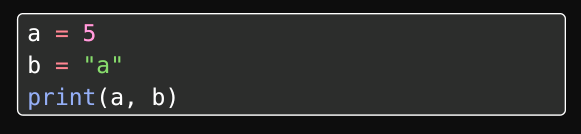
You can also check out Showybox and Codly if you want to have a more advanced styling without reinventing the wheel.
When including the actual source code I always use read(), but if it’s some small demo, then inlining might be better.