This solution seems to work, but I would prefer if it could be done with less complexity
#let pin-corner(alignment) = {
  place(alignment)[#metadata(none)<_pin_corner>]
}
// place a magic marker in the left + top and right + bottom corners, so we get
// the bounds of the current cell
#let pin-corners() = {
  pin-corner(left + top)
  pin-corner(right + bottom)
}
#let date = [2024-04-12]
#let row(islast: false) = (
  grid.cell(align: top + center, {
    let pad = 0.7em
    place(center, sym.bullet)
    if not islast {
      // find the size of the current cell!
      // then extend a line of the right length..
      // this is the usual super query pattern ^_^
      context {
        let pin-y = query(selector(<_pin_corner>)
          .after(here())
          .before(selector(<_cell_end>).after(here())))
          .map(pin => pin.location().position().y)
        let height = pin-y.at(1) - pin-y.at(0)
        place(center, dy: pad, line(length: height, angle: 90deg))
      }
    }
    pin-corners()
    [#metadata(none)<_cell_end>]
  }),
  {
    strong(lorem(2))
    [
      - #lorem(5)
      - #lorem(5)
    ]
  },
  align(top, date),
)

#grid(
  //stroke: 0.2pt + blue,
  inset: (left: 0mm, rest: 1mm),
  columns: (auto, 1fr, auto),
  column-gutter: 0.3em,
  row-gutter: 0.1em,
  ..(
    box(height: 2.5em, width: 2.5em, inset: 1mm, circle(fill: black)),
    [#strong[Heading] \ Subheading],
    date,
  ).map(
    align.with(horizon),
  ),
  ..(row() * 2).flatten(),
  ..row(islast: true)
)
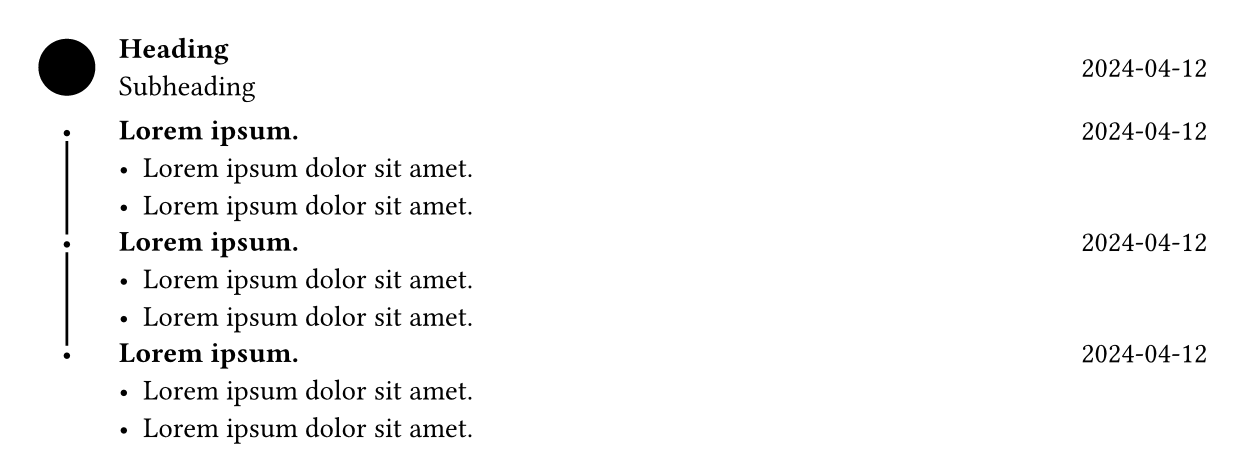
And you’d probably need to replace sym.bullet with a circle so that the exact dimensions of it are known, then the line can have correct spacing around it on both sides.