Hi,
I also played a little around with it, just didn’t have time to post it. @quachpas solution provides all the building blocks, but it does not fully work for multiple lectures.
The metadata element can be queried without label. When building the outline the location of the current heading element can be used to query the associated (next) metadata element with this code:
#context query(
  selector(metadata).after(it.element.location())
).first().value
The complete example looks then like this
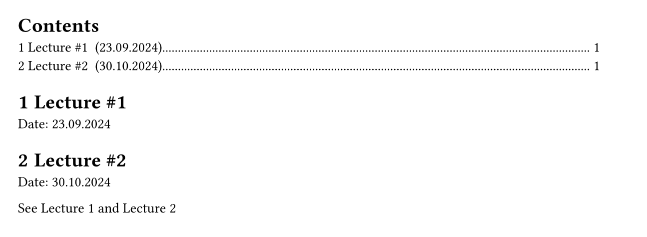
Code
#set heading(numbering: "1.1")

#let lec(date, number) = [
  #heading(supplement: "Lecture")[
    Lecture \##number
  ]
  #label("lec" + str(number))
  Date: #date
  #metadata(date)
]

#show outline.entry: it => {
  link(it.element.location(), it.body)
  " ("
  context query(
    selector(metadata).after(it.element.location())
  ).first().value
  ")"
  box(width: 1fr, it.fill)
  " "
  it.page
}

#outline()

#lec("23.09.2024", 1)

#lec("30.10.2024", 2)

See @lec1 and @lec2