Hello, everyone!
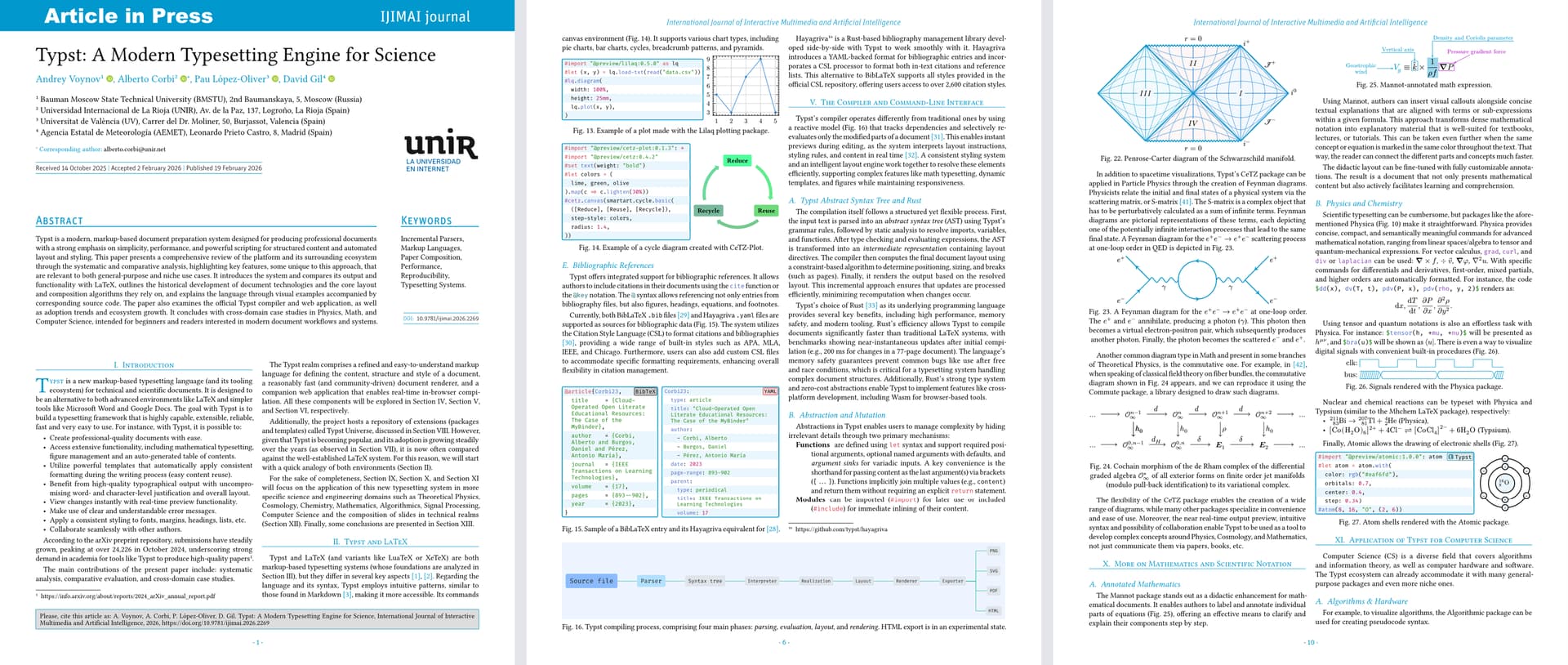
I’m super excited to announce that a paper using institution’s official Typst template has been published and is already available to everyone! Introducing a preprint in a JCR-indexed IJIMAI journal: “Typst: A Modern Typesetting Engine for Science”! We hope you’ll like it. Any feedback is welcome.
The paper was a long time in the making, and despite facing many challenges throughout the journey, I am here to tell you all about it! From the story of the paper, to the technical details and future plans.
By the way, this announcement is also available in PDF for ease of sharing!
Highlights
- A paper submission that got accepted using the official Typst template, i.e., with Typst source code (instead of LaTeX or
.docx). - The paper is published in the JCR- and Scopus-indexed International Journal of Interactive Multimedia and Artificial Intelligence (IJIMAI).
- Anyone can already cite it using DOI: https://doi.org/10.9781/ijimai.2026.2269.
- Anyone can access and read the paper for free: IJIMAI is an open access journal.
- The paper is fully reproducible (the PDF), thanks to Typst.
- The source code can be found at https://github.com/pammacdotnet/TypstPaper and inside the PDF.
- We worked very closely with the Editorial Team of IJIMAI to create the version 3.0.0 of the template that is used in the paper.
- This work is an academic collaboration between Russian and Spanish Typst enthusiasts.
- The paper provides a comprehensive review of Typst and its ecosystem.
- The paper is intended for beginners and readers interested in modern document workflows and systems.
- The preprint was published on 2026-02-19.
Story of the paper
About a year ago, at the beginning of 2025, Alberto was having a great time writing in Typst when he came up with the idea of writing a paper about it, using Typst itself as the source code. To make this possible, he needed an official template. While working at UNIR, a university that operates the IJIMAI journal, he contacted the Editorial Team of IJIMAI to discuss his idea. The Team agreed immediately because they are people who love taking risks that are worthy.
Soon after, at the end of March 2025, Alberto created and published the first version (0.0.1) of the official IJIMAI template. The following week, on April 2nd, Typst announced the news about “the first JCR-indexed journal to accept article submissions authored in Typst with an official Typst template” — IJIMAI. (The JUTI journal template followed right after.) During April, a few more versions (including v0.0.4) made their way into the Typst Universe.
As time went on, the paper had already gathered three coauthors: Alberto, Pau, and David. Separately from this work, Andrew had been writing his own paper about Typst for several months. He had some institutions in mind where he wanted to publish his work, but the idea of publishing in IJIMAI or JUTI was very appealing. So, he sent an email to both journals to inquire if they were interested in his topic. While waiting for a response, he got curious about what was “under the hood” of the “official templates” and began exploring the IJIMAI package. After noticing several issues and potential improvements to the Typst source code of the template, on May 7th, Andrew opened an issue in the IJIMAI repository and the next day submitted a pull request. Just a week later, Alberto and Andrew discovered they were both writing papers about Typst. After some discussion, they decided to collaborate on the paper that Alberto was initially working on.
The months passed, and over the summer, the paper was very close to being finished content-wise. A new academic year started, and the template underwent major changes and improvements. On October 13th, a new version 1.0.0 of the template was published. The following day, the paper was submitted to the IJIMAI journal. And with that, a period of relief and freedom has started, as they waited for the peer reviews.
The first review was ready on December 1st, followed by the second on December 19th. With the reviews, a lot of feedback on the template was received from the Editorial Team as well. This feedback was addressed over the next month, and on January 19th, 2026, an updated version of the paper was submitted for the second round of peer review. In the meantime, work on the template continued.
On February 2nd, the IJIMAI Editorial Team responded with the decision to accept the submission of the work and provided additional feedback on the template. They also supplied the final and correct metadata for the paper. Thus, the final push to perfect the template and the paper began. During February, versions 2.0.0 and 3.0.0 of the template were released. On the 18th, the final PDF with updated metadata was submitted for publication.
Despite the publication date in the metadata being 2026-02-19, the paper got published the day before, just a few hours after the final PDF was submitted.
Technical details and challenges
This is a technical section for anyone interested in the nitty-gritty details about the template and some challenges that were faced along the way. Note that it probably wouldn’t make sense if you are new to Typst.
The most exciting feature of Typst and now the IJIMAI template is the PDF reproducibility. Having the same compiler version and same font files, anyone can reproduce the preprint PDF locally either by getting the source code and following instructions at https://github.com/pammacdotnet/TypstPaper or by using the PDF itself to create its perfect copy. This is possible due to Typst’s pdf``.``attach feature (mentioned in the paper), although at present this is only possible with local compilation (see #7683). You can, for example, use the sha256sum utility and check that the downloaded and manually compiled versions both produce the 765f1789cbd66a486d18fd90c6bcc7d35aa994727ddf1a42441748e5eaae7491 checksum.
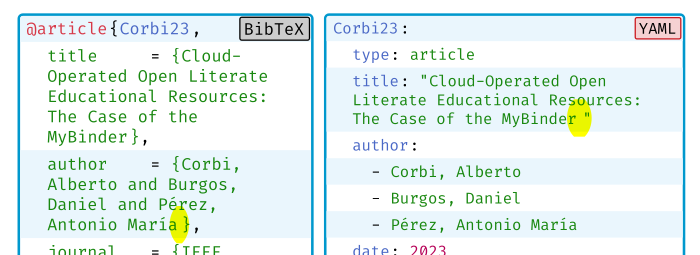
Although there are general hidden features (Easter eggs) in the form of in-text links to the relevant technologies (for a quick lookup), the main one, in my opinion, is Fig. 19. It is absolutely packed with hidden things and just things that are easy to miss (even though looks boring at the first glance). The cool interactive part is already mentioned in the caption to nudge the reader of the PDF to try and play around with this “interactiveness.” At first, there was a little of it, now there is even more. But another hidden gem is the use and mention of multiple languages, as I very much want to learn more of them. (The 2 main ones I already know, 3rd is planned probably right after I finish learning the 4th one.)
Another interesting point worth mentioning, the template is PDF/UA-1 compliant, that is, it complies with this PDF standard selected. However, I quickly found out that in the meantime, not a lot of popular (and niche) packages have been updated to support PDF/UA-1. Here are few examples: codly, codly-languages, iconic-salmon-svg (related issue). Generally speaking, only the visual packages (and templates) affect the compliance.
But by far the biggest problem (in number of emitted PDF/UA-1-related error diagnostics, 117 total with 28 from external packages), in the case of the preprint, was the necessity to provide alternative text to (almost?) every single math equation (82 errors + 7 non-math-related). And that includes the inline ones (72 + 10 block-level ones). I haven’t fully read the https://typst.app/docs/guides/accessibility, but I suspect there is no easy readable way of “annotating” the inline math equations. Anything like #xyz($...$) will be short but not readable (xyz doesn’t explain its purpose), and anything like #Phi-alt-text($Phi$) is generally readable, but is not short. With 3 or 8 inline math equations in a single paragraph this can quickly turn into a mess, if not hell. I’m very interested in the “best practice” solution to this “source code ergonomic” problem. Additionally, can’t basic things like $Phi$ (or $A$) already use #math.equation(alt: "Phi", $Phi$) by default? This can greatly reduce the number of inline diagnostic errors.
A neat feature that is PDF-in-PDF, was used for the last example in section XII (grabbed from my old presentation). Some PDF viewers still struggle with some patterns, so not everyone will see the figure as its intended. MuPDF, for example, handle it pretty well. Close to the end, we decided to also swap Fig. 21 raster images for PDFs, which went pretty smoothly (with a small exception). However, the unfixable problem is that the current implementation of PDF/UA-1 doesn’t allow for such embedded PDFs as images. So no matter how many of those “missing alt text” error are fixed, the paper would still not compile with PDF/UA-1, though still would be a bit more accessible than now.
Here is a small summary of the compilation time that is, as mentioned in the paper, can take tens of seconds to compile. On my (rather slow) machine, it takes around 48 seconds (on the bloated GNOME system thi high uptime), where: pintorita (Wasm + QuickJS) at least uses 22 s, grayness (Wasm) — 9.3, pyrunner (Wasm + RPython) — 4.6, the Penrose-Carter diagram (CeTZ) — 1.9, gantty (CeTZ) — 0.9, matofletcher (CeTZ) — 0.5 s. Without which the compilation time dropped to sub 10 s. Though with an updated and recently rebooted system, the total time has dropped to 24.6 s (I really hope it’s just cause of GNOME). Therefore, you can calculate the new times accordingly (or profile yourself with --timings).
Now, a lot of things in Typst are already possible with set, show, or set-show rules. Even more with set-if and set-in-show rules. But that is boring, so here are a few interesting (robust and/or nasty) hacks that were created. They can serve as a display of things that can still be improved in the language and compiler (and hopefully, they can be replaced with built-in solutions in the future). Everything is located in the ijimai.typ.
Understanding the huge potential of Typst in automating manual work (even more so once #2025 and especially #2123 are implemented), I decided to go all out on automation, to significantly reduce the human error factor (and increase the wow factor).
As such, the first-paragraph function is no longer required and the first word of the first sentence in the “Introduction” section will be automatically styled (source code). It utilizes a par show rule, context, and position guessing (heuristics) among other things. I’d say it’s robust, but without data to back it up, I decided to include 2 backups: explicit use of first-paragraph function and ijimai``.auto-first-paragraph “kill switch.”
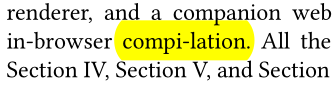
The remove-trailing-period and remove-trailing-spaces functions feel overengineered, as the underlying styling guideline seems very straightforward at the first glance: no period at the end of a table caption, and a period at the end of a figure caption. And when you add the automation condition, it becomes very cumbersome. This is because you must not only add a missing period, but also automatically remove an inserted period (caused by human error), though sometimes removing the trailing space can further improve the caption layout.
The generate-author-credit-roles function with the combination of a heading show rule allows generating the entire body of the “CRediT Authorship Contribution Statement” section just from the provided metadata (from a TOML file). This means the source code will have this section completely empty (as you can check with the preprint source), in return authors will have correctly formatted paragraph that is highly prone to human error (colons, commas, en-dashes, semicolons, casing, sorting, etc.). One issue that had to be resolved is reverting/canceling all the heading styling so that it does not affect the paragraph content.
To automate cite-string, some assertions had to be made. For example, only 2-part (full) names are expected (first and last name), any other cases will have to be handled separately, as person’s name in different countries can consist of various different parts. For this reason the backup paper.short-author-list key is used (if set) when the cite-string cannot be automatically generated (due to unique author names).
The positioning of the UNIR logo has been changed drastically over time. My guess is that non-Typst submissions simply eyeball the optimal place to put the logo on the first page. This might not be entirely true, but in the end I didn’t find any deterministic way or pattern. Thankfully, this doesn’t mean that there can’t be such a way. The wrap-logo is something that I couldn’t quite do with either wrap-it or meander. It involves the classic layout + measure combo, as well as incremental check on height by using N items of content that is split by parbreak. The goal: find minimal height. The actual logic is quite complex, so check the source code to learn more.
Title case. Title case was one of the last things that had to be applied to various parts of the template/paper, and… Let’s just say that it probably introduced the most amount of unnecessary code due to it’s fragility of being a 3rd-party package and necessity to apply it to parts of the text that are not as easily accessible. The titleize package was used. To make things a bit more robust the string-to-titlecase variant was used pretty much exclusively. It’s worth mentioning that half of the problems were due to the Roman numbering that consist of the same letters, that the titlecase function operates on. Yeah, the numbering did have all sorts of casing initially.
Additionally, a hack for PDF’s Document Outline was used to force title case in that place as well, as any show rule only affects the in-text headings. In other words, had to apply the title case twice (for the same headings). Another challenge that the Document Outline gave is conditionally disabling heading numbering. While in-text headings can have their numbering (and the space after them) removed somewhat easily, you cannot say the same for the Document Outline. The goal is to disable numbering for all headings after conditionally finding a “special” heading by its name/content (keeping the paper’s file clean). Fortunately, this problem was conquered by using an everything show rule with context, where queried headings were joined in a generated show-set rule’s selector that disables numbering completely for given headings.
And lastly in the paper preamble, apart from some small wrappers here and there to, e.g., combat the stroke bounding box issue (#5741), a last-minute hack about floating figure’s reference position was added, as a lot of figures are floats and when clicking on their reference in text, a PDF viewer jumps to a wrong place, almost completely defeating the purpose of the reference link. At first, it caused some issues due to scope field, but in the end it got pretty robust. I’m considering upstreaming it to the template.
That’s it for the highlights, there are plenty more things that can be found in the source code of the template or the paper (which also have some relevant issues linked). Any suggestions on improving anything are welcome. The template has grown to over 1000 lines, now it’s time to shrink it down (by using shorter hacks or waiting for small native solutions to remove the hacks entirely).
Future plans
Despite the fact that the paper has already been published, the chapter is not over just yet. There are still some things left to do:
- Wait for the paper to be included in a journal issue (not just as a preprint).
- Wait for the preprint to be indexed in the Scopus database.
- Improve the template: create better examples, expand documentation, and reorganize code (over 1000 lines in a single file).
As a bonus (and a side quest), I’ve already started working on translating the paper into Russian. The reason is very simple: to further extend the reach of Typst and raise awareness about it. This is because an overwhelming majority of Russians do not speak English, especially not at the level of fluency required to understand this highly technical paper about a new and somewhat niche technology (along with all the specialized terminology that comes with it).
This is rather difficult to accomplish, as I must translate as naturally and accurately as possible while ensuring everything fits into the same footprint/layout. This will create a visually one-to-one translation (which I think looks very cool and easy to compare/match): all figures and tables will remain in the same place, and the number of pages will stay the same (at least that’s the plan). When I finish, anyone with strong translation skills (from English to Russian) is welcome to improve the translation (I’m good at both languages, but not at translating).
No other translations are accepted, and as such, the PRs/issues about them, too. There is an unconfirmed possibility of a Spanish translation being added in the future.
Links
- DOI of the preprint: https://doi.org/10.9781/ijimai.2026.2269
- Short DOI of the preprint: https://doi.org/qr6j
- Direct link to the preprint: https://www.ijimai.org/index.php/ijimai/article/view/2269
- Download the preprint PDF: https://www.ijimai.org/index.php/ijimai/article/download/2269/3664/6967
- Source code: https://github.com/pammacdotnet/TypstPaper
- Project in the web app: https://typst.app/project/rCbyFps722cFtqa8mf84oT
- LinkedIn announcement by Alberto Corbi
- Forum announcement
- Discord announcement (invite link)