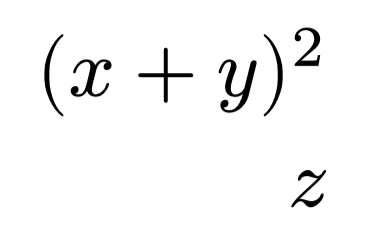
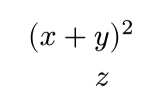
I want the z in the second line to align with the y in the first line. But get the following result. What’s the problem?
$
  (x + y&)^2 \
       z&
$
I want the z in the second line to align with the y in the first line. But get the following result. What’s the problem?
$
(x + y&)^2 \
z&
$
Unfortunately, it looks like this is currently not supported as the superscript or exponent is actually Attach Functions – Typst Documentation .
This is not really a bug. You cannot currently use alignment points inside function calls
You can do this as a workaround
$
  \(x + y&\)^2 \
       z&
$
The escaped brackets are not paired and not sized to match the contents, so they work like stand-alone symbols.
Your original brackets are matched and effectively wrapped in lr, so that’s the function call in question.
I do agree it is wrapped in the lr, so does
$
  (x + & y) \
       & z
$
which produces the intended alignment.
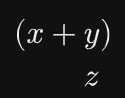
So it seems to me the attach is the culprit? I may be wrong but this is what I got from the 2nd issue previously cited.
Oh I see, that surprised me. So it’s not any function call, since
$
  lr((x + y&)) \
       z&
$
does align like you say.
I was (and I assume the reply from Enivex was as well) referring to the function call to attach since it looks like this is causing the issue.
$
  attach(lr((x + y&)), tr: 2) \
                            z &
$
no worries. It’s not important, but since I read function call in the issue tracker, and lr is a function call, it is good to clarify that it’s not a problem when using lr.