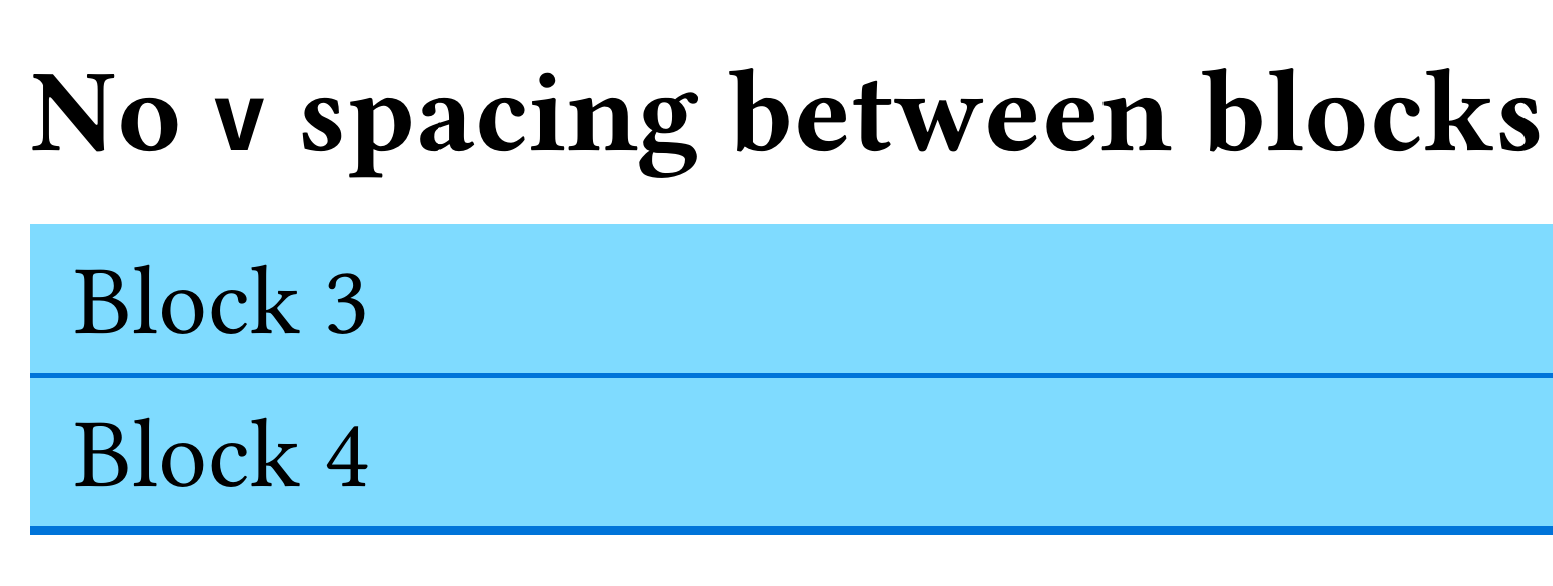
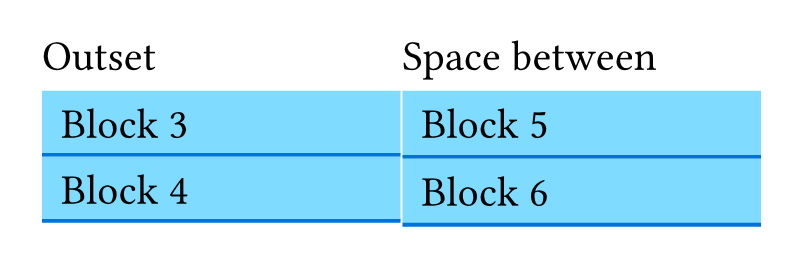
In the following example:
#set page(margin: 1cm)

= Block Strokes

== `v(5pt)` spacing between blocks

#block(
  width: 100%,
  above: 0pt,
  below: 0pt,
  inset: 5pt,
  fill: aqua,
  stroke: (bottom: 1pt + blue),
  [Block 1]
)
#v(5pt)
#block(
  width: 100%,
  above: 0pt,
  below: 0pt,
  inset: 5pt,
  fill: aqua,
  stroke: (bottom: 1pt + blue),
  [Block 2]
)

#v(10pt)

== No `v` spacing between blocks (Block 3's stroke is clipped)

#block(
  width: 100%,
  above: 0pt,
  below: 0pt,
  inset: 5pt,
  fill: aqua,
  stroke: (bottom: 1pt + blue),
  [Block 3]
)
#block(
  width: 100%,
  above: 0pt,
  below: 0pt,
  inset: 5pt,
  fill: aqua,
  stroke: (bottom: 1pt + blue),
  [Block 4]
)

#v(10pt)

== `v(1pt)` spacing between blocks (There's some white space between blocks 5/6)

#block(
  width: 100%,
  above: 0pt,
  below: 0pt,
  inset: 5pt,
  fill: aqua,
  stroke: (bottom: 1pt + blue),
  [Block 5]
)
#v(1pt)
#block(
  width: 100%,
  above: 0pt,
  below: 0pt,
  inset: 5pt,
  fill: aqua,
  stroke: (bottom: 1pt + blue),
  [Block 6]
)
Why is Block 3’s 1pt stroke is partially covered by Block 4? Is there something like CSS’s box-sizing: border-box (or any other feature) that ensures Block 4 does not overlap Block 3?
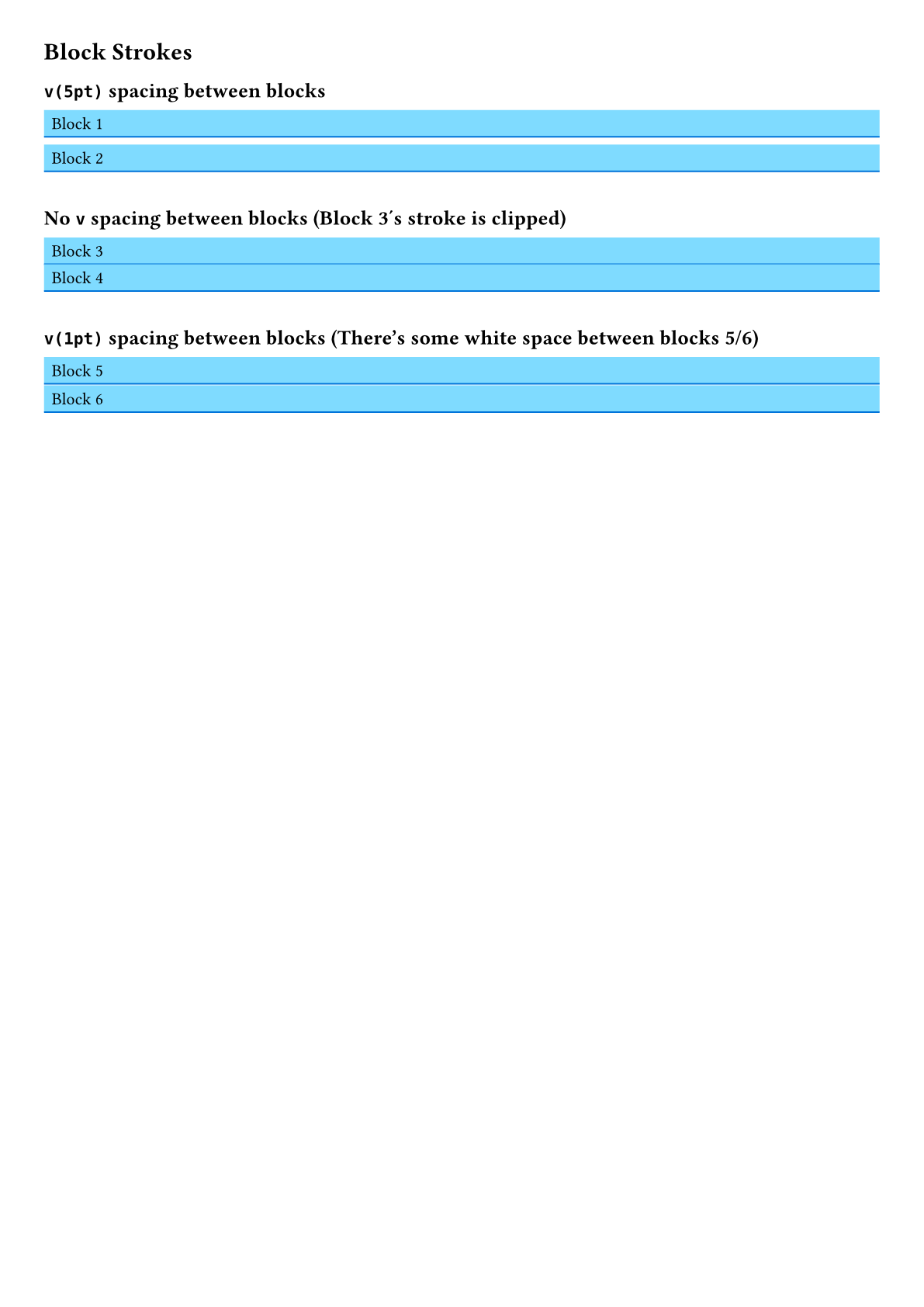
This is more visible when the document is exported to PDF: