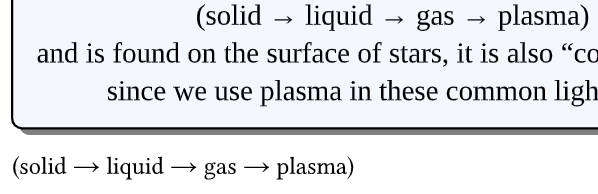
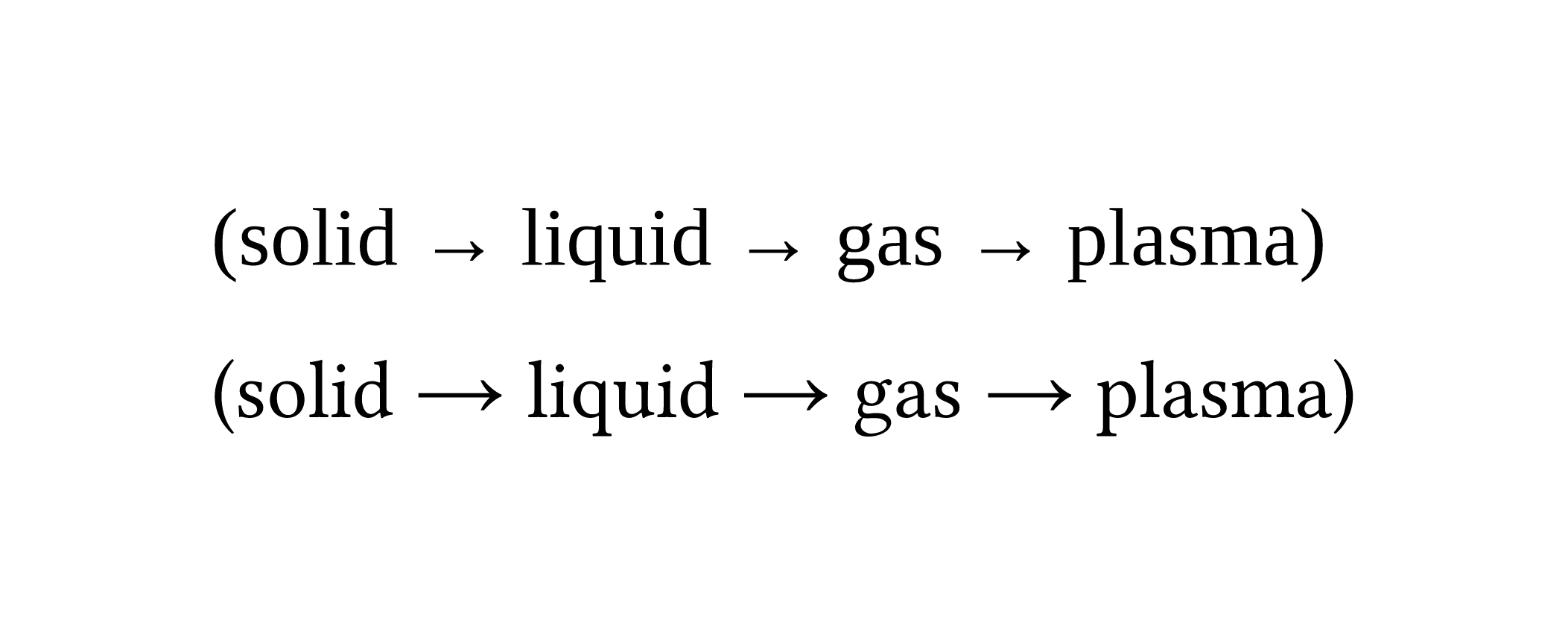
I have the following raw text in my Typst document: (solid → liquid → gas → plasma)
However it renders like this:
The arrows appear to be slightly lower than I would expect.
Is this just an artifact of the font used, or something else?
// Body Text Style
  set text(font: "Libertinus Serif", size: 11pt, lang: "en")
  set par(justify: true, leading: 0.65em)
Can I fix it without altering the entire font of the book? If not, I will just live with it :-)
(In case you’re wondering why this font - TLDR: I started the project in LibreOffice Writer. After inserting the ~20th image and fighting with many page reflow/anchor/placement issues, the document started crashing LO Writer, at which point I used pandoc + Gemini to convert it to Typst via VSCode (local, not web). So it’s sort of an artifact of beginning in the wrong way :-P)))
Thanks this is itself very helpful debugging! Helps me know it’s not only the font, so I should be able to fix it in my code somewhere.
That begged the question if the function that this text is appearing within is actually the culprit.
With a bit more debugging like @aarnet did, I find that in my regular text, the arrows are “normal” (vertically centered), but inside my #showybox() they’re lowered.