Best way to type multiple titled indented blocks

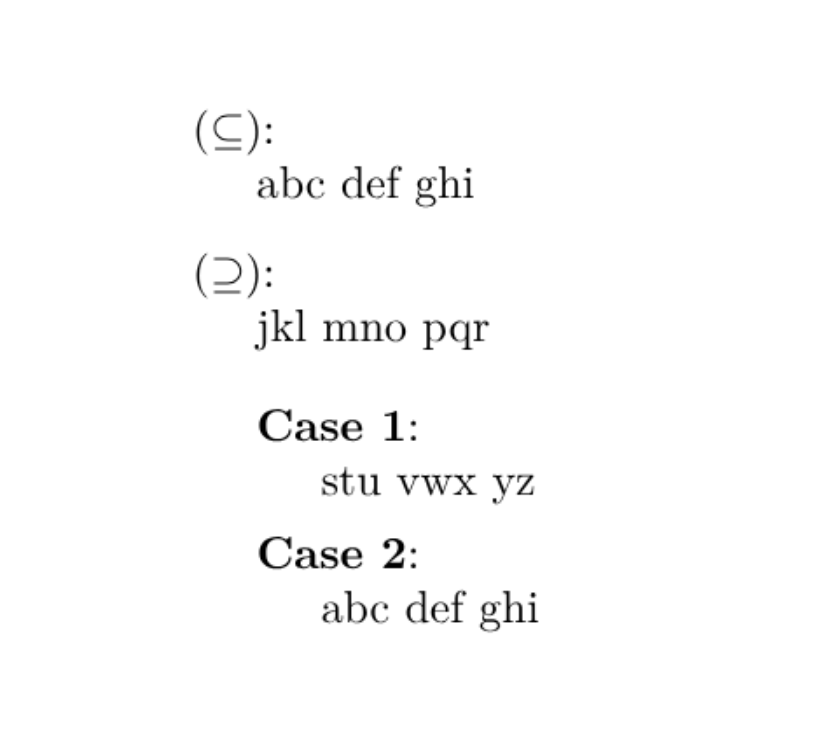
I’m trying to get the equivalent of this latex code:

\usepackage{enumitem}

\begin{document}
\begin{enumerate}[leftmargin=0.5cm,align=left,labelwidth=\parindent,labelsep=*] 
\item[$(\subseteq)$:]\phantom{}\\
    abc def ghi

\item[$(\supseteq)$:]\phantom{}\\
    jkl mno pqr

    \begin{enumerate}[leftmargin=0.5cm,align=left,labelwidth=\parindent,labelsep=*] 
    \item[\textbf{Case 1}:]\phantom{}\\
        stu vwx yz

    \item[\textbf{Case 2}:]\phantom{}\\
        abc def ghi
    \end{enumerate}
\end{enumerate}
\end{document}

Result:

Specifically, it’s like an enum in Typst but I’d like to have the item labels contain more than just the counting symbols, or potentially just completely arbitrary math.

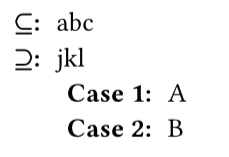
Typst has the native term list where this would look something like this:

/ $subset.eq$\:: abc
/ $supset.eq$\:: jkl
  / Case 1\:: A
  / Case 2\:: B

But otherwise the package itemize is really good for enum and list customization, it can also do custom list markers. For your design we need custom list markers and we need the list item body to be on a new line - I actually don’t know if itemize has a good way to automate the latter.

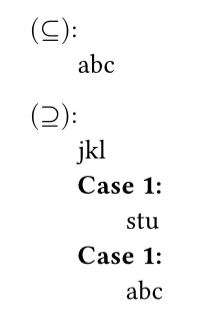
It could look like this, using paragraph style with indent to try to get it to line up exactly…

#import "@preview/itemize:0.2.0" as el
#show: el.paragraph-enum-list.with(
  hanging-indent: 1.8em,
  body-indent: 0em,
)
- #el.item[$(subset.eq)$:] \
  abc
  
- #el.item[$(supset.eq)$:] \
 jkl
 
  - #el.item(strong[Case 1:])\
    stu
  - #el.item(strong[Case 1:])\
    abc
1 Like

Thanks, this works great. Not sure if this is the most idiomatic way to handle empty content arguments but this works pretty well:

#let case(label, text, body) = [
  / #label: #text\ 
    #body
]

#case[$(==>)$:][][
    #case[Case 1:][$k$ is odd][
      abc
    ]

    #case[Case 2:][$k$ is even][
      def
    ]

    ghi
]

#case[$(<==)$:][][
  jkl
]