Centered headings without numbering

I created custom functions for headings: #numtocsec and #numsec. They should be top-level, centered, and unnumbered. The first one, #numtocsec, in addition to the previous specifications, must not appear in the table of contents:

#let numtocsec(t) = align(center)[
  #heading(
    level: 1,
    numbering: none,
    outlined: false,
    t,
  )
]

#let numsec(t) = align(center)[
  #heading(
    level: 1,
    numbering: none,
    outlined: true,
    t,
  )
]

#set heading(numbering: "1.1")
#show heading: set align(left)

#outline()

= Section

#numtocsec[No num no toc section]

#numsec[No num section]

Result:
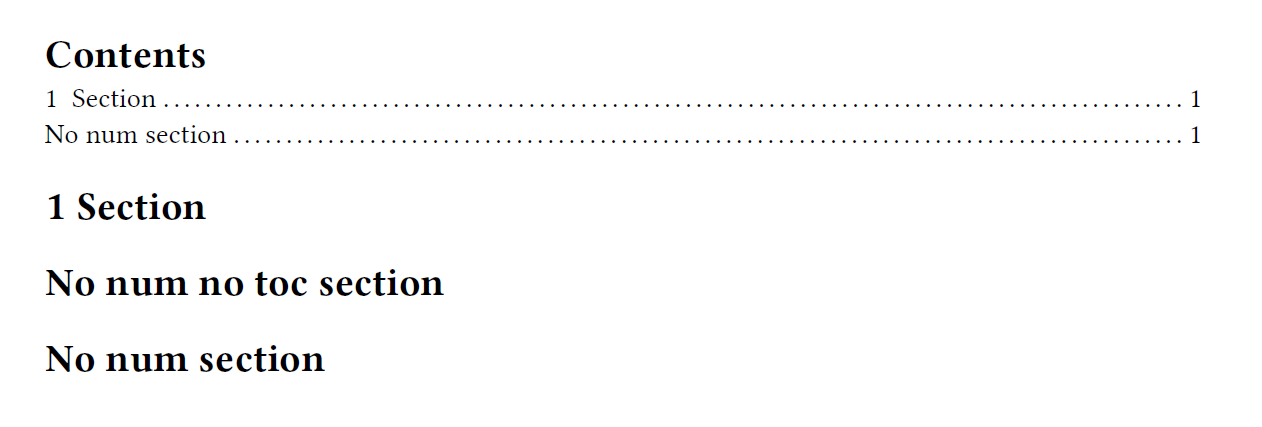
My problem is that numtocsec and numsec are not centered. How can I fix this? Thanks in advance.

Hi @Elayson,

you have:

#show heading: set align(left)

this show-set rule for headings takes precedence over the align call inside your functions.
The alignment direction is start by default which is equal to left for languages written right-to-left. If you don’t have some other requirement I would recommend to simply remove this rule.
If you have some other requirements and need this rule, you can use a show-set inside your functions that takes precedence over the outer show-set rule.

Alternative
#let numtocsec(t) = {
  show heading: set align(center)
  heading(
    level: 1,
    numbering: none,
    outlined: false,
    t,
  )
}

#let numsec(t) = {
  show heading: set align(center)
  heading(
    level: 1,
    numbering: none,
    outlined: true,
    t,
  )
}
4 Likes