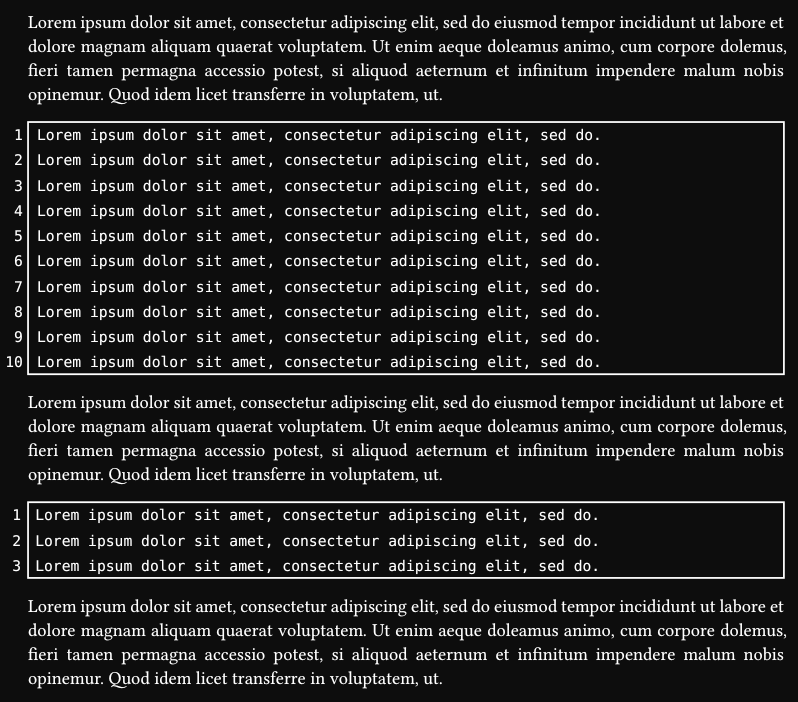
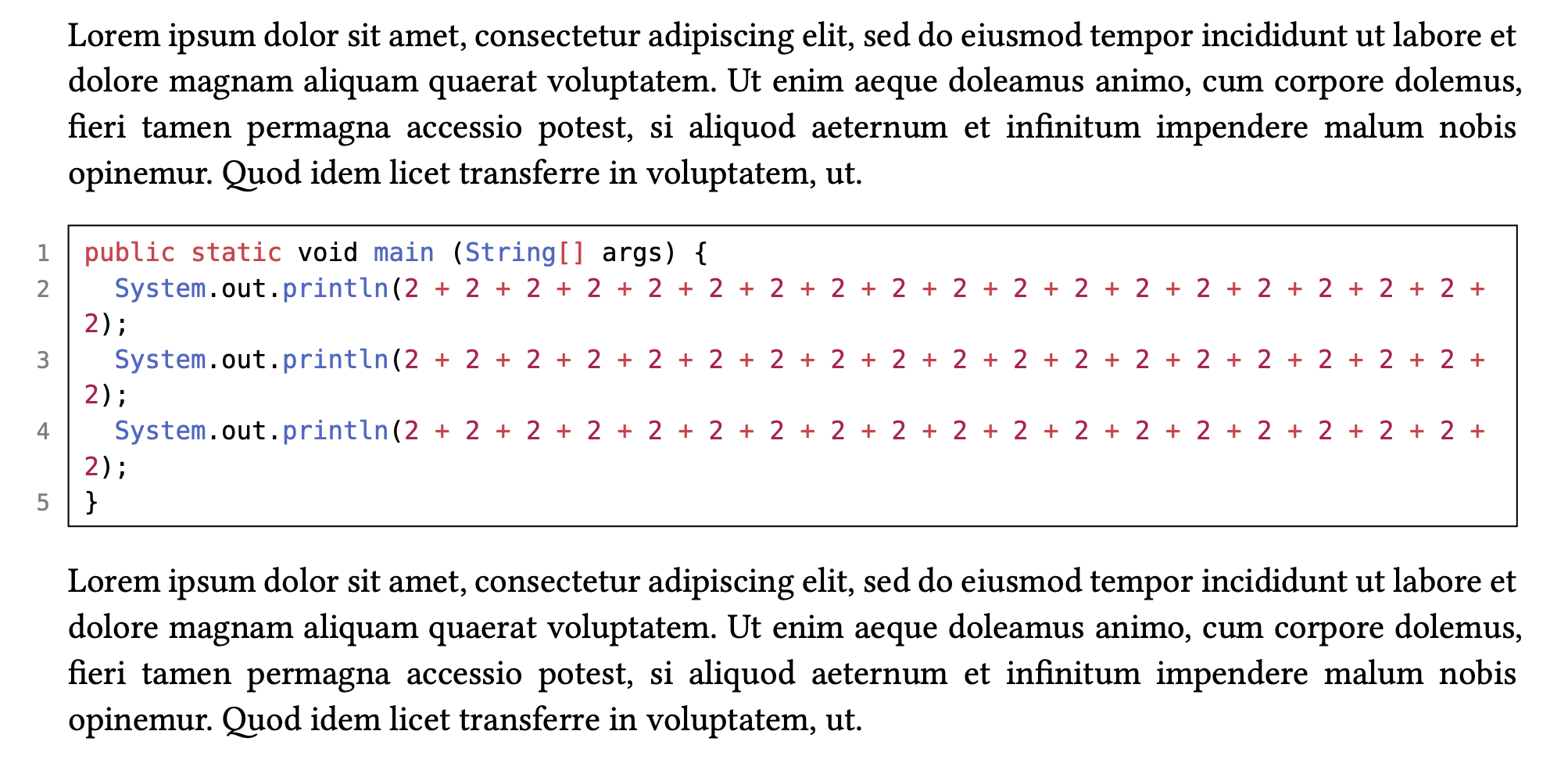
I’m starting to replace my ad-hoc solutions to code display with a systematic use of Codly. I’m quite happy with the package so far, but there’s one thing I haven’t been able to reproduce: a code box in full page width with hanging line numbers:
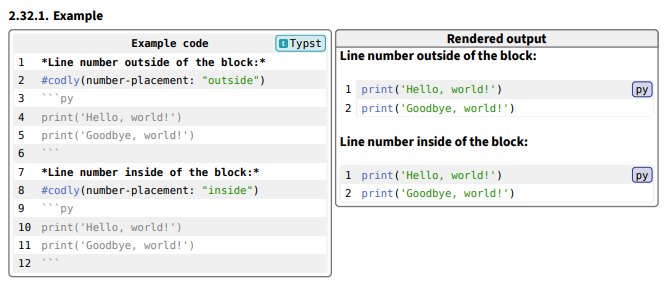
Thanks, but I’m not quite following. I am using the “outside” placement. My issue is to make the box as wide as the line width, with the number sticking in the margin.
Sorry, I couldn’t tell how familiar you are with the package.
I’m afraid the existing codly features alone don’t support this styling. For example, moving numbers to the left via number-format: (number) => place(dx: -0.5em, str(number)) hides them behind a white block, which is obviously not desired here, but also the code block doesn’t compensate for that space difference.
So I suggest you file a feature request in codly repository or apply your own changes by copying package files for the time being. Hopefully I overlooked something and I’m simply wrong.
I tried figuring out the exact width, but I don’t know where the magic-padding length comes from. And the stroke kinda magically works, without move the stroke disappears. Thankfully, it doesn’t need any width manipulation. So it’s a mess, but so far looks promising. Only a real use case can show if it’s robust enough to not care much about the existence of this hack. A native feature would be better anyway.
So far, it doesn’t work with zebra-fill, because it still fills only inner blocks, but not the stroked one.
Now it makes sense why I wasn’t able to split long listing into pages. Because of the same move. Since you can’t move…well, you can move individual cells instead of rows, but the text still being clipped, so it doesn’t work. I wonder if it’s because of Codly, because that is a weird clipping issue, I don’t think I’ve noticed it with native Typst elements.
I’m pretty sure you can partially automate splitting by calling split-it(line-count-1st-page, line-count-full-page, code) and then splitting the code into multiple code blocks.
This is the hack I used before, based on something I lifted somewhere from this forum:
#show raw.where(block: true): it => {
  set par(justify: false)
  let i = 0
  grid(
    columns: (100%, 100%),
    column-gutter: -100%,
    block(width: 100%, for line in it.text.split("\n") {
      i += 1
      box(width: 0pt, align(right, text(size: 0.9em, fill: luma(127), str(i) + h(1.5em))))
      hide(line)
      linebreak()
    }),
    it,
  )
}

#block(stroke: 0.5pt, inset: 5pt)[
  ```java
  final class ThisIsASingleLineProgam {}
  ```
]
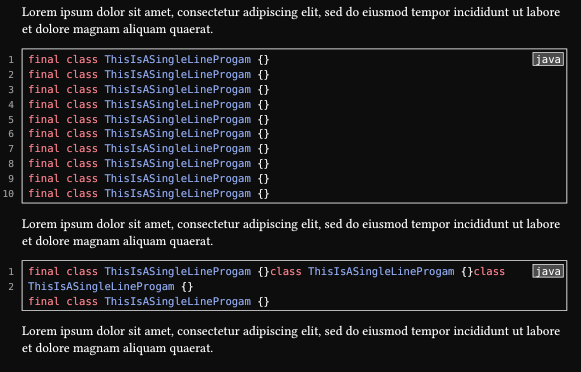
It does the job (including page splitting and correct numbering of lines that wrap) but feels very hacky.
I started using codly because it gives me few add-ons that I like, such as displaying the language and highlighting parts of the code.
It seems like the hack is overcomplicated. Just a couple of placed content would be enough:
#show raw.where(block: true): set block(width: 100%)
#show raw.where(block: true): it => {
  show: block.with(stroke: 0.5pt, inset: 5pt)
  place(for n in range(1, it.lines.len() + 1) {
    {
      set text(size: 0.9em, fill: luma(127))
      box(width: 0pt, align(right)[#n#h(1.5em)])
    }
    linebreak()
  })
  place(right, box(
    stroke: 0.5pt,
    outset: 2pt,
    fill: gray.lighten(50%),
    it.lang,
  ))
  it
}

#lorem(20)

```java
final class ThisIsASingleLineProgam {}
final class ThisIsASingleLineProgam {}
final class ThisIsASingleLineProgam {}
final class ThisIsASingleLineProgam {}
final class ThisIsASingleLineProgam {}
final class ThisIsASingleLineProgam {}
final class ThisIsASingleLineProgam {}
final class ThisIsASingleLineProgam {}
final class ThisIsASingleLineProgam {}
final class ThisIsASingleLineProgam {}
```

#lorem(20)

```java
final class ThisIsASingleLineProgam {}class ThisIsASingleLineProgam {}class ThisIsASingleLineProgam {}
final class ThisIsASingleLineProgam {}
```

#lorem(20)
The problem, as you say, is that any long line will mess up the line numbers.
Here’s what I had settled on:
#show raw.where(block: true): it => {
  if it.lang == none { it } else {
    set text(0.9em)
    if not it.lang.starts-with(regex("[A-Z]")) { it } else {
      let num = if it.has("label") and it.label == <no_num> { _ => "" } else { str }
      let i = 0
      grid(
        columns: (100%, 100%),
        column-gutter: -100%,
        block(width: 100%, stroke: 0.5pt, outset: 5pt, for line in it.text.split("\n") {
          i += 1
          box(width: 0pt, align(right, text(size: 0.9em, fill: luma(127), num(i) + h(1.5em))))
          hide(line)
          if i == 1 { h(1fr) + box(stroke: 0.5pt, outset: 2pt, fill: luma(220), it.lang) }
          linebreak()
        }),
        it,
      )
    }
  }
}
The idea is to use java to get the standard layout and Java to bring in the language name and line numbers (which can be turned off with <no_num>).
I can try to simplify it a bit using place and lines.