Hey folks,
I’m Prajwal, an engineer, an independent researcher, and the creator of Oleafly. I wrote a lot of LaTeX back in college for my research, reports and resumes, and I still use it for my preprints. I’ve moved on to using Typst for all my resumes now, and writing in Typst has been quite a rewarding experience, mostly around writing loop productivity and the speed of execution.
A few months ago, I was looking for an application that would help me write both LaTeX and Typst. There were a couple of open- and closed-source projects, but none of them quite fit my needs. I was hoping someone would build it, and eventually that someone turned out to be me… Yes, I built Oleafly to scratch my own itch!
And since this one is for the Typst community, going forward, I’ll focus my explanation on Typst workflows.
I wanted an editor where the focus lies solely on writing, rather than the complexity of setup that comes around it, like the engine download, setup and any first installation errors. An application that allows me to export my results in the format I want. Organize all my forked resumes and research projects in one place, including the templates that I use often. Have Claude/Codex on my side to help me fix formatting errors and give me feedback on my writing.
An application that could give me the same experience of collaborating with my professor, RAs and labmates like we did on Overleaf. Import any project from local, arXiv, GitHub or Overleaf. Some ad-hoc tools for quick conversions. A visual canvas that smartly converts to code while I draw diagrams. A research loop that does my literature survey, and I wanted all of these just a few clicks away. Personalization and productivity in writing were highly important to me.
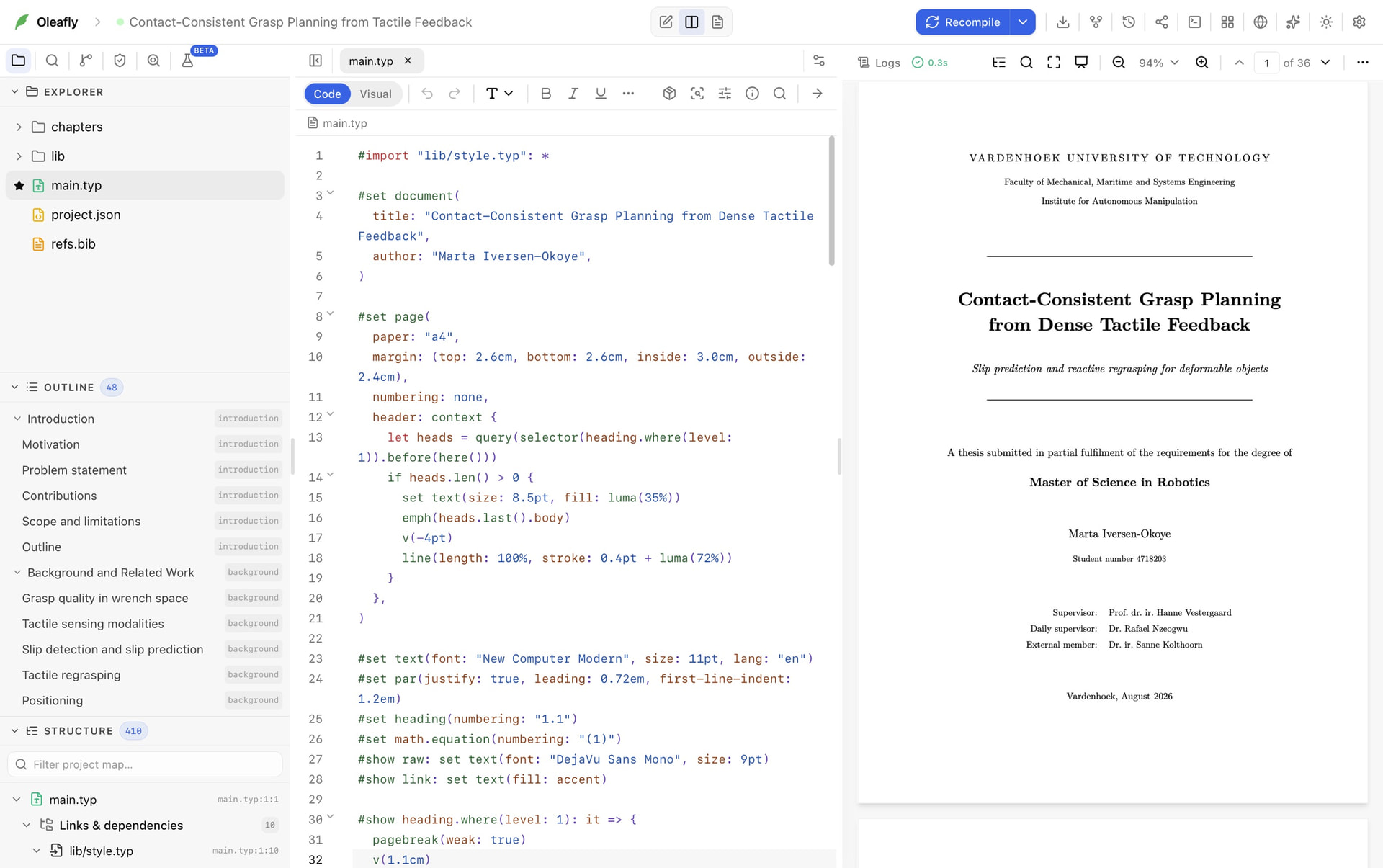
If I had to simply convince my grandma why I built this, I’d say I wanted the writing experience across my devices (Mac and Windows) to look alike, and I wanted it to feel like it was just yesterday I was writing this paper or report, even though I spent weeks or months AFK.
So I built Oleafly, an app that ships with Typst and Tinymist bundled (it uses the official Typst compiler and upstream Tinymist as they are). You open a project and it simply compiles, with no additional installs. And every project pins its own Typst version (0.11 to 0.15), so if you have any old projects, they should compile fine even after engine updates.
There are a bunch of features that I’ve integrated, like clicking in the PDF to jump to the source and back (Typst 0.13+, via Tinymist). With auto compile on, the PDF updates as you type. It also includes a Typst Universe browser in the toolbar, which adds the #import line for you. One-click citations and Zotero imports into your .bib.
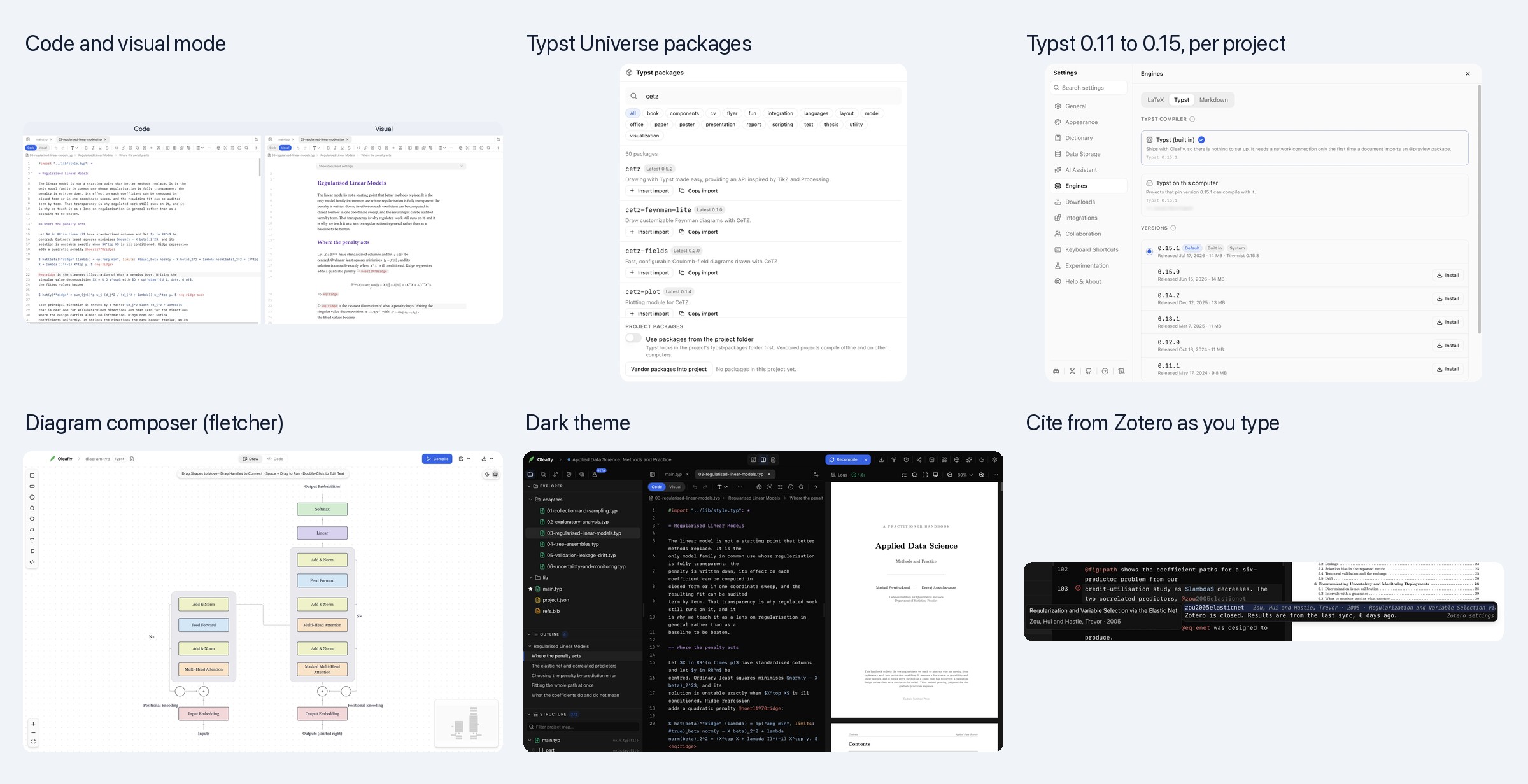
There are a lot of personalizations possible across layers: editor, grammar, proof reading, citations, diagrams, preview, projects, imports, templates, CLI agents, integrations, ad-hoc conversion tools and live collaboration. I’d leave the exploration to the curious ones who want to explore the app can find more details on https://oleafly.com/docs
It’s been a long 3+ month journey from v0.1.0 to v0.4.7 today, and I’ve received a lot of kind words from people around the world. And the reason I wanted to share it with the Typst community was to seek help shape the future of this project and make it that one open-source scientific writing app that we all love writing in. Comments and critiques in the right direction are always welcome.
Source and download instructions on Github: https://github.com/Oleafly/Oleafly
I’ve open-sourced it under AGPL-3.0, so feel free to contribute through issues or pull requests. If we can agree on a feature or an enhancement that would benefit others, I’d be happy to merge it or build it myself! That’s how most of the features landed in the app over the past month.
Typst is already my go-to for writing documents, and I feel Oleafly’s personalization and one-click tooling takes care of everything around the writing, so I can stay focused on the document while it does the heavy lifting for me.
Thank you for reading this far! 
