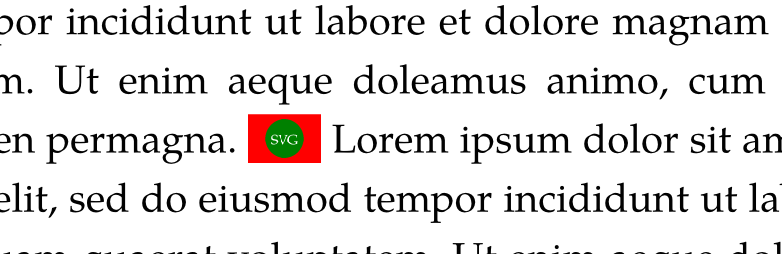
Hi. I’d like to insert a small icon (svg), inline with the text, such that it is vertically centered on the line, but also does not push the previous and/or next line even if the icon is slightly larger than the height of the text font.
with no success. Not only is the icon taller than the surrounding text (even though I’ve set height: 1em, but also it pushes the previous line up because of that. Regarding vertical alignment, I can tweak the baseline manually to sort of visually center it, but that’s not really ideal, plus it still pushes the surrounding lines away.
Hi, welcome to the Typst forum! The main problem you have is that “1em” is generally larger than the height used for layout of the characters in a line. Note that there’s a difference between the “layout height” and the “visual height”. In a piece of text, the height used for layout is determined by the top-edge property.
Let’s say you want the SVG image to match the visual height of a particular character. You can estimate this height by measuring this character while having top-edge set to "bounds". This should be used for the actual image height, but then for layout the image should be treated like it’s no more than the “layout height” of regular text (otherwise it will push text lines apart as you saw). We can compute this difference and use it in the box inset to have box content larger than the space it takes in layout. While we’re at it, we can also use inset to shift the image without affecting the layout.
Here’s an icon() function that implements the above ideas:
#let svg-text = ```
  <!-- from https://developer.mozilla.org/en-US/docs/Web/SVG/Tutorials/SVG_from_scratch/Getting_started -->
  <svg version="1.1"
       width="300" height="200"
       xmlns="http://www.w3.org/2000/svg">
    <rect width="100%" height="100%" fill="red" />
    <circle cx="150" cy="100" r="80" fill="green" />
    <text x="150" y="125" font-size="60" text-anchor="middle" fill="white">SVG</text>
  </svg>
```.text

#let icon(source, size-to: "x", shift: 0pt) = context {
    let text-edge = measure(size-to).height
    let text-bounds = measure(text(top-edge: "bounds", size-to)).height
    let extend = calc.max(0pt, text-bounds - text-edge)
    let img = image(source, height: text-bounds)
    return box(img, inset: (top: -extend - shift, bottom: shift))
}

#lorem(30)
// You can use a filename instead of bytes(svg-text)
#icon(bytes(svg-text))
#icon(bytes(svg-text), shift: -2pt)
#icon(bytes(svg-text), size-to: "L")
#lorem(30)
Thank you! That’s very helpful (I’m just getting started with Typst so not really comfortable with how layout manipulation works).
That being said there was one thing missing (which I managed to do, starting from your code). One of the things I wanted was “does not push the previous and/or next line even if the icon is slightly larger than the height of the text font”. Like this: