Hello, when I export my typ file from the web app as a PDF, the footnotes get formatted as small text instead of as footnotes so that when I highlight the body text, the footnotes also get highlighted. Is there a way to avoid this so that when I select the body text it excludes the footnotes from being highlighted?
Hello @Marcel19, welcome to the forum.
If I understand correctly, you would like to open a PDF created from the typst.app, and do something like Menu → Edit → Select All (or Ctrl + A) and you would like that this didn’t select the text of the footnote?
- Not desired:
- Desired:
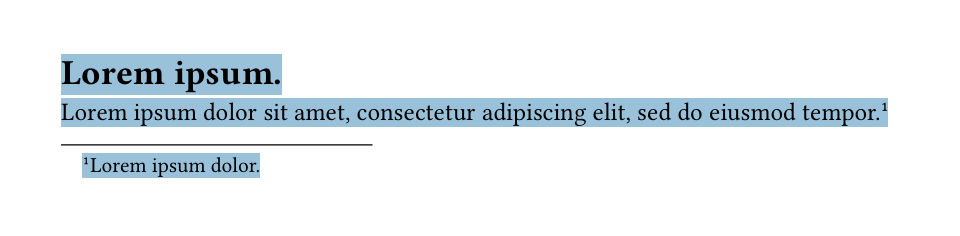
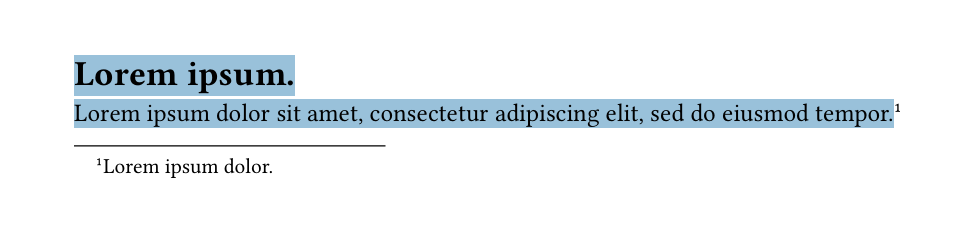
Have I understood correctly?
If not, could you please provide an example and perhaps more information about what you would expect?
In my opinion, this is not something a PDF reader would/could do. But I could be wrong. Could you perhaps show a PDF not generated by Typst where that would be the case?
Minimum Working Example
#set page(height: auto)
= #lorem(2)
#lorem(12)#footnote(lorem(3))
Thank you for your reply, you understood exactly! And you’re right, it is rarely the case. I was hoping this was something that I could easily do because my workflow is the following:
Export to PDF from Typst
Convert PDF to DOCX in Acrobat
Open file in Word and re-style the body text/footnotes but since the footnotes are not treated as footnotes (but as smaller text at the bottom of the page) it is difficult to do this. Any workaround, ideas for a better workflow are welcome, I am new to Latex/Typst!
I’m not sure if there is a native footnote support in PDF format. It’s generally a lossy format/conversion, everything is basically blocks of text or something.