In the french typography rules, some characters have unbreakable spaces before them and normal spaces after. So for instance : should be (in typst) ~: . You might see the issue that it can becomes quickly long to deal manually with that for every of these characters.
First solution that does not work
So I tried to make this next code:
/*
 * Define french rules with characters which need unbreakable space.
 */
#let unbreakable = (
  ":",
  ";",
  "?",
  "!",
  "=",
  "/",
  "%",
)

#show regex(" ?([" + unbreakable.join() + "]) ?" ): it => [~#it.text.trim() ]
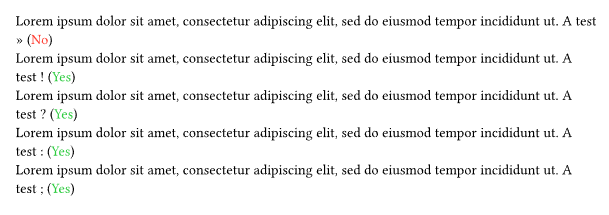
And it was working perfectly. For instance next code:
interaction:
Give this results:
However, I tried to write link()… Which gave a weird results. Every : and / have, obviously, spaces around them. So this solution is not quite good. Here an example on how it looks using next code:
https://typst.app
Give:
So how one could correct this issue?
I thought about maybe replacing unbreakable spaces inside links (using #show link), but #show regex apply last (or have higher priority, I am not sure). Meaning that inside link, I have access to the plain URL. Then I can modify it, then #show regex do its jobs. I though about making a condition too inside the regex to apply to everything BUT #link(). I fail to find something…
Thanks a lot for your answers. The solution is a mix of both your answers!
Solution
I decide to go with:
/*
 * Define french rules with characters which need unbreakable space.
 */
let thin_unbreakable = (
  ";",
  "?",
  "!",
)

show regex(" ([" + thin_unbreakable.join() + "]) ?" ): it => {
  [#sym.space.nobreak.narrow#it.text.trim() ]
}
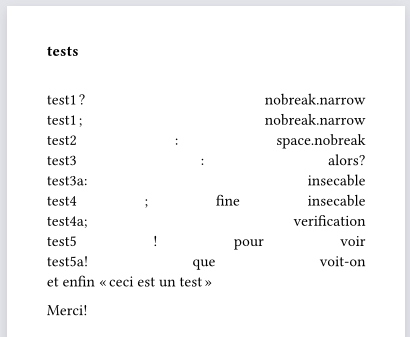
Because as point by @vmartel08, some characters already have unbreakable space if you do, for instance, toto :. I just keep my reflex from LaTeX by doing toto: (which will then add an unbreakable space). Note that I did this modification to have “thin” unbreakable space instead of the normal unbreakable ones.
Specification
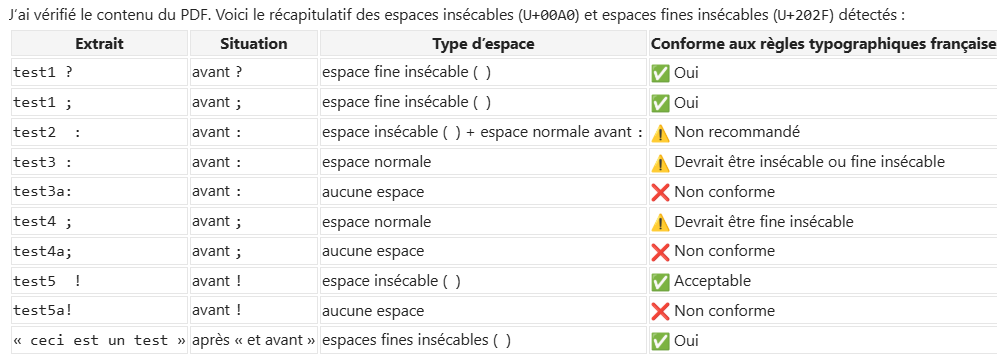
About the thin unbreakable VS unbreakable. I knew about thin one between digits, but I did not for symbol like the question mark. So thanks a lot @vmartel08 for the specification. By the way, I made quick test, but doing this:
#lorem(7) "— bonjour, je m'appelle François."

#lorem(7) « — bonjour, je m'appelle François. »