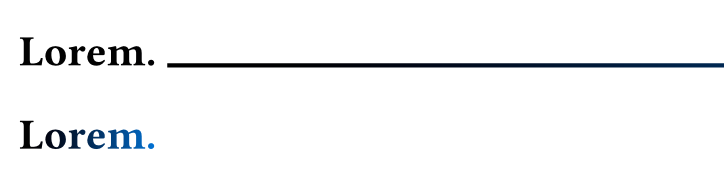
The gradient is based on the size of the container that it’s in, which is the heading. Since the heading with stroke is wider, the gradient becomes wider as well.
The solution is to put a smaller container into the heading:
= #box(lorem(1)) #header_stroke
(this assumes that the header is less wide than the full page, otherwise you run into line break issues…)
To automate this, you could wrap all text (in headings) into boxes:
#show heading.where(level: 1): it => {
  show text: box
  it
}
But careful: if you have individually styled parts, e.g. in Lorem _ipsum_, this will break your text and restart the gradient.
If you want all headings to have the stroke, the better way would thus be to put the whole heading body in a box in a heading show rule. That could look something like this: