// #set text(top-edge: "bounds", bottom-edge: "bounds")
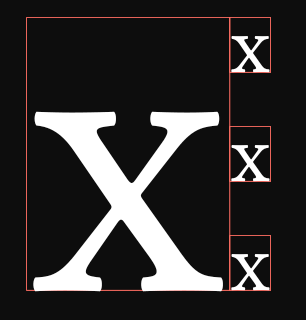
#show text: box.with(stroke: red + 0.1pt)

#context grid(
  columns: 2, ..{
    let a = [x]
    let b = text(10pt)[x\ x\ x]
    let factor = measure(b).height / measure(a).height
    (text(factor * 1em, a), b)
  }
)
#set text(top-edge: "bounds", bottom-edge: "bounds")
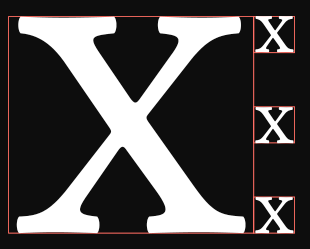
#show text: box.with(stroke: red + 0.1pt)

#context grid(
  columns: 2, ..{
    let a = [x]
    let b = text(10pt)[x\ x\ x]
    let factor = measure(b).height / measure(a).height
    (text(factor * 1em, a), b)
  }
)
The bounds are necessary for correctly measuring text bounding box, and laying out the result.
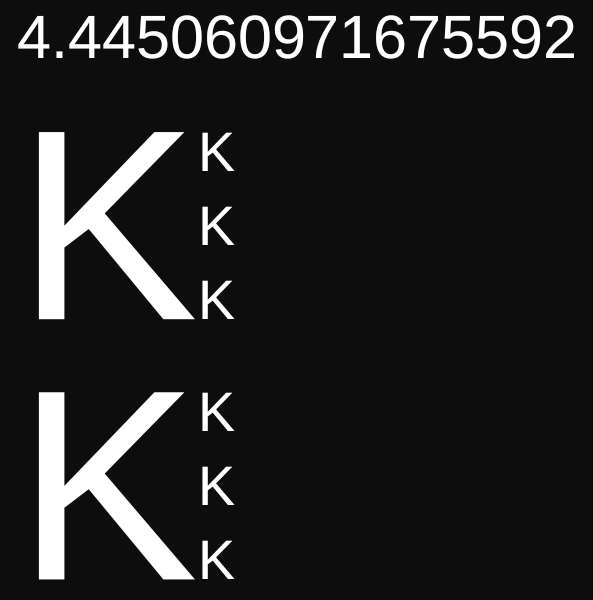
To calculate the height, just grab the factor value and paste it into the code:
#{
  set text(top-edge: "bounds", bottom-edge: "bounds")
  set text(font: "Liberation Sans")
  context {
    let a = [K]
    let b = text(10pt)[K \ K \ K]
    let factor = measure(b).height / measure(a).height
    repr(factor)
    grid(
      columns: 2,
      text(factor * 1em, a), b,
    )
  }
}

#{
  set text(font: "Liberation Sans", top-edge: "bounds", bottom-edge: "bounds")
  grid(
    columns: 2,
    text(4.445em)[K], text(10pt)[K \ K \ K],
  )
}
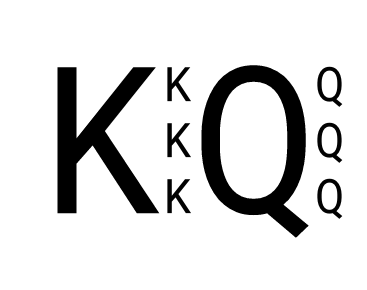
I don’t have bounds set in my packages, so probably you shouldn’t set it too, as it will change spacing between lines.
If sans-serif is the main font, then it can be hoisted, but inlining bounds will be longer than the example above.
#set text(font: "Liberation Sans")

#grid(
  columns: 2,
  text(4.445em, top-edge: "bounds", bottom-edge: "bounds")[K],
  text(10pt, top-edge: "bounds", bottom-edge: "bounds")[K \ K \ K],
)