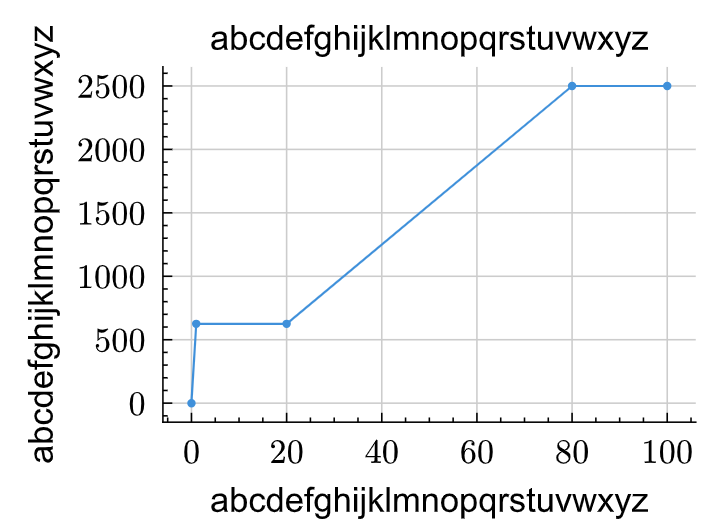
Trying to assign the tick-labels a different font, but it does not work. The selector lq.diagram works, however, but not for the tick-labels.
#show lq.selector(lq.tick-label): set text(
  size: .8em,
  font: "Arial"
  )
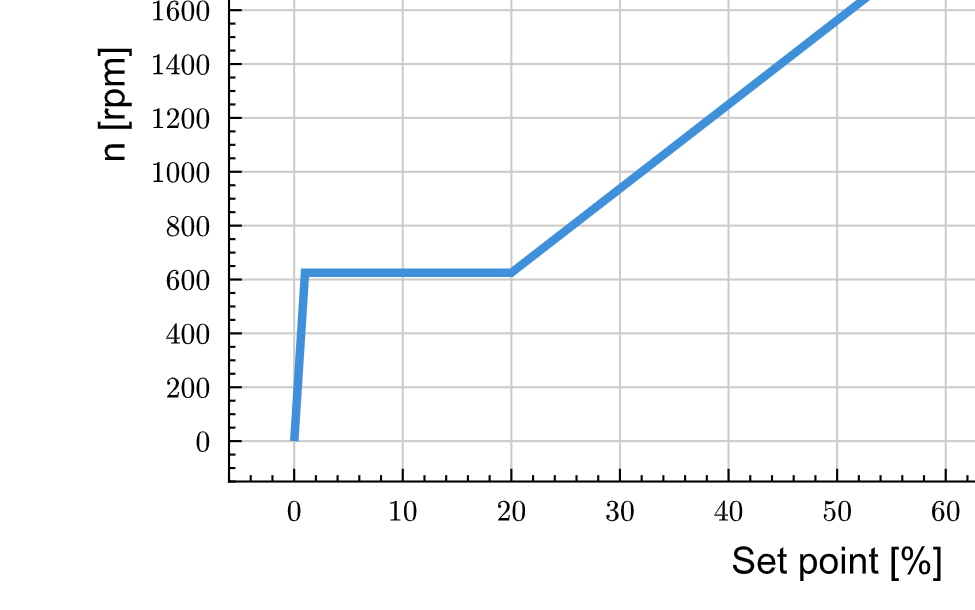
What am I doing wrong?
This is an example given by @MAX2:
#import "@preview/lilaq:0.6.0" as lq
#import "@preview/zero:0.6.1": set-num

#set-num(math: false)
#set page(margin: 5mm, paper: "a4")

#show lq.selector(lq.diagram): set text(font: "Arial")

#let data_x = (0, 1)
#let data_y = (0, 1)

#lq.diagram(
  width: 100%,
  height: 100%,
  lq.plot(data_x, data_y),
)
For some reason, it works in my Tinymist/VSCode setup as well as in typst.app.
I sent him my complete code file using PM for a check, we assume there is something in my typ file context keeping this font setting from working…
Curious! Your code should work just fine @Matze , using lq.selector(lq.tick-label). Can you provide a full example of your code?
I made a MWE.
Seems I don’t need much to reproduce:
#import "@preview/lilaq:0.6.0" as lq

#show lq.selector(lq.diagram): set text(
  font: "Arial"
  )
#show lq.selector(lq.tick-label): set text(
  font: "Arial",
  )

#align(center,
lq.diagram(
  title: "abcdefghijklmnopqrstuvwxyz",
  xlabel: "abcdefghijklmnopqrstuvwxyz",
  ylabel: "abcdefghijklmnopqrstuvwxyz",
  yaxis: (
    exponent: none,
    mirror: false,
    ),
  xaxis: (
    exponent: none,
    mirror: false,
    ),

  lq.plot(
    (0,1,20,80,100),
    (0,625,625,2500,2500),
  )
))
You can play with the lines 4…10 (the #show rules), but it never comes right.
Aha, I get it! Your example has the fix from How to change diagram font in lilaq - #3 by Mc-Zen contained! That’s why it works.
Ah, you wanted also the ticks!
Yes, for precise formatting, Zero uses math mode by default. Setting its parameter math to false allows you to use a non-math font. If you have a math font at hand that looks similar to your font, you can also configure the math font with show math.equation: set text(font: "...") . Just for explaining and completeness :)