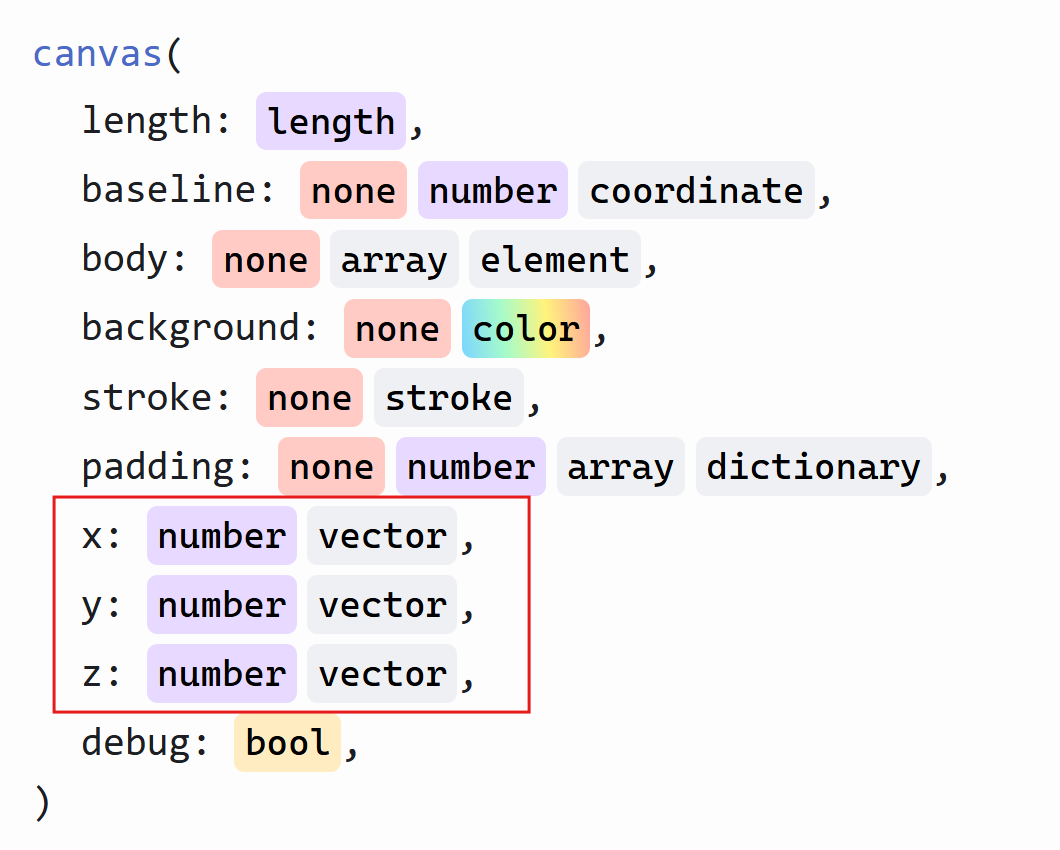
How can I customize the y parameter inside the canvas() function
#set page(width:auto, height:auto, margin: 5mm)
#import "@preview/cetz:0.5.2"
#cetz.canvas({
  import cetz.draw: *

  let mark-axis = (end: (symbol: "stealth", fill: black, scale: 0.5))
  let stroke-axis = (dash: "solid")

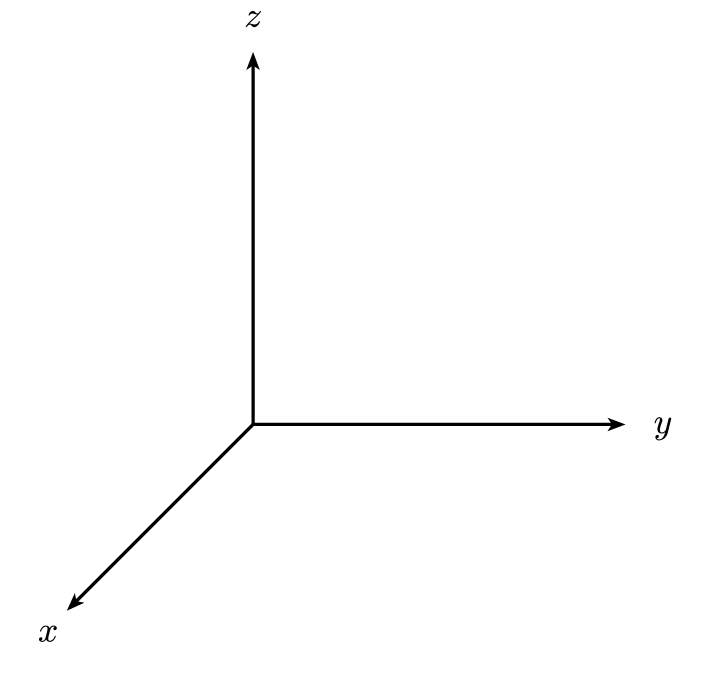
  ortho(x: -70deg, y: 0deg, z: -110deg, sorted: false, {
    let R = 4
    line((0, 0, 0), (R, 0, 0), name: "x", stroke: stroke-axis, mark: mark-axis)
    line((0, 0, 0), (0, R, 0), name: "y", stroke: stroke-axis, mark: mark-axis)
    line((0, 0, 0), (0, 0, R), name: "z", stroke: stroke-axis, mark: mark-axis)
    content((rel: (0.4, 0, 0), to: "x.end"), $x$)
    content((rel: (0, 0.4, 0), to: "y.end"), $y$)
    content((rel: (0, 0, 0.4), to: "z.end"), $z$)
  })
})
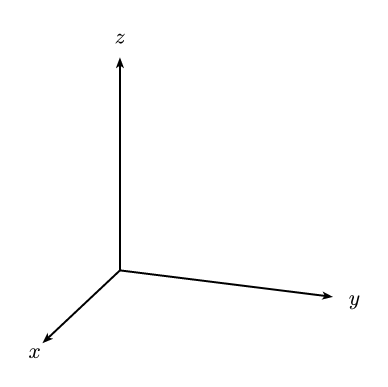
I’m trying to customize the y parameter in the canvas() function. Basically, I want to change the default y-axis direction so it points horizontally to the right. How can I do this?