Bryn
September 26, 2025, 10:01pm
1
I’d like to have a light grid showing across my page (possibly also with numbers like ‘1 cm’, ‘2 cm’, ‘3 cm’, …) to help with laying out other things.
In other situations I’d like to have a grid showing just within another document element.
What is a simple way of doing this, either with built-in typst functions, or with a package?
Andrew
September 26, 2025, 10:26pm
2
The easiest way maybe this:
#set page(
  background: grid(columns: (1cm,) * 21, rows: (1cm,) * 30, stroke: 0.1mm),
)
#set page(background: context grid(
  columns: (1cm,) * calc.ceil(page.width.cm()),
  rows: (1cm,) * calc.ceil(page.height.cm()),
  stroke: 0.1mm
))
Kind of related: Add support for inside/center/outside strokes (change stroke bounding box). Zero page margins issue · Issue #5741 · typst/typst · GitHub
Or this:
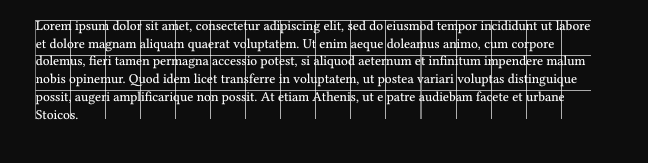
#let cm-grid = tiling(size: (1cm, 1cm), square(stroke: 0.1mm))
// #set page(fill: cm-grid)
#block(fill: cm-grid, lorem(70))
With tiling, it’s easy to apply to stuff other than page. Much more dynamic, but you won’t be able to place ordered labels.
Bryn
September 26, 2025, 11:54pm
3
Thanks – I have realised that I probably have more use for the helper grid within an element and the cm-grid solution works well. For my own future reference, I coloured it a bit differently
#let cm-grid = tiling(size: (1cm, 1cm), square(
                      stroke: 0.5pt + blue.transparentize(90%)))
And then use
#block(fill: cm-grid, [
// the thing that I am currently trying to typeset
])