Hello! I was writing a personal journal and I wanted to sometimes cite a certain document by its title (I have my bibliography in a hayagrvia YAML file) instead of the normal chicago style I use.
I think this is an interesting way of using a single source of truth to get metadata of a work into documents, e.g. the year of publication, authors or whatever you want.
However, after inspecting the ref and cite elements I haven’t figured out if that’s even possible to do. Has someone done this? Or knows how to do it?
Thank you for the previous suggestions. I think I need to clarify exactly what output I am aiming for, as I might have used the wrong terminology.
I have a bib.yaml entry like this:
harrypotter:
  title: Harry Potter and the Philosopher's Stone
  author: J.K.Rowling
  year: 1997
In my document, I am using the chicago-author-date style. When I write:
bla bla bla @harrypotter bla
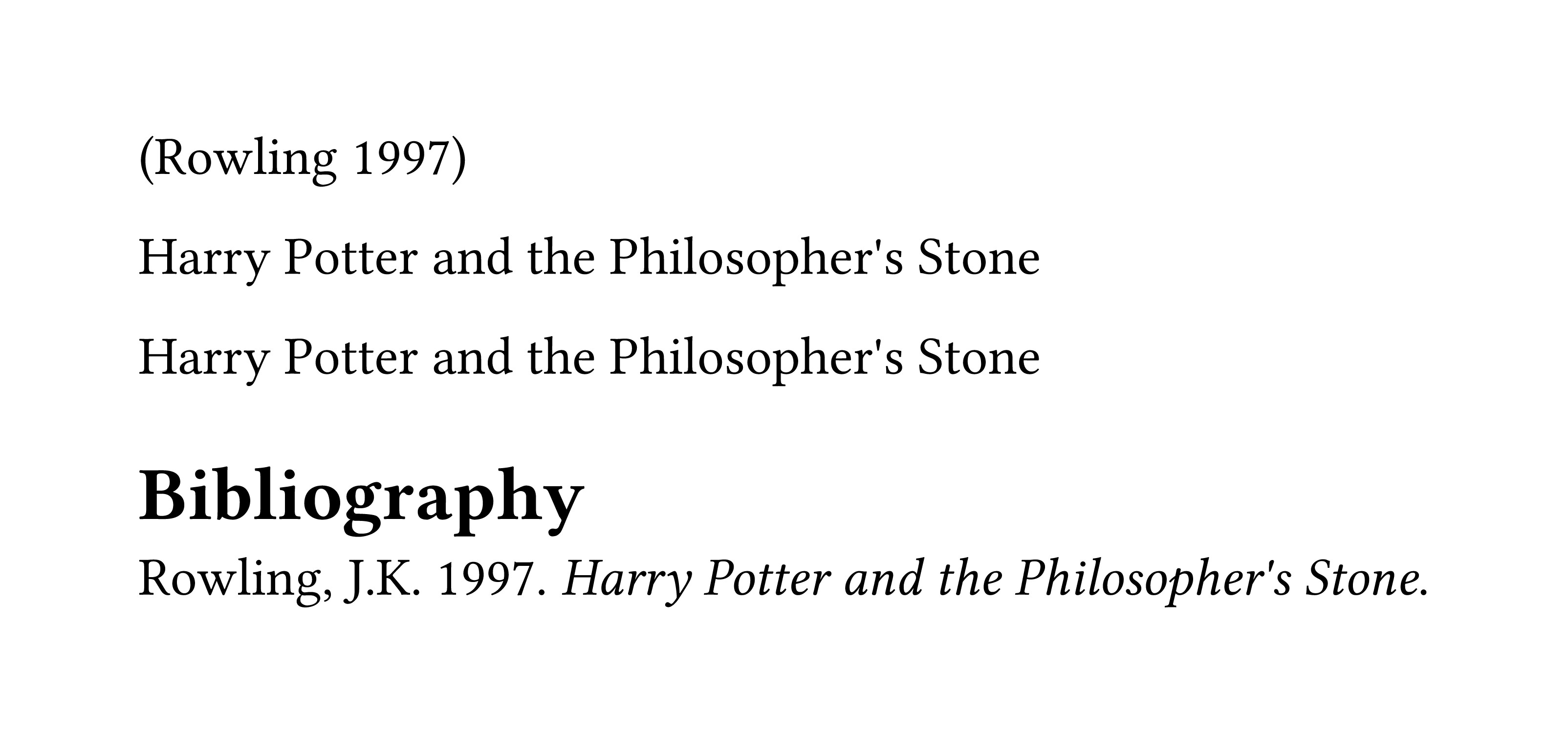
It currently renders the standard citation format:
bla bla bla (Rowling, 1997) bla
However, my goal is to have the citation render the title of the work directly in the text, like this:
bla bla bla Harry Potter and the Philosopher’s Stone bla
Essentially, I want to “extract” the title field from the bibliography entry to use it as a noun in the sentence itself, rather than having Typst generate the parenthetical citation. Is there a way to access the title property of @harrypotter directly? Note that this is only for entries I choose to render this way, otherwise the citation should work as it is.
Typst uses Hayagriva for the bibliography which internally uses CSL. The documentation cite explains that it is possible to define a custom style just for the citation with style. The following solution uses a custom in-text CSL style to only display the title:
#let my-csl = bytes(```
<!-- put this into a .csl file -->
<?xml version="1.0" encoding="UTF-8"?>
<style xmlns="http://purl.org/net/xbiblio/csl" version="1.0" class="in-text">
  <info>
    <id>d1a68c61-1da2-415a-b5a2-1a825824f899</id>
    <title>Title Only</title>
    <updated>2026-04-20T13:55:00+00:00</updated>
  </info>
  <citation>
    <layout>
      <text variable="title"/>
    </layout>
  </citation>
</style>
```.text)

#let my-bib = bytes(```
# your .bib file
harrypotter:
    type: Book
    title: Harry Potter and the Philosopher's Stone
    author: Rowling, J.K.
    date: 1997
```.text)

// default
@harrypotter

// custom
#cite(<harrypotter>, style: my-csl)

// or like this
#let cite-title = cite.with(style: my-csl)
#cite-title(<harrypotter>)

#bibliography(my-bib, style: "chicago-author-date")