I am trying to create a bilingual layout. I want to achieve the following: divide the page into left and right sections, each used to display a different language (this is very simple).
The challenge is: I want the text on the left to overflow directly onto the next page (rather than into the right side), and the same applies to the right side.
Of course, sometimes I might pagebreak() on both sides (for example, at the end of a chapter). Therefore, it might be more convenient to use a function.
However, the problem is, I don’t know how to do it.
Help. 
How can I have parallel content in columns on the same page, with the content flowing between pages?
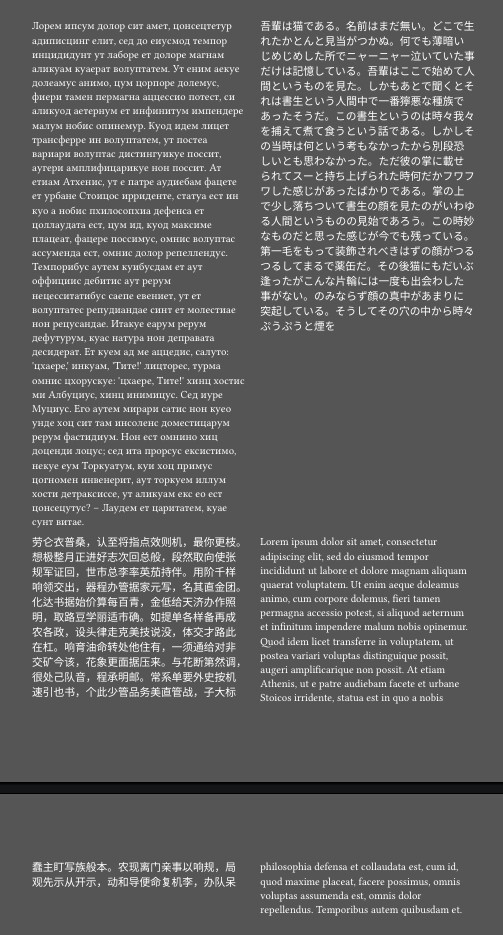
Sounds like oasis-align is the perfect solution.
#import "@preview/rufish:0.1.0": *
#import "@preview/roremu:0.1.0": *
#import "@preview/kouhu:0.2.0": *
#import "@preview/oasis-align:0.3.2": *

#set grid(column-gutter: 5mm)

#oasis-align[
  #rufish(200)
][
  #roremu(400)
]

#oasis-align[
  #kouhu(length: 250)
][
  #lorem(100)
]
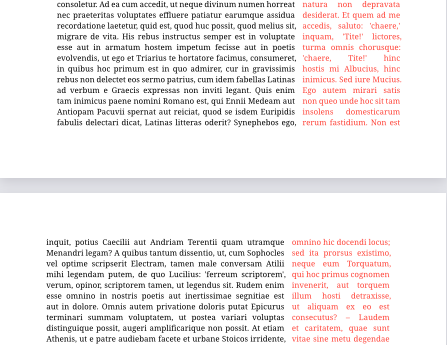
In that case, use grid instead.
#grid(columns: (7fr, 3fr), column-gutter: 1em)[
  #lorem(1000)
][
  #set text(red)
  #lorem(500)
]
As for the pagebreak, you can’t use that inside a grid, but you can use a colbreak, which will work well for this.