Hello, I am quite new to Typst and this is my first attempt at creating a layout. I’m recreating some templates from a labeling software, so I’m trying to get the measurements in the layout as close as possible to the original.
I started with grids and here is what I came up with (code below):
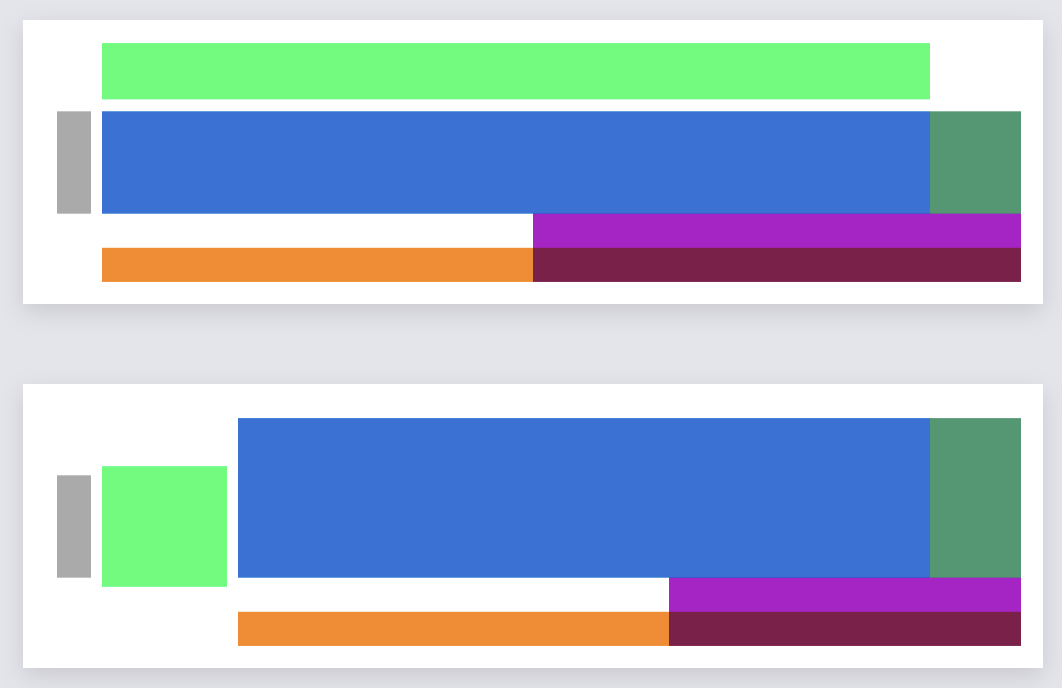
If you notice, the main difference is the placement of the lime square. Of course, this would make the other squares squish/expand depending on the placement. Is starting with a grid a bad idea? I feel like if I structured this differently, I could get closer to being able to using an if statement somewhere that determines where to place the lime square, rather than in the several places I’d be forced to, given the above layout (including changing column/row sizes).
Hope that makes sense and thanks for any pointers in the right direction.
#set page(
  width: 90mm,
  height: 25mm,
  margin: (y: 2mm, left: 3mm, right: 2mm)
)

#set text(size: 8pt, font: "Public Sans")

#grid(
  columns: (3mm, 1fr),
  column-gutter: (1mm),
  // stroke: .5pt,
  rows: 21mm,
  align: horizon,
  rect(fill: gray, width: 100%, height: 9mm),
  stack(
    grid(
      columns: (73mm, 1fr),
      rows: (5mm),
      rect(fill: lime, width: 100%),
      none
    ),
    v(1mm, weak: true),
    grid(
      columns: (73mm, 1fr),
      rows: (9mm),
      align: bottom,
      rect(fill: blue, width: 100%, height: 100%),
      rect(fill: olive, width: 100%, height: 100%)
    ),
    grid(
      columns: (38mm, 1fr),
      rows: (3mm),
      none,
      rect(fill: purple, width: 100%)
    ),
    grid(
      columns: (38mm, 1fr),
      rows: (3mm),
      rect(fill: orange, width: 100%),
      rect(fill: maroon, width: 100%)
    )
  )
)

#grid(
  columns: (3mm, 11mm, 1fr),
  column-gutter: (1mm),
  // stroke: .5pt,
  rows: 21mm,
  align: horizon,
  rect(fill: gray, width: 100%, height: 9mm),
  rect(fill: lime, width: 100%),
  stack(
    v(1mm, weak: true),
    grid(
      columns: (61mm, 1fr),
      rows: (14mm),
      align: bottom,
      rect(fill: blue, width: 100%, height: 100%),
      rect(fill: olive, width: 100%, height: 100%)
    ),
    grid(
      columns: (38mm, 1fr),
      rows: (3mm),
      none,
      rect(fill: purple, width: 100%)
    ),
    grid(
      columns: (38mm, 1fr),
      rows: (3mm),
      rect(fill: orange, width: 100%),
      rect(fill: maroon, width: 100%)
    )
  )
)