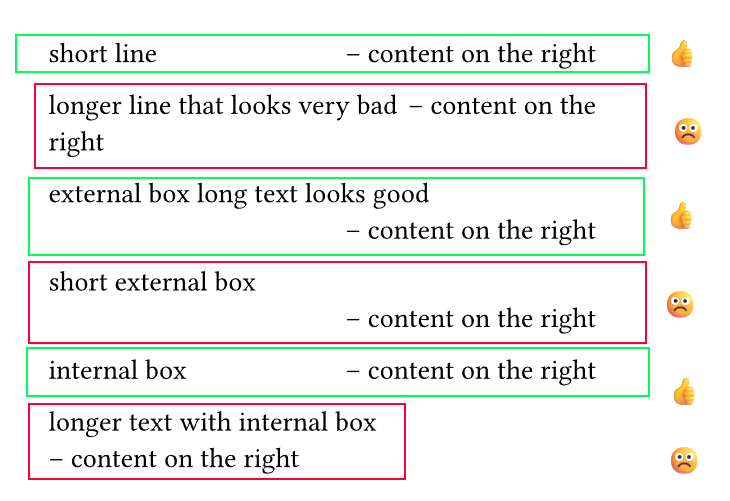
I’d like to have a right-aligned text starting in the same line as some variable-width unknown text on the left side, as long as there is enough space.
If the remaing space is too small to fit the whole text on the right, it should go in a new line and still be right-aligned.
I’ve tried several versions with h(1fr) and box() wich all somewhat worked, but not in all cases.
Here are some examples together with a very crude montage whether I like them or not:
#set page(width: 10cm)
#let rhs = [#h(1fr) -- content on the right]
short line #rhs

longer line that looks very bad #rhs

external box long text looks good#box(rhs)

short external box #box(rhs)

#{rhs = [#h(1fr)#box()[-- content on the right]]}
internal box #rhs

longer text with internal box #rhs
I can’t use layout() since in the “actual” usecase I can’t have block-level content wich layout() forces. I can measure the #rhs, but I have not yet figured out a way to measure the text on the left side (since it too might span several lines which measure will ignore and return “wrong” values then) so even if I knew the pages dimensions I’m stuck.
unfortunately it’s not fixed. It could in theory be multiple lines, but most likely it’s not.
It’s not that important, but if the right content is multiple lines, it should stay right-aligned and start on it’s own line.
#let rhs(body) = {
  box()
  h(1fr)
  sym.wj
  box(body)
}

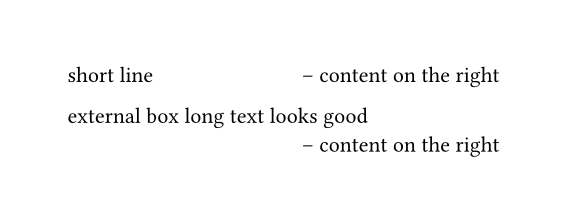
short line #rhs[-- content on the right]

external box long text looks good #rhs[-- content on the right]
The word joiner glues the first and second box together. The first box acts as an anchor for the word joiner to attach to, because it seems like the horizontal spacing is invisible to the word joiner.
Now, if there isn’t enough space left for the content in the second box, everything: the first box, the space, and the second box breaks to the next line as a group.
I am using this, to create my header, but the problem with the solution is, that the text which is right aligned is always in the second line, but I would prefer the left aligned text to be in the second line.
but I want the heading to be on the second line and the date above this.
Here is the code for this minimal working example:
#import "@preview/hydra:0.6.2": hydra
#let date = datetime.today().display("[day]. [month repr:long] [year]")
#set text(size: 12pt, lang: "en")

#set page(
    paper: "a4",
    margin: (y: 3cm, x: 2cm),
    header: context {
      set par(justify: false)
      (hydra(1, skip-starting: false))
      h(1em)
      box()
      h(1fr)
      sym.wj
      box(date) // Idea of sym.wj from https://forum.typst.app/t/how-can-i-place-text-in-the-same-line-on-the-right-side-unless-there-is-no-space-left/5405
      // The reason for the boxes is, that then the date stays together and if the chapter title is too long goes into the line below right aligned
      v(-0.7em)
      line(length: 100%)
    },
  )


= This is a heading which is quite long, i.e. too long for the heading to fit into the same line