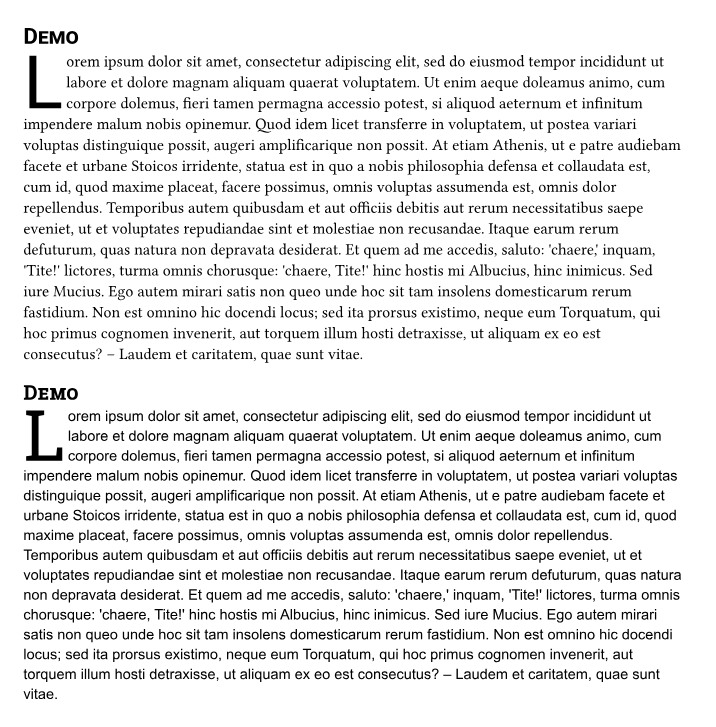
I would like to create a template which can either be ‘modern’ (using Roboto and related fonts) or ‘classic’ (using Libertinus Serif and friends) dependent on a command line switch (for testing purposes). This works nicely for headers, body text, etc., but drop caps are giving me headaches. How can I make this work most nicely?
this is (part of) the template file
#import "@preview/droplet:0.3.1": dropcap

#let dropcap-font = state("dropcap-font")

#let thesis(classic: false, it) = {
  set text(font: "roboto")
  show heading: set text(font: "Libertinus Serif", features: ("smcp",)) if classic
  show heading: set text(font: "Roboto Slab") if not classic

  if classic {
    dropcap-font.update("Libertinus Serif")
  }
  else {
    dropcap-font.update("Roboto Slab")
  }

  it
}

#let dropcap = dropcap.with(
  height: 3,
  gap: .2em,
  // does work, but does not depend on condition `classic`:
  // font: "roboto slab",
  // does not work; gives an error `Expected string, dictionary, or array, found content`:
  // font: context(str(dropcap-font.get())),
  weight: 400,
)
this is (part of) the demo file:
#import "template.typ": *

#let classic = sys.inputs.at("classic", default: "false")
#let classic = not (classic == "false")

#let dropcap-font = state("dropcap-font")
#show: thesis.with(classic: classic)

// does not work
#dropcap-font.update("roboto slab")

// does not work
#if not classic {
  let dropcap = dropcap.with(font: "roboto slab",)
}

// does work, but does not depend on condition `classic`
#let dropcap = dropcap.with(fill: red,)

= Demo

#dropcap[#lorem(200)]
I would expect that the switch in the demo file would work, but it doesn’t. I also hope there is a prettier way (setting the dropcap font near where the header font is set)
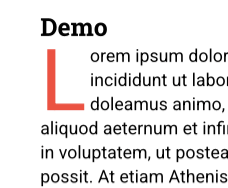
The current code gives me a Roboto (not Roboto Slab) red initial:
Thanks heaps in advance!