How can I size a block so that contained text retains the full paragraph width?

I’m trying to display a text inside a framed box, with the command block

In LaTeX, with the keyword oversize, I can make the block slightly larger so the text fits the margin of the page, instead of block border :

\documentclass[10pt]{article}
\usepackage{tcolorbox}
\usepackage{lipsum}
\usepackage{showframe}

\begin{document}
\begin{tcolorbox}[colback=red!5, colframe=red, oversize]
  \lipsum[1]
\end{tcolorbox}
\lipsum[1]
\end{document}
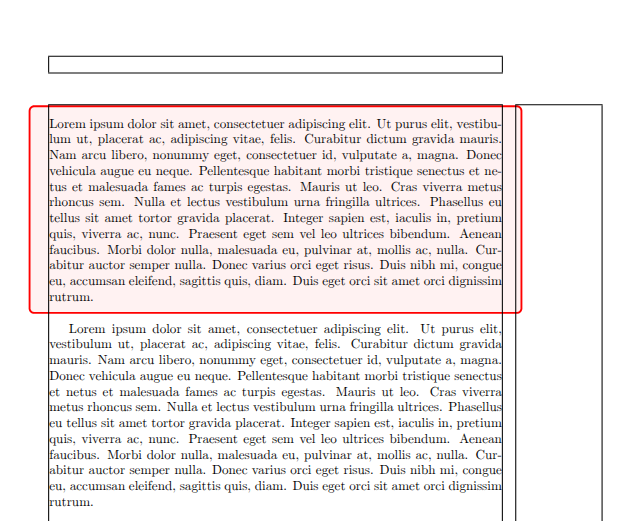
I’m trying to do this in Typst, but I did not find an equivalent to this oversize keyword

#block(
  fill: red.lighten(95%),
  stroke: red + 2pt,
  inset: 10pt,
  radius: 4pt,
  width: 100% + 4pt, // ??
)[
  #lorem(30)
]
#lorem(30)
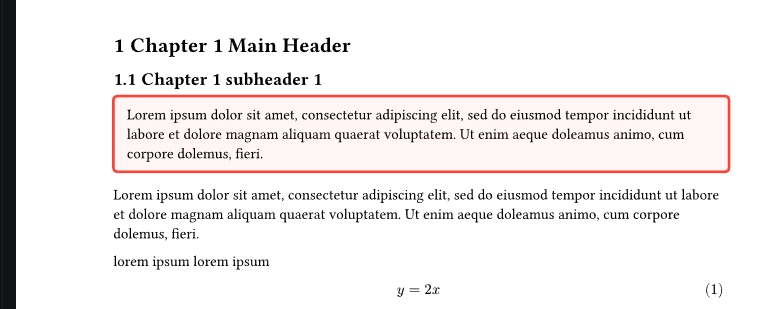
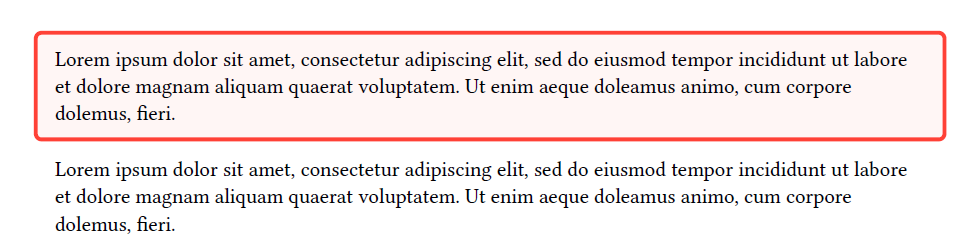
I could try manually enlarge the width of the block, but this is quite hand-crafted, and this still cause issue on the left part of the block.

Is there way to do it ?
1 Like

Have you tried replacing inset with outset in your code?

This is a very simple way to achieve it. You can then adjust the outset the way you want. You may want to also change spacing if you want to avoid covering the next paragraph or the heading.

#block(
  fill: red.lighten(95%),
  stroke: red + 2pt,
  outset: 10pt, // Adjust outset
  spacing: 2em, // Adjust spacing
  radius: 4pt,
  width: 100% + 4pt, // ??
)[#lorem(30)]
#lorem(30)

You could also look at drafting – Typst Universe
A relevant post on outset: Difference between inset and outset?

2 Likes

As an extension to @vmartel08 's answer, you could use inset for the vertical spacing
, and outset for the horizontal:

//...
outset: (x: 1em, rest: 0em),
inset: (y: 1em, rest: 0em),
//...