Hello,
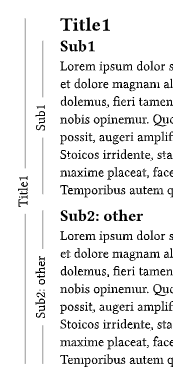
I would like the draw lines along my sections in my document in the margin and add text/label to them. I’ve tried something using blocks to show what I would like to have, but it seems a bit hacky and I don’t see how to add text to it until now.
#block(stroke: (left: black), outset: (left: 10mm, rest: 0mm))[
  = Section<test_section>

  #block(stroke: (left: black), outset: (left: 5mm, rest: 0mm))[
    == subsection
    #lorem(100)
  ]
]

#block(stroke: (left: black), outset: (left: 10mm, rest: 0mm))[
  = Section<test_section>

  #block(stroke: (left: black), outset: (left: 5mm, rest: 0mm))[
    == subsection
    #lorem(80)
  ]

  #block(stroke: (left: black), outset: (left: 5mm, rest: 0mm))[
    == subsection
    #lorem(50)
  ]
]
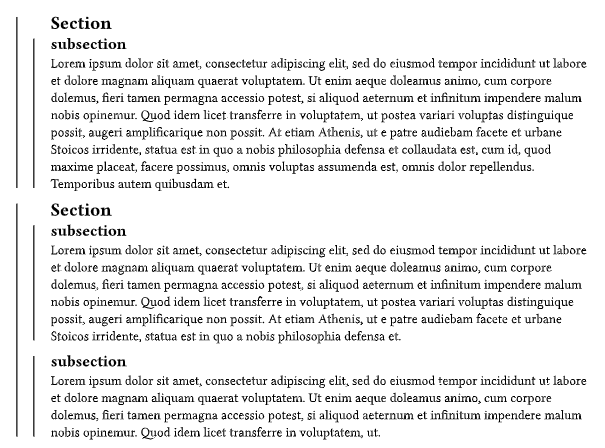
So I would like to add for example the name of the section and subsection vertically on their corresponding line to have a kind of quick overview when the sections run over several pages for example.
Do you have any hint or idea to handle this? Thanks!