i wanted to have some emojis in my document, but i really can’t get this to work…
Here is a simple snippet that just tries to build a table with the name of a few emojis on the left and the actual emojis on the right.
#set page(width: auto, height: auto, margin: 1em)

#grid(
  columns: 2,
  inset: 1em,
  `#emoji.pin.round`     , emoji.pin.round,
  `#emoji.phone.receiver`, emoji.phone.receiver,
  `#emoji.tray.mail`     , emoji.tray.mail,
  `#emoji.globe.meridian`, emoji.globe.meridian,
  `#emoji.key.old`       , emoji.key.old,
)
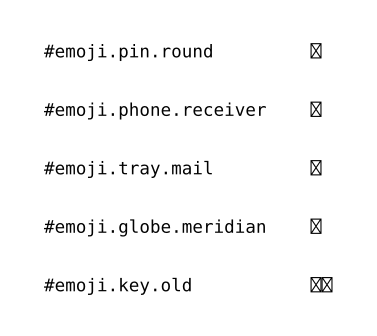
But here is the result !
i did try to install some Nerd font , e.g. the first one OxProto, which is available to other applications after some fc-cache shenanigans, but still the same result in Typst.
i’m really confused as to where these emojis should come from
Hi.
Antoine_Stevan:
i did try to install some Nerd font , e.g. the first one OxProto, which is available to other applications after some fc-cache shenanigans, but still the same result in Typst.
It’s 0xProto, and patched nerd fonts are monospaced symbols with ligatures, have nothing to do with emoji. Use GitHub - googlefonts/noto-emoji: Noto Emoji fonts · GitHub or something else.
If other apps see them, then typst fonts will too. Use text.font/text.fallback fields.
oooh interesting !
i was able to get some emojis from fonts.google.com
unzip ~/downloads/Noto_Emoji.zip -d ~/.local/share/fonts/noto-emoji
but it looks like the issue shifted a bit…
both
typst compile main.typ main.png
typst compile main.typ main.pdf
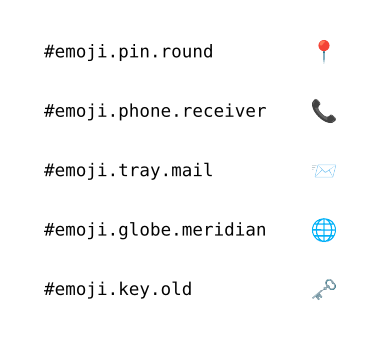
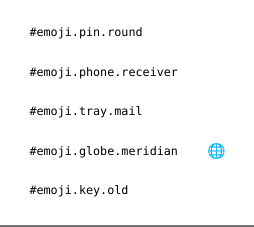
give
see below because i cannot post more than 2 embeds in a single post, sorry
typst compile main.typ main.png
gives
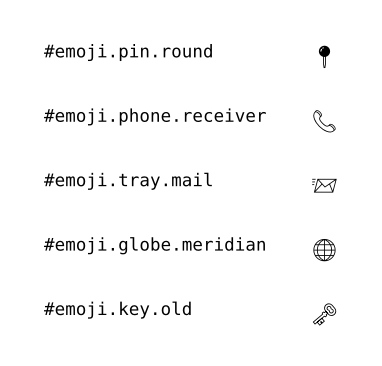
but
typst compile main.typ main.pdf
gives