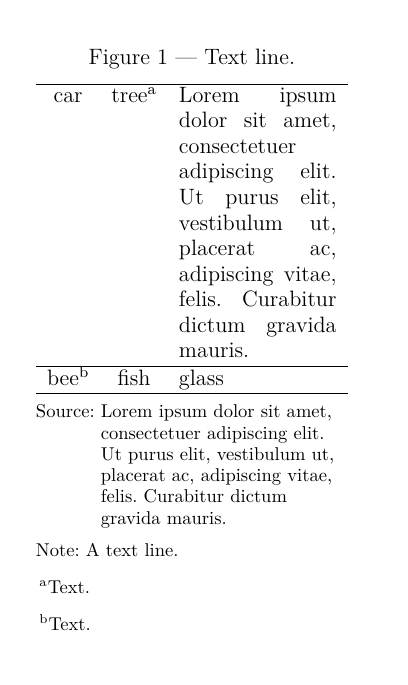
Or whatever approach works best if the one above isn’t ideal.
I’ve tried redefining standard elements using something like #let default-figure = figure, but I’m not sure if that’s the correct way to do it, so I’d appreciate an explanation.
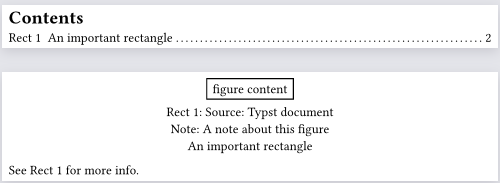
Here’s a way to do it with a function that wraps around the normal figure function:
#let in-outline = state("in-outline", false)
#show outline: it => {
  in-outline.update(true)
  it
  in-outline.update(false)
}

#outline(target: figure)
#pagebreak()


#let figure(..args) = {
  let positional = args.pos()
  let named = args.named()

  //If the info is there, take it out to be combined later
  let source = if "source" in named { [Source: ] + named.remove("source") } else {none}
  let note = if "note" in named { [Note: ] + named.remove("note") } else {none}
  let caption = if "caption" in named { named.remove("caption") } else {none}

  //Combine the pieces of information
  let combined-caption = (source, note, caption).filter(p => p != none).join(linebreak())

  std.figure(
    ..named,
    ..positional,
    caption: context { if in-outline.get() {caption} else {combined-caption} }
  )
}

#figure(
  rect(stroke: 1pt)[figure content],
  supplement: [Rect],
  source: [Typst document],
  note: [A note about this figure],
  caption: [An important rectangle]
) <label>

See @label for more info.
Here the formatting of the extra pieces is just adding adding them on a new line. Putting all the pieces into a term list or a grid might be better options.