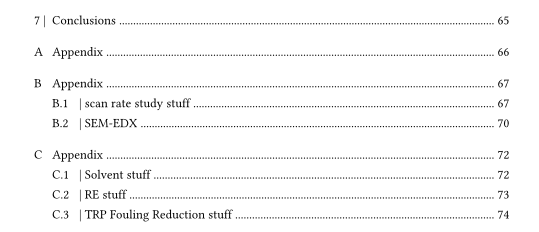
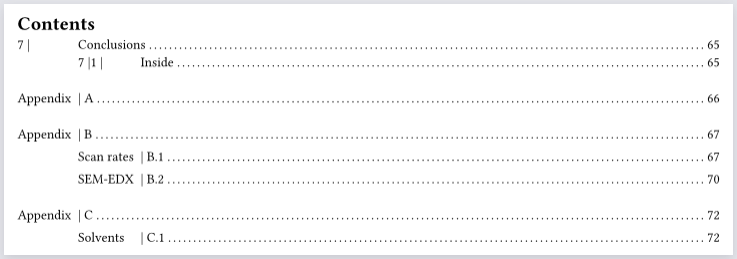
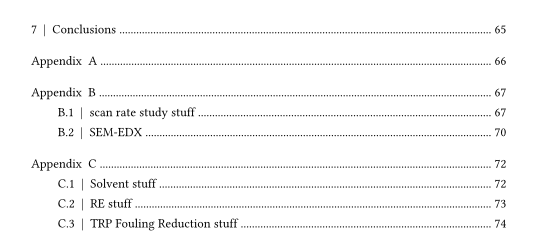
I attempted to change the order of the entry components in the outline using this code:
#show outline.entry: it => {
  let swap_num = query(label("appendixa"))
  if it.element in swap_num {
    return [#it.body() #it.prefix() #it.fill() #it.page()]
  }
  it
}
but there was no change in the rendering. Any advice?
Comparing content directly to whatever is being queried can be unreliable.
I would instead further look up body inside these queried headings. Caution might be necessary when adding labels to the appendix headings, as the angle bracket syntax is more parasitic than #label(), meaning labels can unintentionally mess with it.body().
#show outline.entry: it => {
  let appendices = query(
    selector(heading)
      .after(
        metadata.where(value: "appendix-start")
      )
      .before(
        metadata.where(value: "appendix-end")
      )
  ).map(it => it.body)

  set block(above: 2em) if it.level == 1
  set block(above: 1em) if it.level == 2

  if it.body() not in appendices { return it }

  link(
    it.element.location(),
    it.indented(it.body())[#it.prefix() #box(width: 1fr, it.fill) #it.page() #linebreak()]
  )
}

#outline()

// Headings here
#set heading(numbering: "1 |")
= Conclusions
== Inside

// Appendices here
#[

#counter(heading).update(0)
#set heading(numbering: "| A.1")
#show heading: it => align(center,
  text(15pt, block[#it.body #counter(heading).display()])
)

#metadata("appendix-start")

= Appendix

= Appendix
== Scan rates
== SEM-EDX

= Appendix
== Solvents

#metadata("appendix-end")

]

// Newer headings
While this follows the given directions, there’s a couple of obvious problems:
Such an outline incorrectly uses it.indented(), since its arguments are now reversed for the appendix entries. Hence why there’s so much space prior to them, like for 7 | Conclusions. To leave the non-appendix indentations untouched, it.indented() could entirely be omitted for the latter or compensation could be done using varying negative h() on all entry levels. I think that either way, level would have to be obtained from the querying, as there would be no it.indented() to rely on, but also changing the vertical spacings would become more onerous.
It’s unclear whether the | separators should only be visible from the outline.
I can attempt to deal with the abovementioned, but need more details, a drawing or similar visual clues.
Happily enough, the metadata labelling step automatically repeated for appendices B and C in the contents without me having to actually input the code around those two headings. Not sure why, but I’m not complaining!
I solved the indentation problem just by specifying the parameter in the outline function, and then I just put spacing in the level 2 headings to resolve the uneven spacing in the contents due to the | placement (and in answer to your second point, I did indeed want the | separators to be visible in the actual document as well as the outline).