Automatically looping over all PDF pages currently isn’t possible, as the total amount of pages can’t be obtained [1].
The obvious answer would be to find the corresponding page using a PDF viewer.
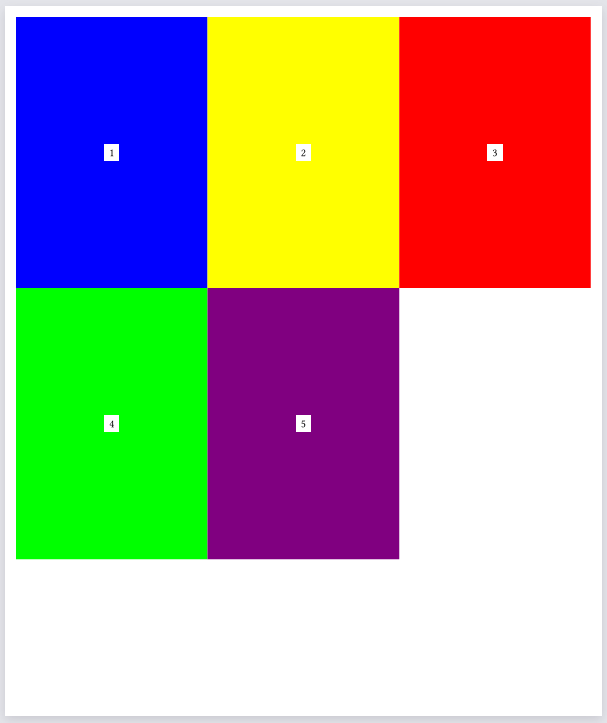
Assuming that’s not a possibility, that linked GitHub issue should provide enough clues. The last page number needs to be correctly guessed so that the Page # does not exist error disappears. To ease finding the desired page number, I have enumerated all pages, ordered into a grid:
File
#let file = bytes("%PDF-1.4
1 0 obj
<< /Type /Catalog /Pages 2 0 R >>
endobj

2 0 obj
<< /Type /Pages /Count 5 /Kids [3 0 R 4 0 R 5 0 R 6 0 R 7 0 R] >>
endobj

3 0 obj
<< /Type /Page /Parent 2 0 R /MediaBox [0 0 595 842] /Contents 8 0 R /Resources << >> >>
endobj

4 0 obj
<< /Type /Page /Parent 2 0 R /MediaBox [0 0 595 842] /Contents 9 0 R /Resources << >> >>
endobj

5 0 obj
<< /Type /Page /Parent 2 0 R /MediaBox [0 0 595 842] /Contents 10 0 R /Resources << >> >>
endobj

6 0 obj
<< /Type /Page /Parent 2 0 R /MediaBox [0 0 595 842] /Contents 11 0 R /Resources << >> >>
endobj

7 0 obj
<< /Type /Page /Parent 2 0 R /MediaBox [0 0 595 842] /Contents 12 0 R /Resources << >> >>
endobj

8 0 obj
<< /Length 44 >>
stream
0 0 1 rg
0 0 595 842 re
f
endstream
endobj

9 0 obj
<< /Length 44 >>
stream
1 1 0 rg
0 0 595 842 re
f
endstream
endobj

10 0 obj
<< /Length 44 >>
stream
1 0 0 rg
0 0 595 842 re
f
endstream
endobj

11 0 obj
<< /Length 44 >>
stream
0 1 0 rg
0 0 595 842 re
f
endstream
endobj

12 0 obj
<< /Length 44 >>
stream
0.5 0 0.5 rg
0 0 595 842 re
f
endstream
endobj

xref
0 13
0000000000 65535 f
0000000010 00000 n
0000000060 00000 n
0000000145 00000 n
0000000250 00000 n
0000000355 00000 n
0000000460 00000 n
0000000565 00000 n
0000000670 00000 n
0000000785 00000 n
0000000900 00000 n
0000001015 00000 n
0000001130 00000 n
trailer
<< /Size 13 /Root 1 0 R >>
startxref
1245
%%EOF")
This creates a page for each page of the input PDF, and makes sure that page 1) matches the input PDF’s page dimension, and 2) doesn’t contain any decorations such as header and footer.
We are now creating a custom function, that we will add to our Typst Instance that will allow us to get the number of pages from the PDF, so we can iterate properly.