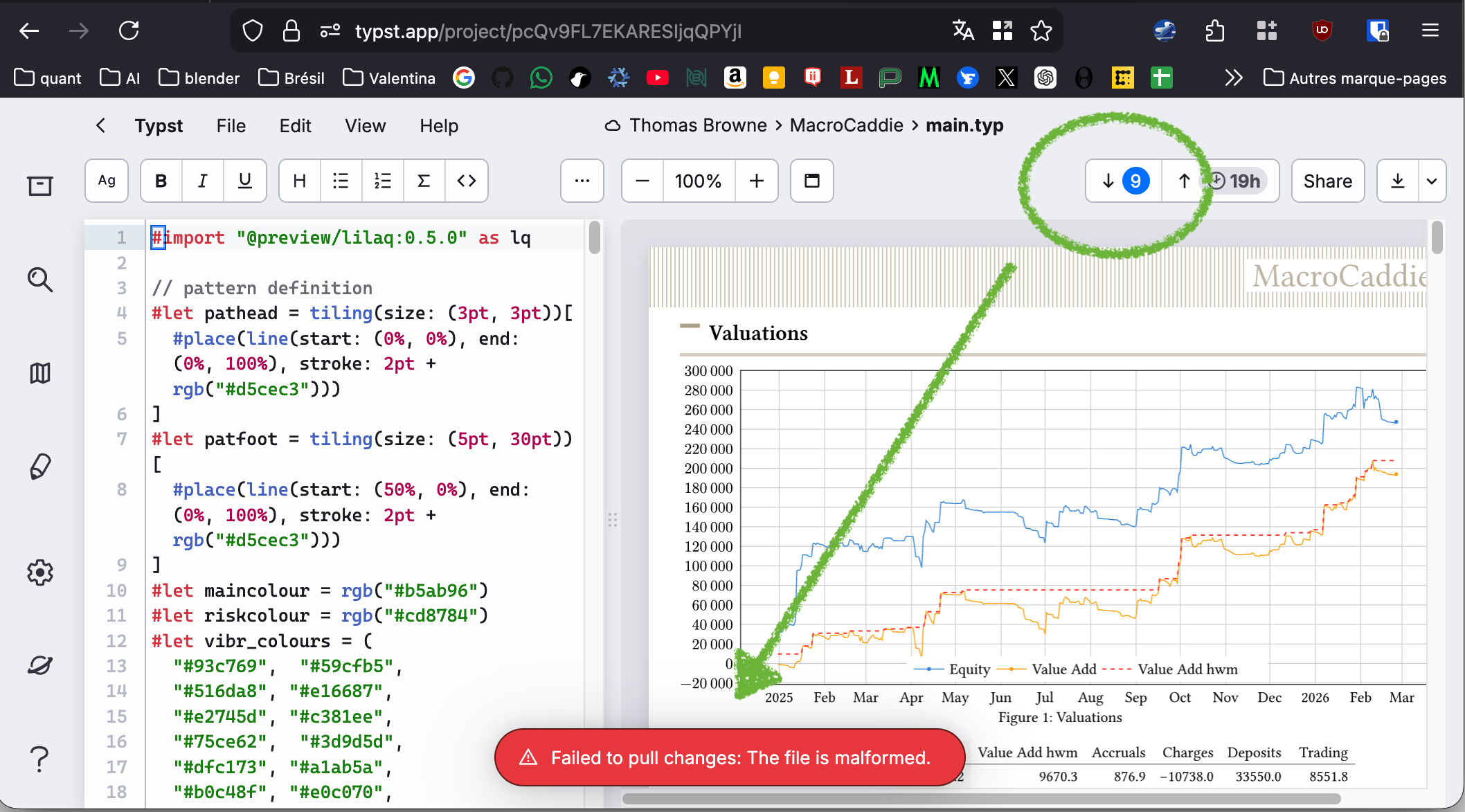
I’m 9 commits behind github in the Typst app, and there is no way to “reset” synchronization. It’s now erroring out. I’ve had problems before and disconnected github, but then when reconnecting one cannot link a non-empty directory so one has to re-create a new empty directory within Typst web app with a new name, move everything into it, change code etc, which is quite tedious. What’s the best workflow for resetting synchronization? Is there some equivalent of git fetch --allgit reset --hard origin/main or equivalent?
btw I know the files are not malformed because they’re working fine terminal-side including using python typst library to compile the typst file.
I had a look at your issue. The problem here is with charts/._totals.csv file: it is binary but because it has the .csv extension, Typst wants it to be text. This explains the “The file is malformed” message. So the solution is to get rid of that file (either using the GitHub web interface, or git rm charts/._totals.csv, git commit and git push). If you need it locally, you can also add it to your .gitignore to make it more convenient in the future. If it should just not be binary, another solution is to push a new commit that replaces it with a valid CSV file. In any case, you don’t have to rewrite your history, you can just push a new commit on top of your branch and Typst will ignore the previous ones.
In general, there is no way to “reset” synchronization state. If pulling or pushing doesn’t work, please report it here, on Discord, by email or via the feedback form.
aha! No idea how that file got there and of course because it starts with a “.” it was hidden. I have removed it and it works now thank you. That said, I still find it quite hard sometimes to work with github especially with existing repos because of the “directory must be empty” restriction but it’s fine not too hard to create a new directory. I guess you don’t want to pollute the files panel with all sorts of non-typst related files.
Yes, we agree that the error message could have bit more information, it would have allowed you to understand and fix the error by yourself.
The reason the “either the Typst project or Git directory must be empty to connect them” is that otherwise you would have two histories/file system structures that could very well have nothing in common and that would be impossible to automatically reconcile. It is a bit inconvenient, but as I said, in principle you should not really need to disconnect and reconnect your Git repository to get it to work. If there is a deeper issue it should be reported so that the Typst team can properly fix it.
But the Typst project can never be empty. It mandates the existence of at least 1 Typst file (“empty document” starts with non-empty project structure, too). That one is very confusing to me.
Sorry, the wording here was a bit confusing. The project is considered to be empty only when you create it. It is immediately populated with a single file, a template contents or a Git repository clone depending on how you created it.
Yes, this aligns with a past experience of not being able to reconnect the repository (in hopes of fixing full desync). It just doesn’t let you, you are forced to recreate a new project and transfer all the things that go along with it. The error message is not helpful.