I use numbly to customize the numbering of my headings and my numberings end with a dot, but when I reference a heading, I do not want these dots unwanted dots.
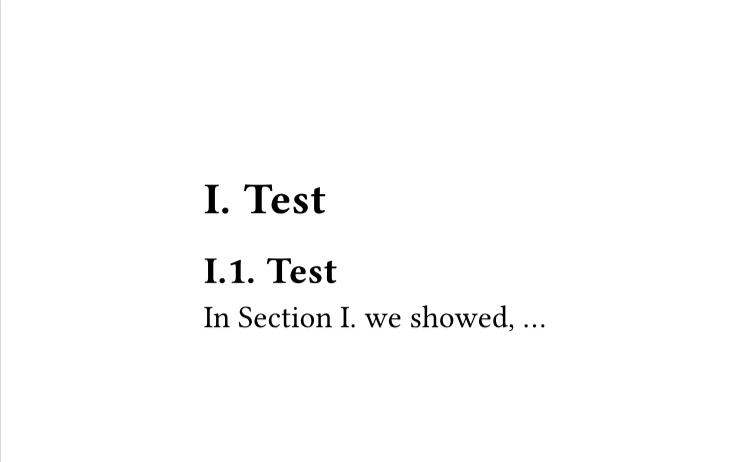
With the code
#import "@preview/numbly:0.1.0": numbly
#let sectionnumbering = ("{1:I.}", "{1:I.}{2:1}.")
#set heading(numbering: numbly(..sectionnumbering))

= Test<sec:sec1>
== Test
In @sec:sec1 we showed, ...
I get the output:
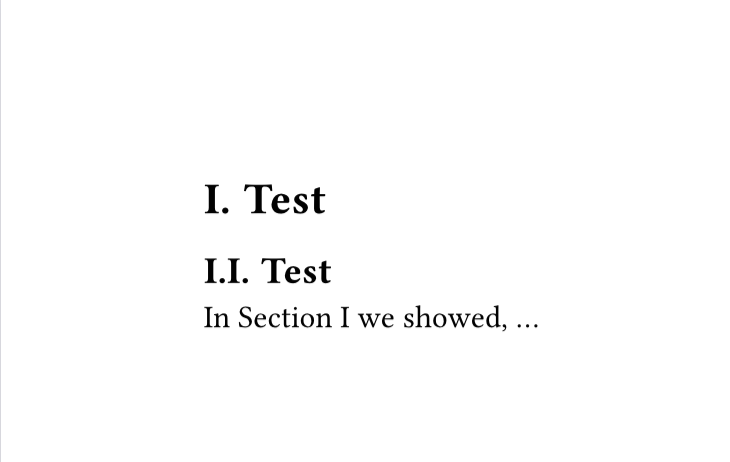
If I instead use
#set heading(numbering: "I.")

= Test<sec:sec1>
== Test
In @sec:sec1 we showed, ...
I get the output
so in the reference there is no dot after the numbering.
How can I still use numbly, but get rid of the unwanted dots?
Y.D.X
November 2, 2025, 11:48am
2
In your case, numbly is unnecessary, and "I.1." will just work.Numbering - Typst Documentation for explanation.
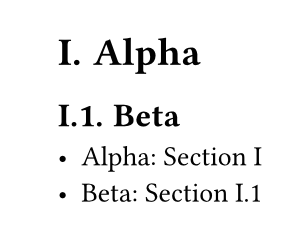
#set heading(numbering: "I.1.")

= Alpha <a>
== Beta <b>
- Alpha: @a
- Beta: @b
If you want full customization, please refer to Reference Function – Typst Documentation .
#import "@preview/numbly:0.1.0": numbly
#set heading(
  numbering: numbly("{1:I} 😺", "{1:I}.{2:1} 😺"),
  // Or simply `numbering: "I.1."`
)

#show ref: it => {
  let el = it.element
  if el != none or el.func() == heading {
    // Override heading references.
    [Section ]
    numbering(
      numbly("👻 {1:I}", "👻 {1:I}.{2:1}"),
      ..counter(heading).at(el.location()),
    )
  } else {
    // Keep other references untouched.
    it
  }
}

= Alpha <a>
== Beta <b>
- Alpha: @a
- Beta: @b
Andrew
November 2, 2025, 12:17pm
3
Y.D.X
November 2, 2025, 12:51pm
4
No, I mean the suffix is trimmed ("I.1." → "I.1") when a numbering pattern is referenced.
          fn realize_reference(
              reference: &Packed<RefElem>,
              engine: &mut Engine,
              styles: StyleChain,
              counter: Counter,
              numbering: Numbering,
              supplement: Content,
              elem: Content,
          ) -> SourceResult<Content> {
              let loc = elem.location().unwrap();
              let numbers = counter.display_at_loc(engine, loc, styles, &numbering.trimmed())?;
Andrew
November 3, 2025, 6:35am
5
I guess it would go here .