How to achieve this tree look using `cetz.tree`?

I’ve been trying to create a diagram similar to this diagram with different data filled (all rectangles / triangles filled):

possibly with on/off setting for alpha/beta

Here’s my attempt:

#import "@preview/cetz:0.4.2" as cetz: canvas, 

#canvas({
  import cetz.tree
  import cetz.draw: *
  set-style(content: (padding: .1))
  tree.tree(
    (([A]), ([B], [3], [12], [8]), ([C], [2], [16], [1]), ([D], [14], [0], [5])),
    draw-node: (node, ..) => {
      if node.depth == 0 {
        polygon((), 3, angle: 90deg)
        content((),node.content)
      } else if node.depth == 1 {
        polygon((), 3, angle: -90deg)
        content((),node.content)
      } else if node.depth == 2 {
        content(
          (-0.5, -0.5),
          (0.5, 0.5),
          box(
             node.content,
             stroke: 1pt,
             width: 100%,
             height: 100%,
             inset: 1em
             )
          )
      }
    }
  )
})

Here’s the output:
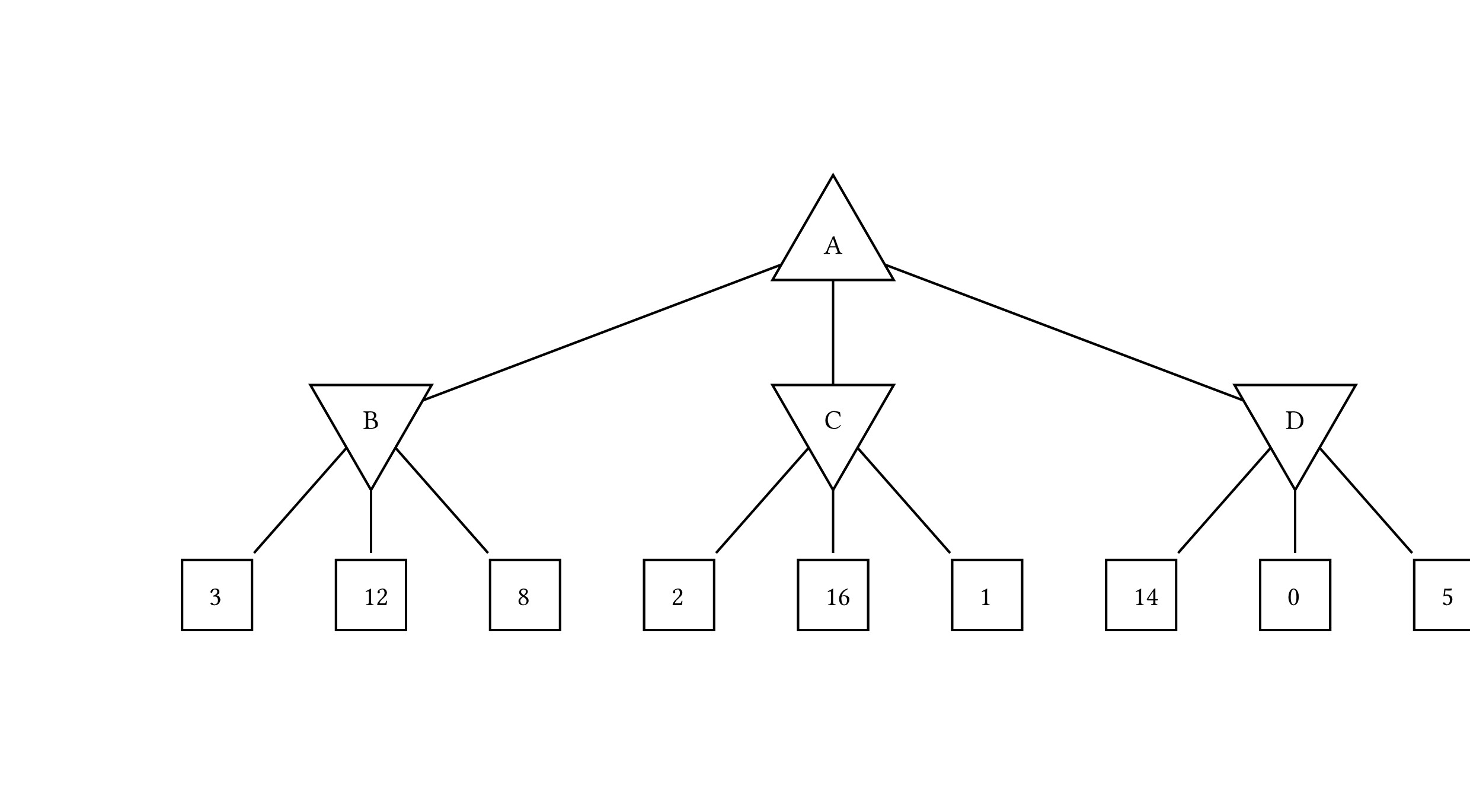
I can see that the numbers are not aligned correctly and the lines are not to the center of the box
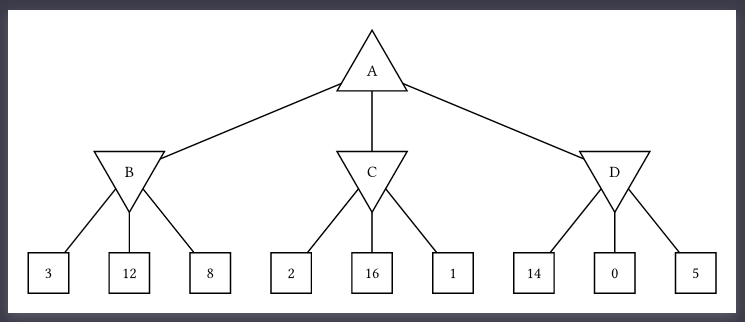
Would it be fixed by drawing a polygon at depth 2, instead of using a box?

else if node.depth == 2 {
  polygon((), 4, angle: 45deg, radius: 0.7)
  content((), node.content)
}

The following looks fine (using rect instead of box):

#import "@preview/cetz:0.4.2"

#set page(width: auto, height: auto, margin: .5cm)

#cetz.canvas({
  import cetz.tree
  import cetz.draw: *
  set-style(content: (padding: .1))
  tree.tree(
    (([A]), ([B], [3], [12], [8]), ([C], [2], [16], [1]), ([D], [14], [0], [5])),
    draw-node: (node, ..) => {
        if node.depth == 0 {
          polygon((), 3, angle: 90deg)
          content((),node.content)
        } else if node.depth == 1 {
          polygon((), 3, angle: -90deg)
          content((),node.content)
        } else if node.depth == 2 {
          rect((-0.5, -0.5), (0.5, 0.5))
          content((0, 0), node.content)
        }
   })
})

Works perfectly. Thank you both @jwolf @aarnent

Do you know what’s the underlying reason these two behave differently?
I tried before also some other organization of boxes and content and it didn’t get aligned correctly.