I am trying to write notes in dark mode using the Gruvy package, and I want to use the theorem environments of the Theorion package. However, when I try applying the Gruvbov colors to the Theorion environments, nothing happens. A MWE being:
#set text(lang: "en")

// Gruvbov dark theme colors
#import "@preview/gruvy:2.1.0": gruvbox, theme-colors, colors
#import "@preview/theorion:0.4.1": *
#import cosmos.fancy: *
// Set the base dark theme
#let theme-color = theme-colors.dark.hard
// apply colors to common typst components
#show: gruvbox.with(
    // use your preferred theme color as a default preset
    theme-color: theme-color,
    // customize `ref`, `link` and `footnote` colors
    accent: theme-color.strong.blue,
    // customize `highlight` color
    hl: theme-color.muted.yellow,
    // is the document printable?
    print: false,
)

// Theorem environments
#show: show-theorion
// #set-result("noanswer")    // Whether to hide all proofs or not
// #set-qed-symbol[#math.qed]    // Symbol for QED of proof environments

// Modify color palette of Theorion environments for dark mode
#set-primary-border-color(theme-color.strong.blue)
#set-primary-body-color(theme-color.bg1)

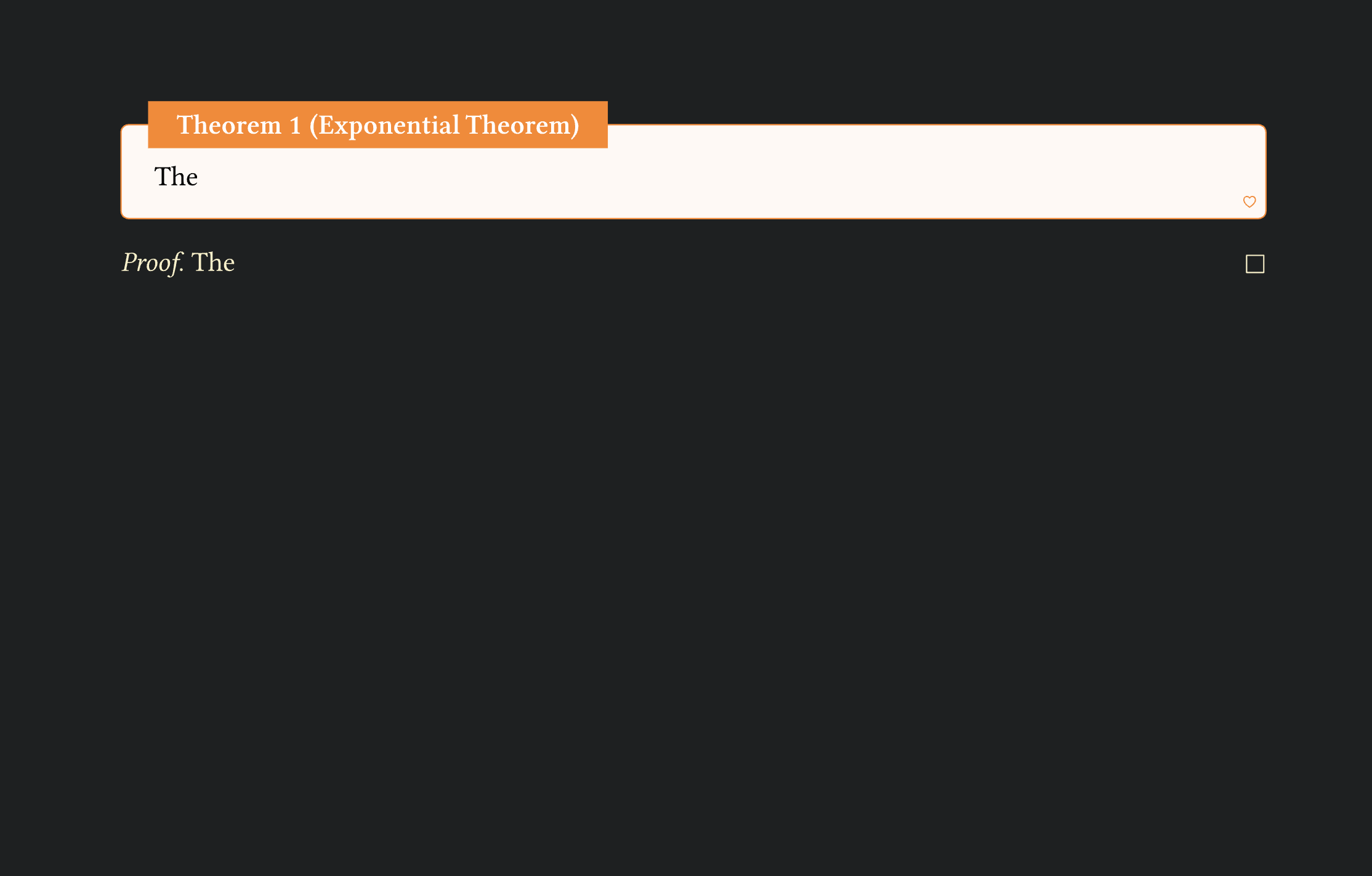
#theorem(title: "Exponential Theorem")[
  The
]

#proof(
  [The]
)
Does anyone understand how to properly invoke Gruvbov colors on Theorion environments? I coudl of course just recreate all the needed environments, but that largely invalidates much of the ease of use of the package.
All you need to do is set the secondary color, instead of the primary
// Modify color palette of Theorion environments for dark mode
#set-secondary-border-color(theme-color.strong.blue)
#set-secondary-body-color(theme-color.bg1)
If you don’t mind a follow-up, how is the actual text color adjusted? The gruvy package show rule doesn’t override the theorion defaults. And looking through the source code a bit, I can’t find a way to access the text color.
Good question. The text color default is set to black by showybox (see here), and theorion doesn’t (easily) provide a way to change this. One option is to copy the whole theorem definition and set the parameters there:
#let (theorem-counter, theorem-box, theorem, show-theorem) = make-frame(
  "theorem",
  theorion-i18n-map.at("theorem"),
  inherited-levels: 2,
  render: fancy-box.with(
    get-border-color: get-secondary-border-color,
    get-body-color: get-secondary-body-color,
    get-symbol: get-secondary-symbol,
    body-style: (
      color: white,  // Set text fill color here
    ),
  ),
)

 . Thanks for the help.