Hello, when I export my typ file from the web app as a PDF, the footnotes get formatted as small text instead of as footnotes so that when I highlight the body text, the footnotes also get highlighted. Is there a way to avoid this so that when I select the body text it excludes the footnotes from being highlighted?
Hello @Marcel19, welcome to the forum.
If I understand correctly, you would like to open a PDF created from the typst.app, and do something like Menu → Edit → Select All (or Ctrl + A) and you would like that this didn’t select the text of the footnote?
- Not desired:
- Desired:
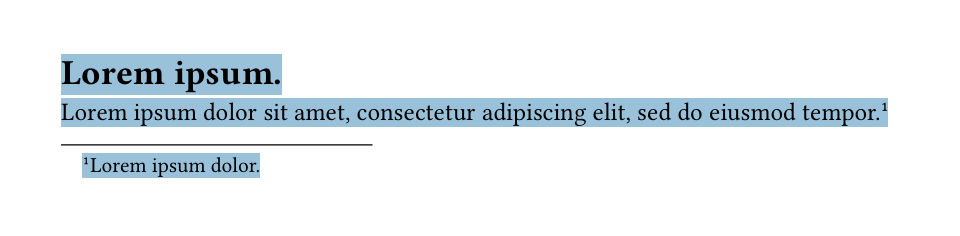
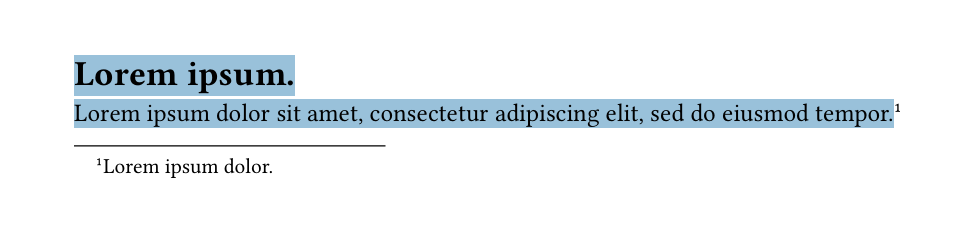
Have I understood correctly?
If not, could you please provide an example and perhaps more information about what you would expect?
In my opinion, this is not something a PDF reader would/could do. But I could be wrong. Could you perhaps show a PDF not generated by Typst where that would be the case?
Minimum Working Example
#set page(height: auto)
= #lorem(2)
#lorem(12)#footnote(lorem(3))
Thank you for your reply, you understood exactly! And you’re right, it is rarely the case. I was hoping this was something that I could easily do because my workflow is the following:
Export to PDF from Typst
Convert PDF to DOCX in Acrobat
Open file in Word and re-style the body text/footnotes but since the footnotes are not treated as footnotes (but as smaller text at the bottom of the page) it is difficult to do this. Any workaround, ideas for a better workflow are welcome, I am new to Latex/Typst!
I’m not sure if there is a native footnote support in PDF format. It’s generally a lossy format/conversion, everything is basically blocks of text or something.
Without knowing what exactly want to achieve: Your workflow seems rather complicated and prone to errors.
The PDF output of typst should already look like you “want” it. Usually no “postprocessing” should be required.
E.g. the manual of footnote has a lot of hints on how to configure the footnotes. Maybe you can also ask in the forum how to achieve your desired output.
Alternatively, it would be maybe easier to directly do everything in your Office program (which anyways needs to support everything that you require).
many thanks!