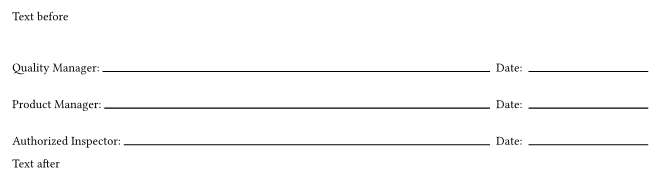
I have two working options below, but both seem overly fiddly. Is there a simpler way or a package for adding signature and date lines to the bottom of a document? I may need more than one set on occasion.
I tried using the end line parameter, but it didn’t seem to work any differently than length in that regard.
Next, I’m thinking I could measure the page width and subtract the date and person portions to get the remaining line length, but I don’t know how to dynamically get the page width.
Here is a take on @ensko’s answer that allows passing all names to one function. One side negative effect this may have is for screen readers.
#let signatures(..person-list) = {
  set line(length: 100%)
  set box(width: 1fr)
  v(0pt, weak: true)                    //Collapse any previous spaces
  grid(
    column-gutter: .5em,
    rows: 3em,                          //Vertical space for each signature
    columns: (1fr, auto, 1.5in),

    align: bottom,
    ..person-list.pos().map(person => ( //For each given person...
      [#person: #box(line())],          //Name and signature line
      [Date:],                          //Date
      line())).flatten()                //Date line
  )
}

Text before
#signatures[Quality Manager][Product Manager][Authorized Inspector]
Text after
The row height of 3em was used so there is some space for the signatures