Elayson
1
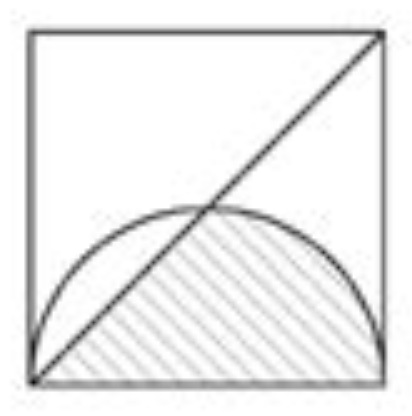
How to draw the following image:
The code I tried:
#import "@preview/cetz:0.5.2"
#import cetz.draw: *

#cetz.canvas({
  let l = 1
  line((0,0), (rel: (0deg,l)), (rel: (90deg,l)), (rel: (180deg,l)), close: true)
  line((0,0), (1,1))
  arc((l,0), start: 0deg, stop: 180deg, radius: l/2)
})
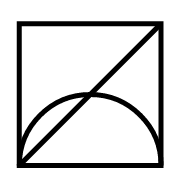
Result:
The problem is that
closed: true cannot be used with
arc, so I can’t use
boolean() to resolve the situation. Thanks in advance.
aarnent
2
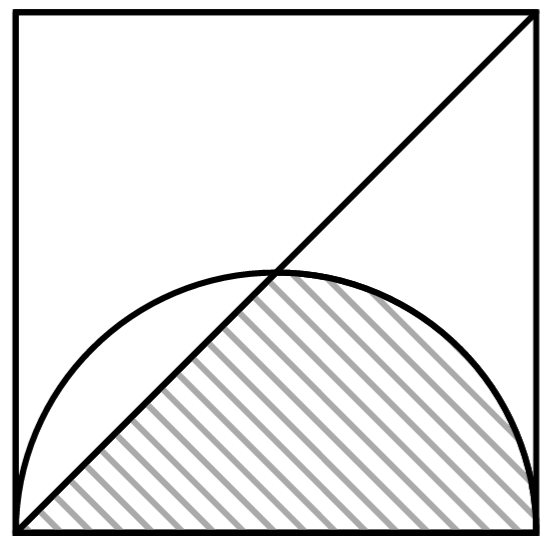
just set mode: "CLOSE" in your arc:
#cetz.canvas(length: 3cm, {
  import cetz.draw: *

  let half-circle = arc(
    (0, 0),
    radius: 1/2, start: 180deg, delta: -180deg,
    mode: "CLOSE"
  )
  let triangle = line(
    (0, 0), (0, 1), (1, 1),
    close: true,
    stroke: (join: "round")
  )

  half-circle
  triangle
  rect((0, 0), (1, 1))

  boolean(
    half-circle,
    triangle,
    op: "difference",
    fill: tiling(size: (50pt, 50pt),{
      set std.line(stroke: gray)
      for i in range(-10, 10) {
        place(std.line(start: (i * 10%, 0%), end: (100% + i * 10%, 100%)))
      }
    }),
    stroke: (join: "round")
  )
})
edit: I’ve changed my answer to include the stroke: (join: "round") parameter, which gets rid of the ugly overhangs in the corners