How to display a rotated table over several pages?

Hello,
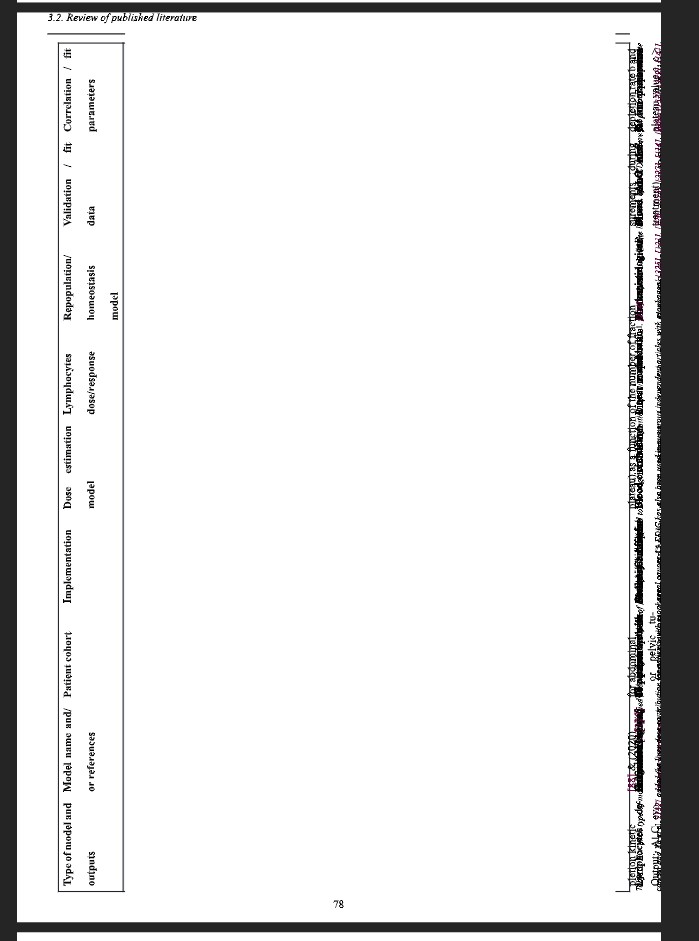
I have a very large table that I’d like to display on several pages. The following code :

#set page("a4", margin: (
  left: 1cm, 
  bottom: 1cm,
  top: 1cm,
  right: 1cm), 
  flipped: false)


#rotate(
  -90deg,
  reflow: true)[#figure(
 block(width: 100%, breakable: true, (table( 
    columns: (auto, auto, auto, auto, auto, auto, auto, auto, auto,),
    align: (left,left,left,left,left,left,left,left,left,),
    table.header([Type of model and
      outputs], [Model name and/or
      references], [...

gives this:

How can I make the rotated table spread over several pages?
Thank you,
fdekerm

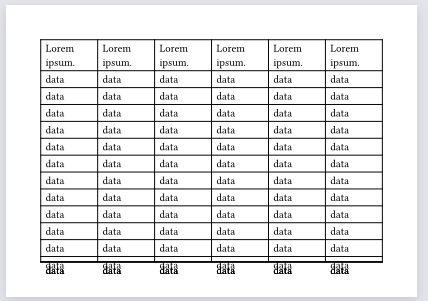
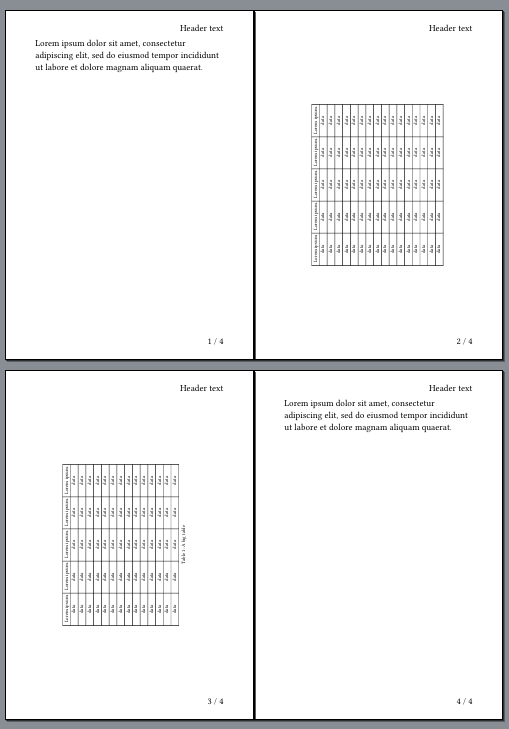
My first thought to address this was instead of rotating the figure, rotate the page with #set page(flipped: true). I tried that and it did not improve the situation:

#set page("a6")
#let numCols = 6
#let numRows = 15

#let testTable = table( 
  columns: (auto,)*numCols,
  align: (left,left,left,left,left,left,left,left,left,),
  
  table.header(..(lorem(2),)*numCols),
  ..(..("data",)*numCols,)*numRows
)

#set page(flipped: true)

#figure(
  block(width: 100%, breakable: true,
    testTable,
  )
)
Output

image

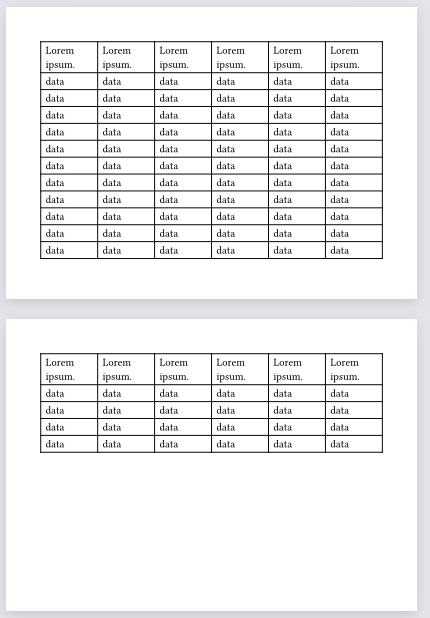
But if the same table is used outside of a figure, it works as expected:

#set page("a6")
#let numCols = 6
#let numRows = 15

#let testTable = table( 
  columns: (auto,)*numCols,
  align: (left,left,left,left,left,left,left,left,left,),
  
  table.header(..(lorem(2),)*numCols),
  ..(..("data",)*numCols,)*numRows
)

preamble text
#set page(flipped: true)

#testTable
Output

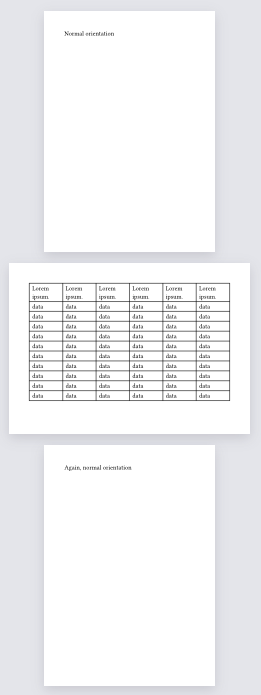
And changing orientation of the page works nicely:

Normal orientation
#set page(flipped: true)
#testTable
#set page(flipped: false)
Again, normal orientation
Output

So, it seems figures do not handle spilling into a new page well.

Figures are unbreakable by default (regardless of whether a block(breakable: true) is used in its body). You can use #show figure.where(kind: table): set block(breakable: true) to change this. (Though note that, for now, the figure caption won’t be repeated. There is some discussion and even a PR to change this, but it isn’t done yet.)

See also “Figure Behavior” in Figure Function – Typst Documentation

2 Likes

I know that this is marked as solved but for me this doesn’t seem to work. My code looks basically like this

#show figure.where(kind: table): set block(breakable: true)

#let table_x = csv(
  "table.csv",
)
#rotate(
  -90deg,
  reflow: true,
)[
  #figure(
    table(
      columns: table_x.first().len(),
      table.header(repeat: true, ..table_x.first()),
      ..table_x.slice(1).flatten(),
    ),
    caption: [My Caption.],
  )
]

but the table does not split across pages.

I want to rotate the table not the pages themselves due to headers/footers in my document.

Hi,
I would also be very interested in an answer to this, as I have the same problem of a rotated table that needs to break across several pages and my page header and footer need to stay in place. Has anyone an idea on how to do this?

I wondered if it would be possible to achieve this with the new bundle feature that 0.15 introduced. The answer, unfortunately, is not really.

The idea is to output two PDFs. One with the table, and the main document that loads the table PDF via #image(). The table file compiles fine but the main document does not. If you use typst watch it actually loops continuously but never outputs a new main.pdf.


But the same idea can be applied with two normally compiled PDF files. First generate the table PDF, then include that in the main PDF. Here’s what that could look like:

large-table.pdf

#let numCols = 5
#let numRows = 30
#set page(flipped: true, margin: 0mm)

#let testTable = table( 
  columns: (auto,)*numCols,
  
  table.header(..(lorem(2),)*numCols),
  ..(..("data",)*numCols,)*numRows
)

#show figure.where(kind: table): set block(breakable: true)

#figure(
  kind: table,
  caption: [A big table],
  testTable
)

main.pdf

#set page("a6")
#set page(
  header: align(right)[Header text],
  footer: context align(right)[#counter(page).get().last() / #counter(page).final().last()]
)

#let show-large-table(file-path, num-pages) = {
  set rotate(-90deg)
  set align(center + horizon)
  for page-num in range(num-pages) {
    page(rotate(image(file-path, page: page-num + 1)))
  }
}
#lorem(20)
#show-large-table("TableRotate/large-tabel.pdf", 2)
#lorem(20)

The downsides are:

  1. Two documents need to be maintained and compiled (in the correct order!)
  2. Actual page sizing may be an issue since an A6 page is imported into an A6 page that already has space reserved for margins
  3. Referencing this table will not work
  4. This table will not show up in a table of contents
  5. Any styling in the main document will not be applied to the table document

Possible fixes:

  • 2 - the table document should have a page size that is the main page size minus margins.
  • 3, 4 - could probably be fixed by changing show-large-table() to include the PDF as a figure with no caption but a label. Label names would need to be matched between the two documents
  • 5 - A template could be used to manage styling

Here’s a more reasonable attempt. It inserts a page(s) with headers and footers that use place() to move the header/footer content to the sides of the page to make it look like real header/footers. The placements are not perfect. I probably forgot something and I was definitely getting confused with what is width and what is height.

#let header-content() = {
  set align(bottom)
  align(right)[Header text]
}
#let footer-content() = {
  set align(right + top)
  let x = [#counter(page).get().last() / #counter(page).final().last()]
  x
}

#set page("a6")
#set page(
  header: header-content(),
  footer: context footer-content()
)

#show figure.where(kind: table): set block(breakable: true)

#let numCols = 5
#let numRows = 15
#let testTable = table( 
  columns: (auto,)*numCols,
  
  table.header(..range(numCols).map(c => [Column #(c + 1)])),
  ..(..("data",)*numCols,)*numRows
)

#lorem(20)

#let x = page(context {
  //Get some dimensions for later.  This should be more complicated to handle all cases
  let margin-size = 2.5 / 21 * calc.min(page.width, page.height)
  let header-width = page.width - margin-size - margin-size
  
  set rect(width: header-width)
  set rect(stroke: none)
  set rotate(reflow: true)
  set rotate(90deg)

  set page("a6")
  set page(flipped: true)
  set page(header: place(
    right,
    float: false,
    dy: header-width + page.header-ascent,
    dx: margin-size,
    rotate(rect(
      height: margin-size,
      header-content()
    ))
  ))
  set page(footer: place(
      left,
      dy: -header-width - page.footer-descent,
      dx: -margin-size,
      rotate(rect(
        height: margin-size,
        context footer-content()
      ))
    )
  )
  
  figure(
    kind: table,
    caption: [A big table],
    testTable
  )
}).children.at(2)
#x

#lorem(20)

1 Like

Hi, thanks a lot, this helped. Unfortunately, I always have an empty not-flipped page in front (showing header and footer only). I think it may have to do with the context, but I honestly don’t understand this. Adding a pagebreak(), doesn’t add another empty page before the flipped pages. Any ideas what the problem could be?