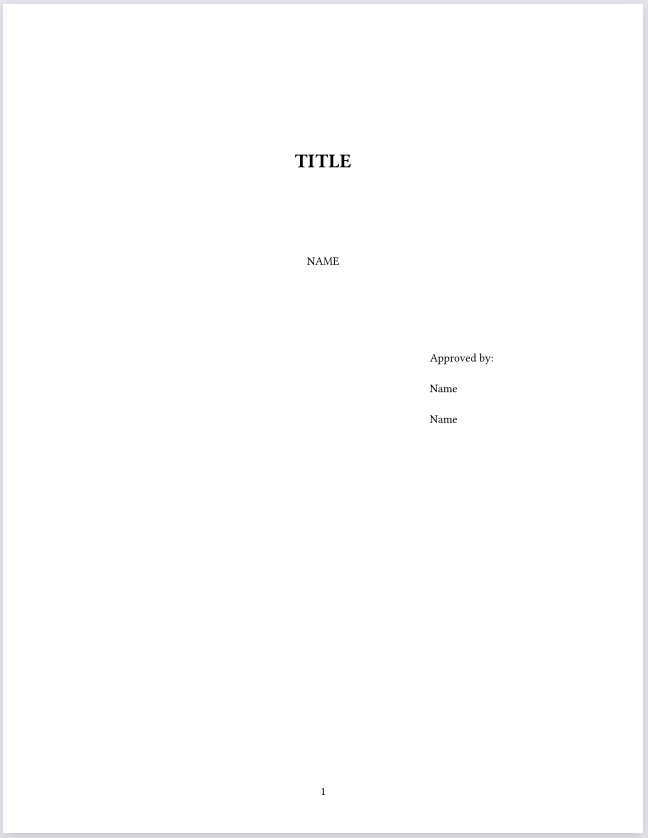
I am trying to see if Typst would work for my dissertation - my University has all of their formatting requirements based on distance from the edge of the page and it seems that Typst mainly relates to the margins set for the page?
Here are the specific requirements I am unsure how to implement:
The title of the thesis or dissertation in all capital letters and centered 2″ below the top of the page.
Your name, centered 1″ below the title
2/3 of the way across the page on the right-hand side of the page, 1″ below your name, include the phrase “Approved by:” (with colon) followed by each faculty member’s name on subsequent double-spaced lines. Line up the first letter of each name on the left under the “A” in the “Approved by:” line. If a name is too long to fit on one line, move this entire section of text slightly to the left so that formatting can be maintained.
Place all page numbers at the bottom of the page, 1/2″ from the bottom edge.
I understand that for 2: I can use the #v function for text after the title. But for 1, 3, and 4, I’m unsure how to set the spacing based on the page itself. For 3, if I use #h(66.66%), isn’t that according to the space in the margins not the page?
For 4, there is a default page number style applied when I set page numbering, but I don’t see any arguments in the documentation to augment it’s position according to inches from the page - only pts from the body. Is there an auxiliary file I need to edit?
If this is only for the title page, you can just set the margins to 0. A minimal example:
#page(
  margin: 0pt,
  numbering: "1",
  footer-descent: -0.5in,

  {
    set text(
      top-edge: 1em,
    )

    set par(
      leading: 1em,
    )

    set align(center)

    v(2in)

    [TITLE]

    v(1in)

    [Your Name]

    v(1in)

    h(2fr)
    box[
      Approved by: Person 1 \
      Approved by: Person 2
    ]
    h(1fr)
  },
)
The 1fr and 2fr are fractional values: 2fr takes up twice as much space as 1fr.
The footer-descent parameter specifies how far below the bottom margin to place the footer. I set it to a negative value to pull it back up into the document.
Yes, everything gets measured relative to the text area inside the margins. However, you can work around this by manually involving the margins into your calculations. For example, the following should do what you want:
For 1., we know what the top page margin is, so we use v to add the remaining height
For 3. we use context to access page.width, to calculate how much “2/3 of the way across the page” is, then we subtract the left margin from this length to get how far we have to indent further.
For 4. We use the knowledge of how tall the bottom margin is, and how tall a line of text is to calculate how long the distance between footer and text area needs to be. If you change the font or font size, use #context measure(sym.zws).height to calculate the offset (here, it is 7.24pt with typst default font)
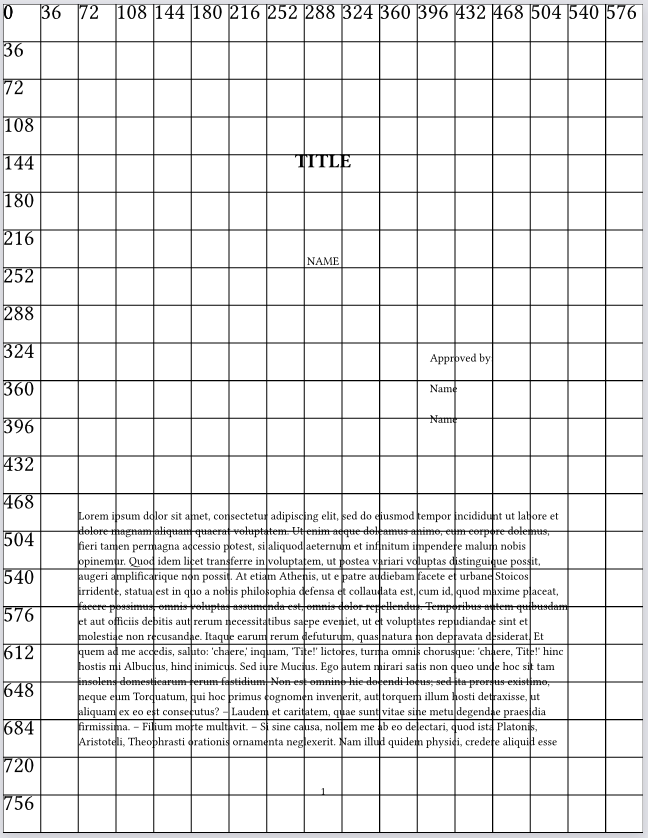
Heres the above example again, but with a 0.5in grid in overlay (and some lorem ipsum so you can see the margins):