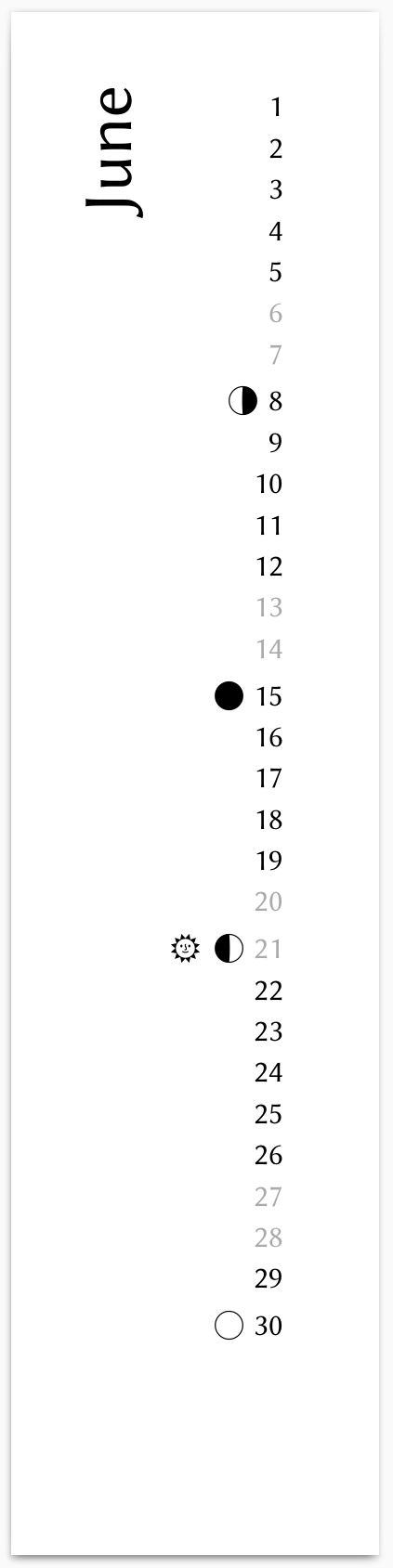
I try to replace the LaTeX generator for my photo calendar template by a typst version. So far I managed to implement a vertical strip of dates, with the weekend days having different color, and to read moon phases and solstices from a json file to mark the resp. days by symbols. It looks like this:
The resulting pdf or svg pages will be imported into inkscape or scribus to combine them with photographs. To align the monthly strips in the final document, and also to have a decent visual appearance, the LaTeX script generates a page-sized white semi-transparent background. How could I implement such a background in typst?
From what I understood, you could achieve all this without external tools.
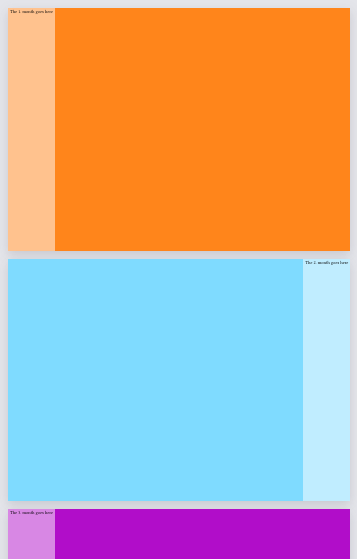
I made an example with coloured backgrounds for you. See the corresponding comments to make this code suit your use case:
// Add proper page dimensions
#set page(flipped: true, margin: 0pt)

// Replace all 12 colours with paths to images
#let images = (..(
	orange,
	aqua,
	purple,
) * 4)

#for i in range(0, 12) {
	// Replace the page fill with page background
	// Also alter its value accordingly
	set page(fill: images.at(i))
	place(
		if calc.even(i) { left } else { right },
		rect(
			height: 100%,
			fill: white.transparentize(50%),
		)[
			// Replace with month
			The #(i + 1). month goes here
		]
	)
}
are all the same size, you should be able to use the same dimensions for page.
all share the same aspect ratio, the page dimensions need to match it. Use also image(width: 100%, height: 100%), so that the images take up all of the available space.
have different sizes and aspect ratios, again use image(width: 100%, height: 100%, fit: ""), optionally with the fit argument.
Consider also sharing the month creation which future visitors might be interested in.
Sure, but the images need to be placed and cropped, which is much easier in scribus or inkscape. While I typically already think about the calendar placement during editing in darktable, and i even have an overlay with the sidebar with the dates and the cutouts on top where the hanger goes, the final crop and placement is change often enough that i prefer a wysiwig tool for this part. But thanks for the full solution anyway, maybe i will switch to a typst-only approach at some point.
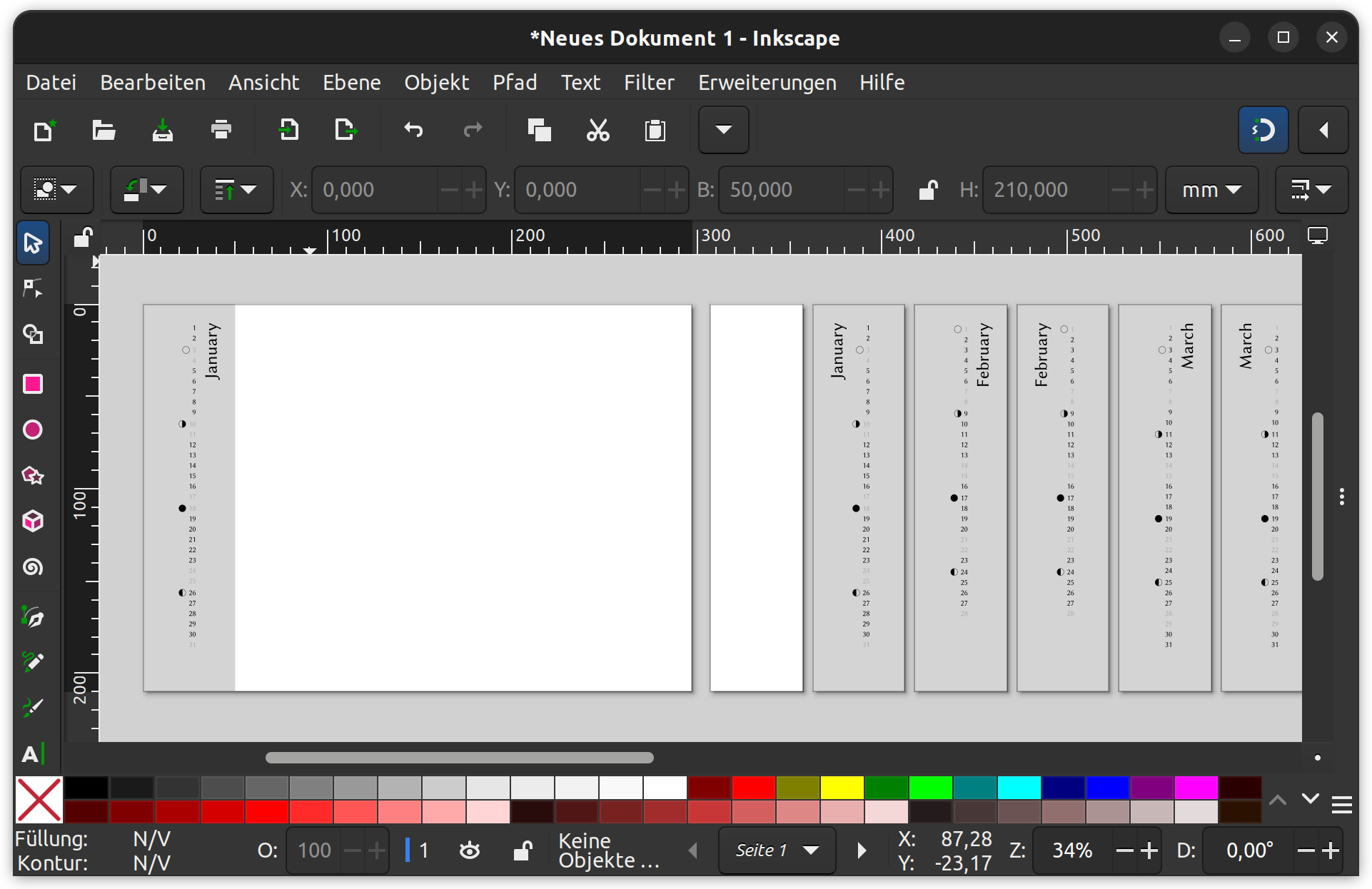
Basically, yes. I was overthinking the problem and did not find this simple solution. Basically, I need only one background as explained above, with 100% coverage in both dimensions. This part looks like this now:
Sure, the LaTeX source is already public and can be found here (a rather old version, I implemented some improvements since 2019), and the typst solution can be found below.
#let calendar(year: "", body) = {

  let mp = json("2026-moon_phases.json")
  let dict = mp.to-dict()
  let sw = ("2026-06-21", "2026-12-21")
  let mps = ("0": "🌑︎", "1": "🌓︎", "2": "🌕︎", "3": "🌗︎")

  set text(font: "Linux Biolinum O")
  set document(title: str(year) + " calendar")

  for month in range(1, 13) [

    #let month_date = datetime(
      year: year,
      month: month,
      day: 1,
    )

    #let monthly_days = ()

    #for day in range(0, 31) [
      #let month_accumulator = (month_date + duration(days: day))
      #if month_accumulator.month() != month {
        break
      }
      #monthly_days.push(month_accumulator)
    ]

    #for lr in range(2) [
      #let curcol = if lr == 1 { (auto, 1fr) } else { (1fr, auto) }

      #let a = table(
          columns: (auto),
          align: right,
          inset: 0% + 4pt,
          stroke: 0pt, //.1pt + black,
          ..monthly_days.map(day => {
            let qs = day.display()
            let sunstr = if sw.contains(qs) [#set text(font: "Noto Emoji")
🌞︎︎]
            let moonstr = if (qs in dict) [#set text(font: "Noto Emoji"); #mps.at(str(dict.at(qs)))]
            if day.weekday() in (6, 7) [
              #sunstr
              #moonstr
              #set text(size: 12pt, gray)
              #day.display("[day padding:none]")
            ] else [
              #sunstr
              #moonstr
              #set text(size: 12pt, black)
              #day.display("[day padding:none]")
            ]
          }
        )
      )

      #let b = text(size: 27pt, align(right, rotate(-90deg, reflow: true, origin: top + right, [#month_date.display("[month repr:long]")])))

      #grid(
        columns: curcol,
        align: (right, left),
        column-gutter: 10pt,
        if lr == 1 {b} else {a},
        if lr == 1 {a} else {b}
      )
      #pagebreak(weak: true)
    ]
  ]
}

#set page(height: 21cm, width: 5cm, margin: 10mm, fill: white.transparentize(50%))

//#set text(font: "TeX Gyre Pagella", size: 9pt)


#show: calendar.with(
  year: 2026  // datetime.today().year() + 1,
)
from zoneinfo import ZoneInfo
from datetime import datetime, timedelta
from skyfield import almanac
from skyfield.api import load
import json

def nearest_minute(dt):
    '''
    Add 30 seconds to time for functions that do not round time correctly.

    Parameters
    ----------
    dt : timelib.Time
        A time.

    Returns
    -------
    timelib.Time
        A time 30 seconds later.

    '''
    return dt + timedelta(seconds=30)  #.replace(second=0, microsecond=0)


YEAR = 2026


ts = load.timescale()
eph = load('de421.bsp')

zone = ZoneInfo("Europe/Berlin")

d0 = datetime.fromisoformat(str(YEAR) + '-01-01')
d1 = datetime.fromisoformat(str(YEAR+1) + '-01-01')
d0 = d0.replace(tzinfo=zone)
d1 = d1.replace(tzinfo=zone)

t0 = ts.from_datetime(d0)
t1 = ts.from_datetime(d1)

t, y = almanac.find_discrete(t0, t1, almanac.moon_phases(eph))

t = nearest_minute(t)  # this time is off by 30 seconds and only for rounding
                       # to minutes correctly
dtx = t.astimezone(zone)

datelist = []
for k, l in zip(dtx, y):
    print(k.strftime('%Y-%m-%d') + " - " + str(l) + " - " + almanac.MOON_PHASES[l])
    datelist.append((k.strftime('%Y-%m-%d'), float(l)))

with open('2026-moon_phases.json', 'w', encoding='utf-8') as f:
    json.dump(datelist, f, ensure_ascii=False, indent=4)
I know, the solstice dates should also be generated, but that’s maybe for next year, i have to browse through ~10000 family photographs next (for the private calendars for the family, I am not sure if i manage a PlayRaw calendar this year again) …