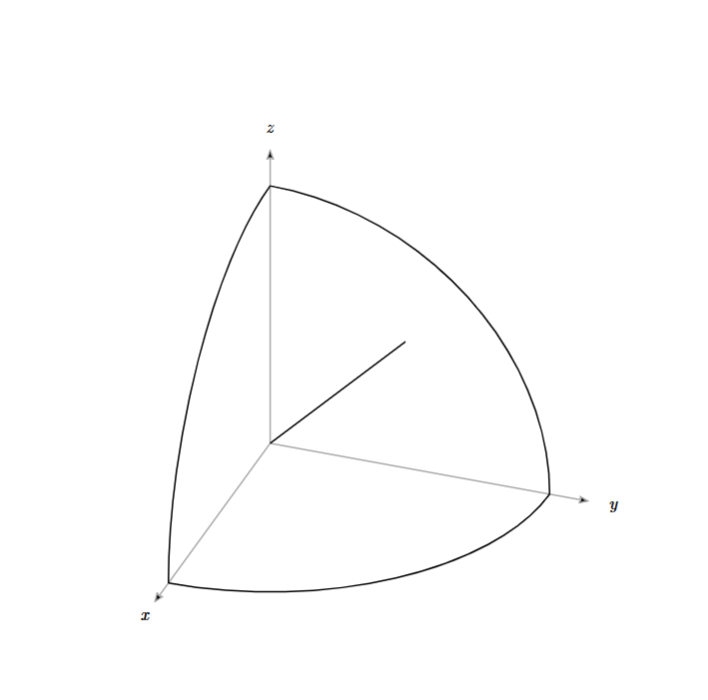
Hello, friends. I’m trying to reproduce the image shown below, but I’m getting stuck at the arc-through function. I need to draw an arc on the plane where phi equals pi/3, but I’m unsure how to implement this. I would appreciate any advice you can provide. Thank you!
Additionally, I would like to know if I can redefine the direction of the axes, specifically: x = (angle: -60deg, radius: 1 cm), y = (angle: 0deg, radius: 1 cm), z = (angle: 90deg, radius: 1 cm)?
In CeTZ, is it possible to specify an arbitrary plane and draw graphics on that plane?
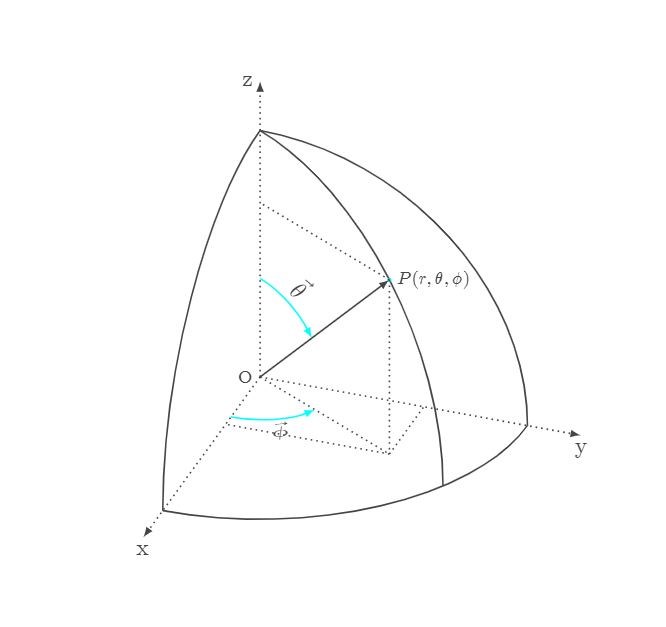
#set page(paper:"a4", flipped:true, margin:1cm)
#set align(center+horizon)

#import "@preview/cetz:0.4.2"
#cetz.canvas({
import cetz.draw:*
import calc:*

let sph(r, theta, phi)={
let x=r* sin(theta)* cos(phi)
let y=r* sin(theta)* sin(phi)
let z=r*cos(theta)
return (x,y,z)
}

scale(x:2,y:2,z:2)
ortho(x:300deg, y:0deg, z:250deg,{
let mark-style= ( mark:(end:(symbol:"curved-stealth", fill:black, scale:0.5) ) )
line((0,0,0), (4,0,0), name:"x",..mark-style, stroke:gray )
line((0,0,0), (0,4,0), name:"y",..mark-style, stroke:gray )
line((0,0,0), (0,0,4), name:"z",..mark-style, stroke:gray )
content((rel:(0.3,0,0), to: "x.end"), $x$)
content((rel:(0,0.3,0), to: "y.end"), $y$)
content((rel:(0,0,0.3), to: "z.end"), $z$)

on-xy(z:0, arc((0,0),start:0deg, stop:90deg, radius:3.5, anchor:"origin"))
on-xz(y:0, arc((0,0),start:0deg, stop:90deg, radius:3.5, anchor:"origin"))
on-yz(x:0, arc((0,0),start:0deg, stop:90deg, radius:3.5, anchor:"origin"))

let O=(0,0,0)
let P= sph(3.5, pi/4, pi/3 )
line(O,P)

// error comes from the following codes:
// let A=(0,0,3.5)
// let B=sph(3.5, pi/2, pi/3)
// arc-through(A, P, B)
})

})
The code above produces the image shown below.