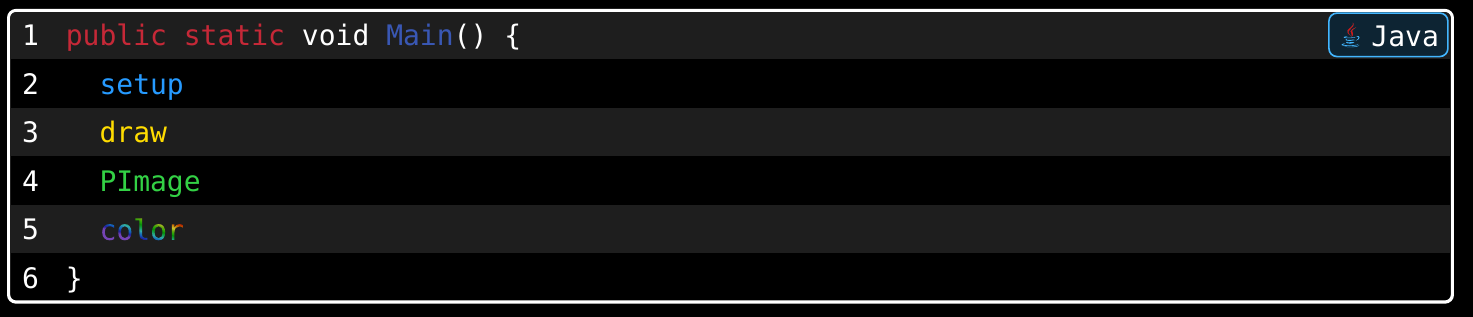
Hello, I am using Typst to write a course on Processing (processing.org). Since Processing is a superset of Java, I would like to know the best way to add its specific keywords (like color, setup, draw, PImage, etc.) to the existing Java syntax highlighting.
I am also using the codly package for code blocks. Thanks for your help!
#show raw.where(lang: "java"): set raw(syntaxes: "file")
Or write ad-hoc show-set rules.
#import "@preview/codly:1.3.0": *
#import "@preview/codly-languages:0.1.8": *

#show: codly-init
#codly(languages: codly-languages, stroke: 1pt + black, zebra-fill: luma(225))

#show raw.where(lang: "java"): it => {
  show "color": set text(gradient.radial(
    focal-center: (50%, 55%),
    focal-radius: 40%,
    ..color.map.rainbow,
  ))
  show "setup": set text(blue)
  show "draw": set text(yellow)
  show "PImage": set text(green)
  it
}

```java
public static void Main() {
  setup
  draw
  PImage
  color
}
```