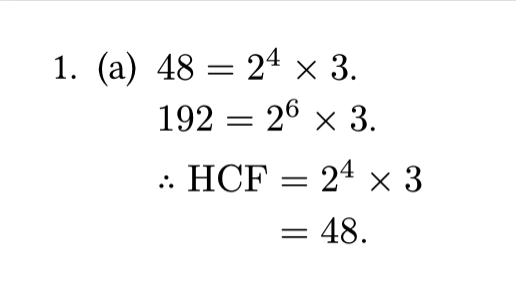
Greetings, I am trying to achieve the following alignment result:
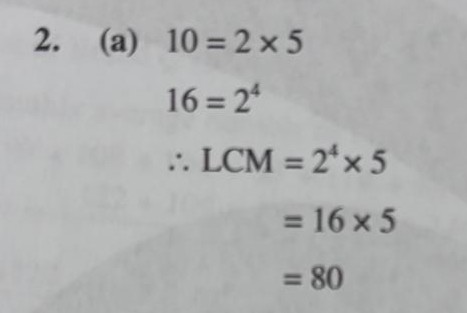
But I am getting this alignment issue:
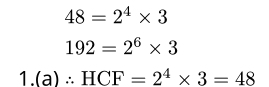
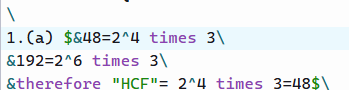
This is my code:
I have tried looking at the documentation and some of the Forum’s posts but I can’t seem to solve it after an hour.
Greetings, I am trying to achieve the following alignment result:
But I am getting this alignment issue:
This is my code:
I have tried looking at the documentation and some of the Forum’s posts but I can’t seem to solve it after an hour.
Hi, I’m sorry to hear about your experience…
I recommend splitting the formulae into multiple $…$ and using enum to control the indentation.
Is the following what you want?
#import "@preview/numbly:0.1.0": numbly
#set enum(
  // In nested enum, pass all numbers to the numbering function below.
  full: true,
  // Use 1. for the first level, and use (a) for the second level.
  numbering: numbly("1.", "(a)"),
)

+ + $48 = 2^4 times 3$. \
    $192 = 2^6 times 3$.

    $therefore "HCF" &= 2^4 times 3 \ &= 48.$
(Besides, if you have many times in your document, you can the quick-maths package to create a shorthand. Say, use ** for times.)
This is perfect! Thank you very much!