How to get Oklab gradient to export properly in PDF?

I’m having an issue where linear gradients using the Oklab color space don’t export properly to PDF. They look just fine in the PDF preview for the web app, but when exported to a PDF (I’m on Typst version 0.14.1, and use the recommended PDF 1.7), the gradient sometimes changes (often to duller colors).

The following gradient

gradient.linear(oklab(100%, 100%, 100%), oklab(20%, -100%, -100%)

Looks like this in the preview (the fill of the tube)
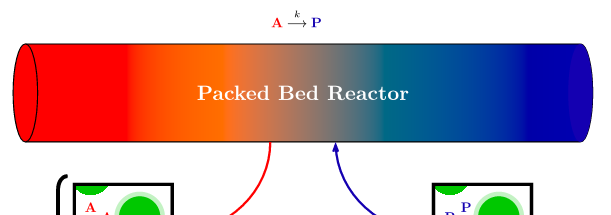
but like this when exported
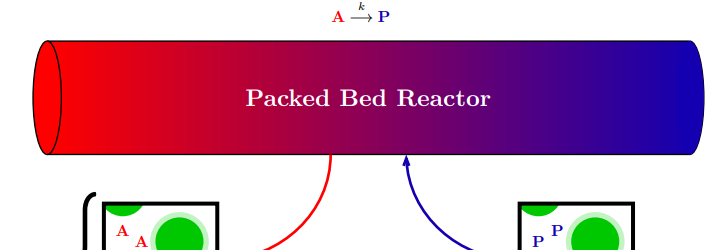
Is this something I’m doing wrong with the gradient function? Or is it a limitation of some other kind?
Could you provide the source code for that cylinder or just a minimal reproducible example, perhaps a filled rectangle?

1 Like

Hi, yes.

The following line can be pasted into a blank .typ file

#text(
  fill: gradient.linear(
    oklab(100%, 100%, 100%), 
    oklab(20%, -100%, -100%)
  )
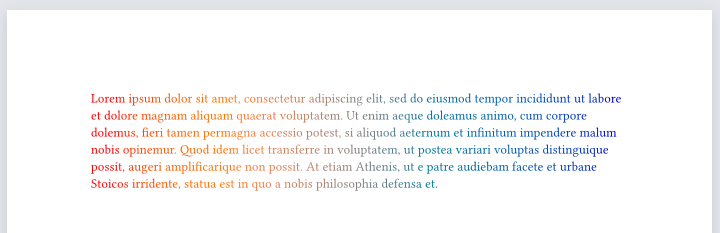
)[#lorem(80)]

which, in the web app version 0.14.1, produces the following preview

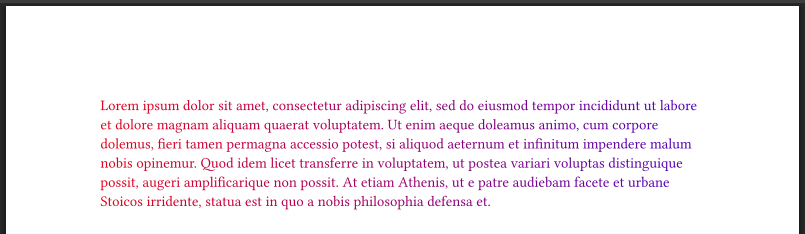
However, when exported to PDF (I tried using ‘Quick Export PDF,’ or manually selecting PDF 1.7 or PDF 2.0), results in the following

1 Like

This is already fixed, I think with Properly interpolate gradient stops in Oklab color space by LaurenzV · Pull Request #7326 · typst/typst · GitHub, and will be part of Typst v0.15.0.

4 Likes

Great to hear, thank you!