I know I can use inside and outside keys in the margin dictionary for the page function, but, by adding a cover page to my document, the inside and outside of pages are swapped. Is there a way to just ignore the first page in order to avoid this?
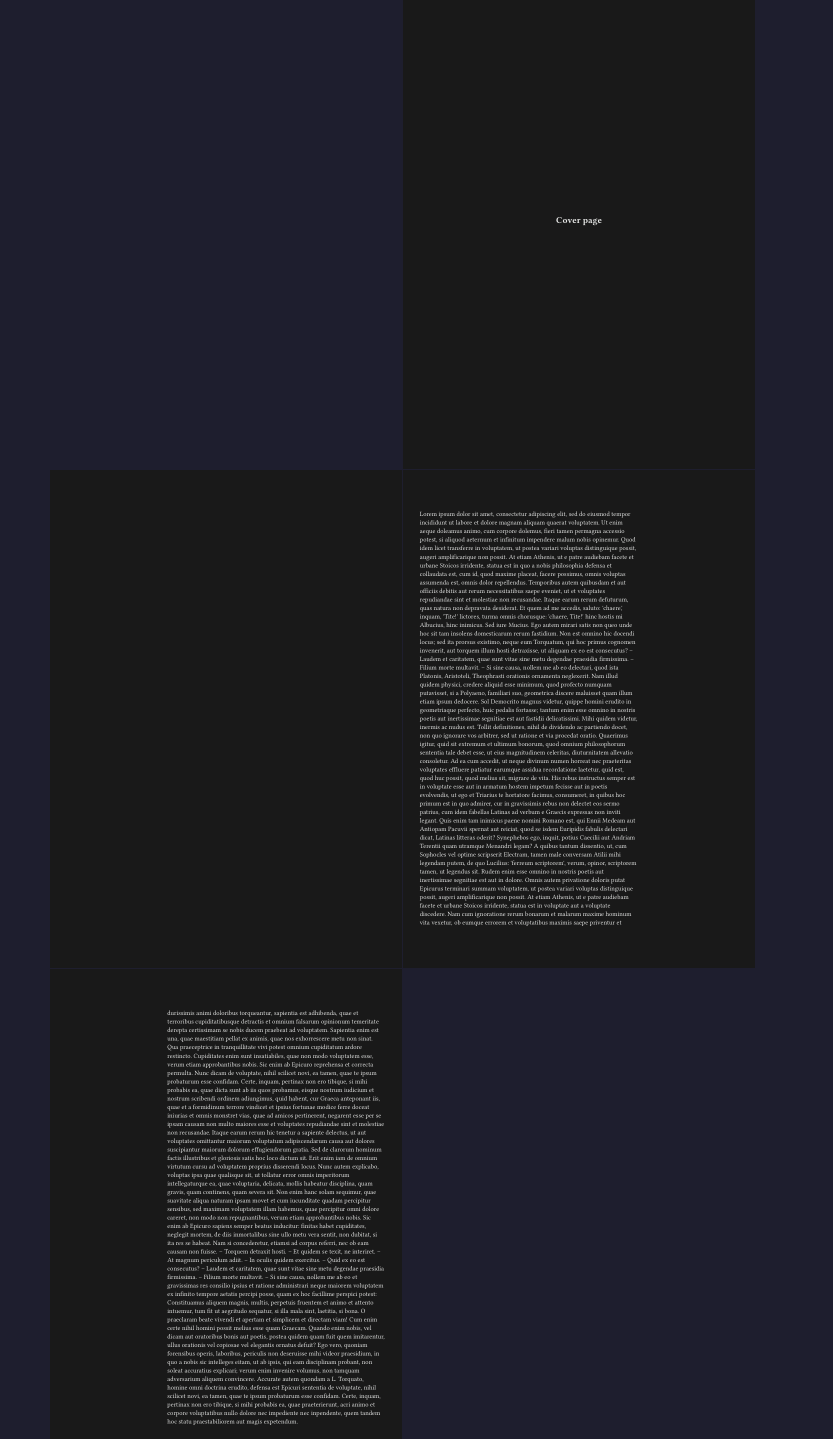
One idea is to not set the margin until after cover page, but also make sure to pagebreak correctly with the to parameter.
#[
  #set align(center + horizon)
  = Cover page
]

#pagebreak(to: "odd")

#set page(margin: (inside: 1cm, outside: 7cm))

#lorem(1100)
Or, if you need margins on that page, set them locally:
#{

  pagebreak(to: "odd")

  set page(
    footer: none,
    header: none,
    margin: (
      x: 75pt,
    )
  )

  text(gray)[bastard title page, recto, centered]

  set text(
    size:22pt,
  )

  align(center + horizon)[A Taxonomy of Taxation]
}
Adding a pagebreak(to: "odd") adds an aditional empty page to the document which I’d like to avoid.
Setting the inside/outside margins before or after the coverpage makes no difference (I suppose Typst is aware whether that page is even or odd globally).
I guess the best way to avoid this issue is to manually re-swap the margins in case there is a cover page, but I’d like to be proven wrong.
#let cover-page = context {
  [...]
  let inside = page.margin.inside
  let outside = page.margin.outside
  set page(margin: (inside: outside, outside: inside))
}
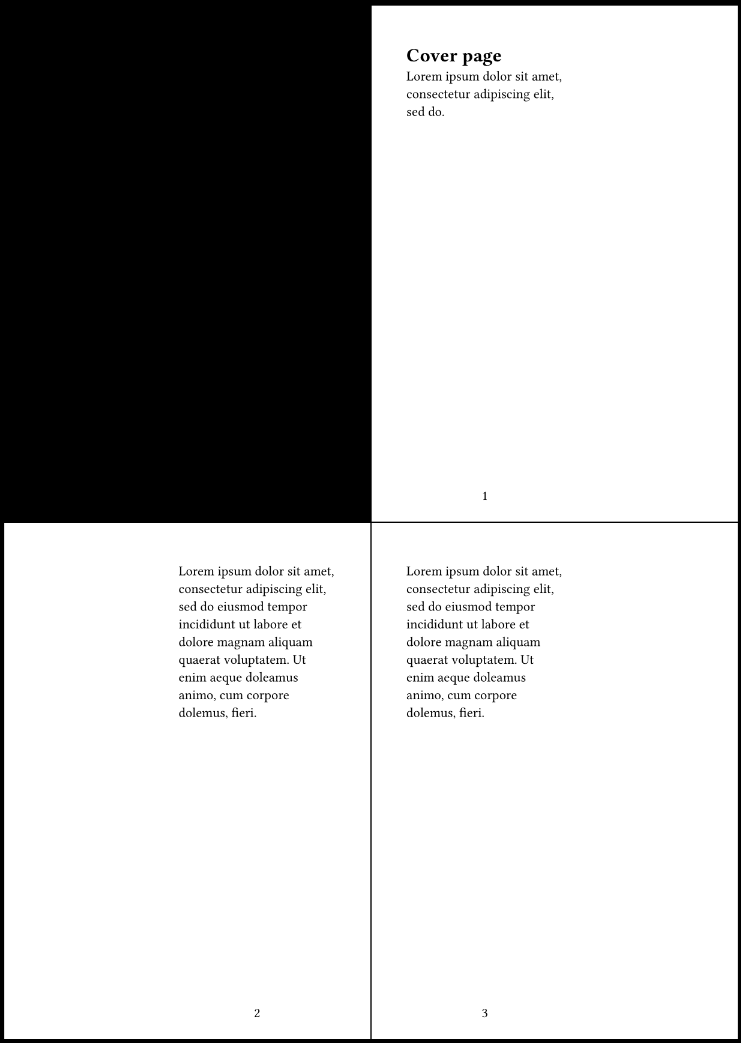
Can you give a small example of the result you get (without the “reswap” hack) and the result you want? Because it seems to me that this is working as you want it if you don’t want the blank page:
#set page("a6", margin: (inside: 1cm, outside: 5cm), numbering: "1")

= Cover page
#lorem(10)
#pagebreak()

#lorem(30)
#pagebreak()
#lorem(30)
So leave out the page break.
The important thing here is that the #set page for the unique page occurs inside a restricted scope, indicated by the #{ at the start and the } at the end. Any page settings defined before this are in effect with the next page.
#set page(paper: "a8")
#set page(margin: (left: 1cm))
#{
  set page(margin: (left:3cm))
  lorem(12)
}
#lorem(12)
#pagebreak()
#lorem(12)Just a slight change to the way the pages are displayed shows what my problem is:
#set page("a6", margin: (inside: 1cm, outside: 5cm))

= Cover page
#lorem(10)
#pagebreak()

#set page(numbering: "1")
#counter(page).update(1)

#lorem(30)
#pagebreak()
#lorem(30)
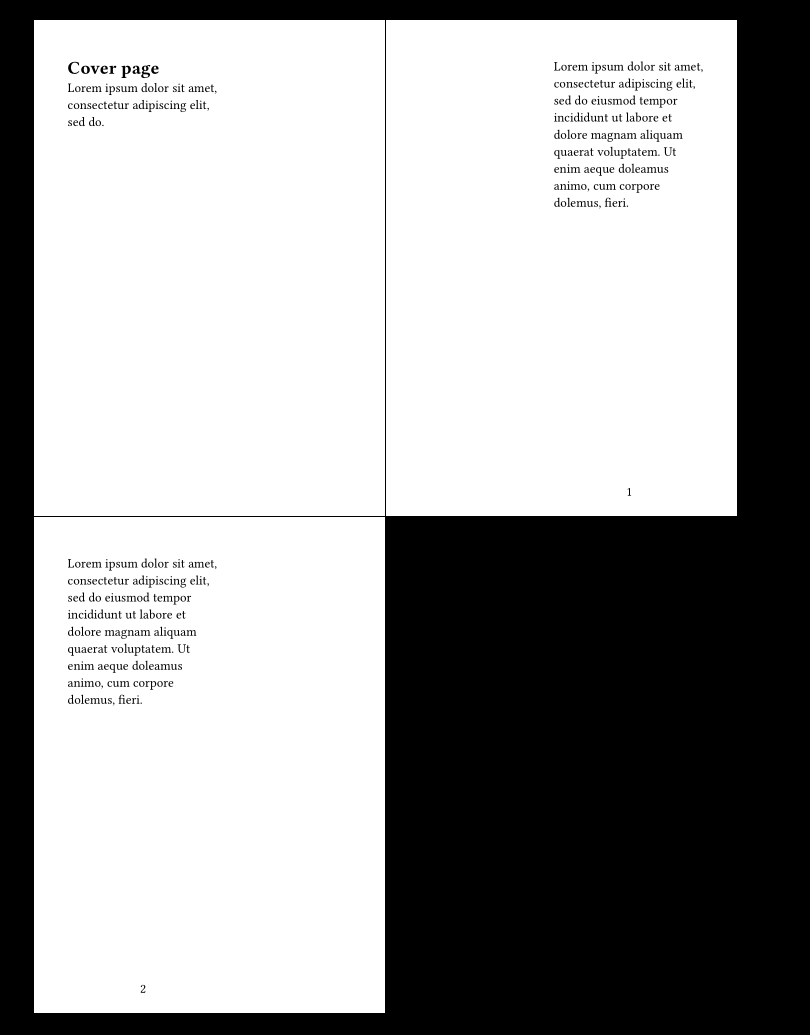
Both the cover page as well as the first page after it are on the right-hand side when printed. So the margins are swapped unless I add a blank left-page after the cover page (which I don’t want in the PDF) or do the swap hack.
The problem is not the margins on the cover page itself, but what it does to the other pages just by existing (it changes odd pages to even and vice versa, which in turn swaps the inside/outside margins).
While you are numbering the second page as page 1, it is still the second page and thus gets verso margins. (Calling it page 1 does not make it a recto page.) If you want the first page with text after the cover page to have recto margins, change the first pagebreak() to pagebreak(to: "odd"). If you instead want the second page (the one that you call page 1) to have a narrower left margin, change the margin setting to inside: 5cm, outside: 1cm.
Usually a document with cover and left/right pages starts with the following:
- page 1 (right): font cover outside
- page 2 (left): front cover inside
- page 3 (right): first internal page
- page 4 (left): second internal page
As I understand you want to make a PDF that omits the second physical (printed) page:
- PDF page 1 = front cover outside = printed page 1
- PDF page 2 = internal page 1 (right) = printed page 3
- PDF page 3 = internal page 2 (left) = printed page 4
Notice how there is no “printed page 2” here although this page exists in the final printed document. I don’t think this is supported by Typst currently: the inside and outside margins assume that all physical pages are present. I guess you’ll have to use the hack of swwapping inside and outside as you mention.
By the way I’ve had to deal with a few PDFs like what you’re trying to do and I found them rather annoying: you must print without the cover, or print in two steps: first a single page for the cover, then a two-sided job for the other pages. If you forget, you get the odd-numbered pages on the left!
So I wonder why you want to exclude the front cover inside page? If the goal is to have the PDF shown properly in the PDF viewer (with odd pages on the right) maybe it’s a matter of finding the right settings in your viewer? Usually there are two settings that work together: one to enable dual mode (two page view) and one to control if the first page should be shown on the left in the first row of dual pages or by itself in the first row (this setting can be named “cover page” or “odd pages left”).
Special case: in Apple Preview, there’s no way to control the behavior for the first page in dual mode: it’s always shown by itself. Users that want to show a PDF like what you’re trying to produce are told that they can fix it by inserting a blank page after the first one (Edit → Insert → Blank Page). Your readers would probably prefer that you make a PDF that doesn’t need fixing like this :)
Related note: a PDF file can include a hint to the viewer as to how the file should be displayed. There is a GitHub issue here to allow setting this from Typst. In your case, I guess you’d want to enable TwoPageLeft (or TwoColumnLeft) so that the odd PDF pages are shown on the left.