Hi,
I am trying to use a custom numbering for my equations that includes the current chapter. Using the default numbering
#set page(numbering: "1")
#set heading(numbering: "1.")
#set math.equation(numbering: "(1)")

= First Chapter

= Second Chapter
@Equation is my equation.
$ a^2 + b^2 = c^2 $
<Equation>
Results in:
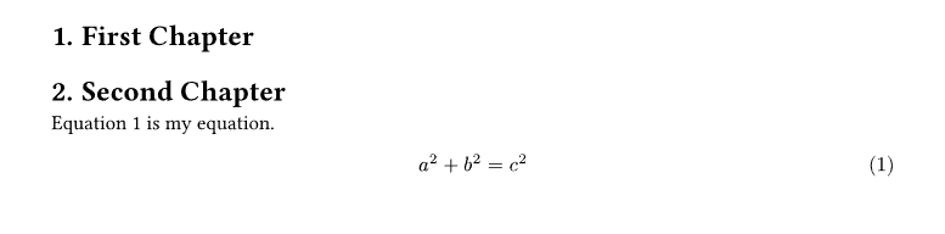
The number after the equation is in parentheses while the reference in the text is shown without parentheses. When I try to include the section number in the equation numbering like this:
#set page(numbering: "1")
#set heading(numbering: "1.")

#show heading.where(level: 1): it => {
 counter(math.equation).update(0)
 it
}

#set math.equation(
 numbering: n => {
  let section = counter(heading).get().at(0)
  numbering("(1.1)", section, n)
 },
)

= First Chapter

= Second Chapter
@Equation is my equation.
$ a^2 + b^2 = c^2 $
<Equation>
I get:
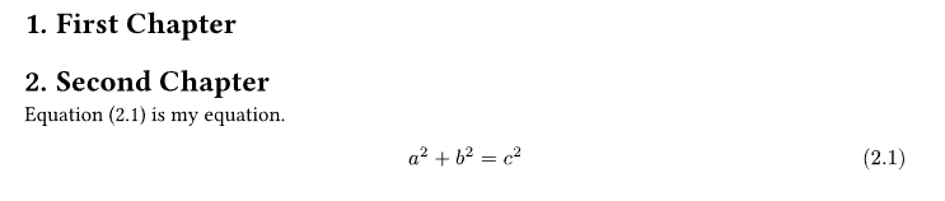
Which is almost what I want, but now the reference in the text includes the parentheses, so it says “Equation (2.1)” instead of “Equation 2.1”.
When I change this line:
numbering("(1.1)", section, n)
to
numbering("1.1", section, n)
in the text it says “Equation 2.1” like I want it to but the label after the equation itself is changed to “2.1” and is no longer in parentheses.
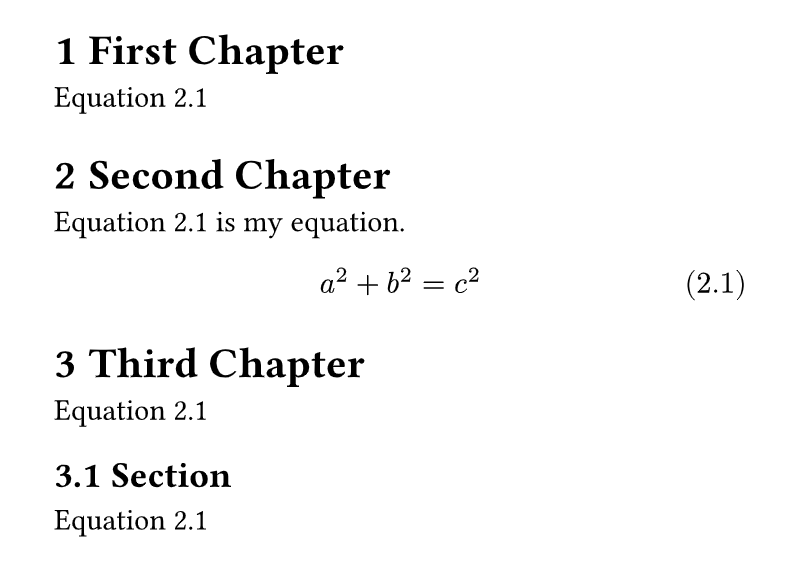
My question is: Is there a way to get the label to say “(2.1)” while in the text the equation is referenced as “Equation 2.1”?
I have found some related questions and answers here but none of the solutions produce the result I want.