I have downloaded “typst-x86_64-pc-windows-msvc”. When open it , get:
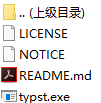
Firstly, I open typst.exe.
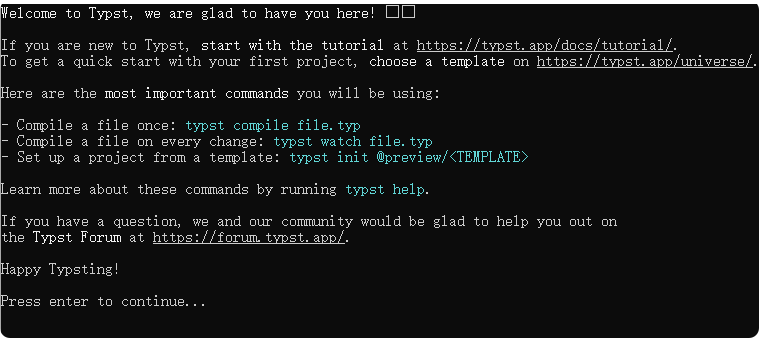
Then, I press enter, and then it disappear. Want to get teaching here. Thanks!
I have downloaded “typst-x86_64-pc-windows-msvc”. When open it , get:
typst.exe is meant to be used via the command line.
Assuming typst.exe is included in your PATH, try running:
> echo Testing | typst.exe compile - ./test.pdf
Or you could install VS Code and the Tinymist extension if you don’t want to use the terminal.
Thank you
IIRC, you don’t need to specify the executable extension.
FYI, Tinymist only has the first letter capitalized.
Thanks. Well aware, I figured at that point it wouldn’t hurt to indicate what was the intent here.
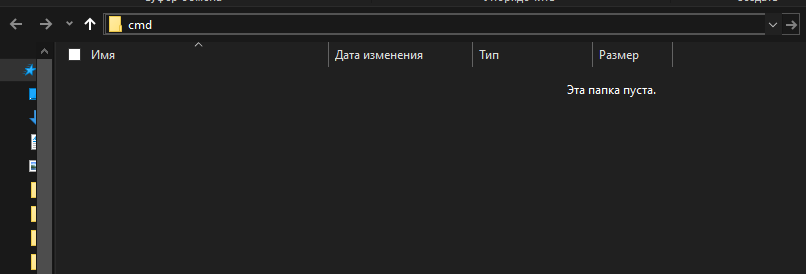
Consider try using Windows’ package manager made by Microsoft: open command prompt and use winget install Typst.Typst to install on C:\ drive or winget install --location="D:\path" Typst.Typst to specify installation path. To use pure Typst locally you need to use Windows PowerShell, cmd.exe or install Windows Subsystem for Linux (WSL), which I think you don’t need, first two options more preferable because it’s works natively on Windows and work out-of-the-box. For start you can open some specific directory from Explorer by typing cmd in path header:
Alternatively you can use VSCode and Tinymist extension which makes life easier and takes all that command line stuff away from you. But command prompt is very handy for tools like Typst since there are no mature full-featured Typst IDE for Windows unlike LaTeX which have for example TeXmaker, TeXstudio.
That is how people used to run software back in days without GUI by interacting with OS only with text.
Because exe file is finished it’s work. It need some commands which most comfortable enter in terminal.
Read usage section of readme.md at Typst’s Github. For creating files you can use any editor like VS Code or even notepad.exe…
Nearly a duplicate of
Only difference seems to be the method of installing Typst.
I don’t understand what is “at that point” and “intent here”, and what you are implying. Do you want me to explain something?