How to move page numbering

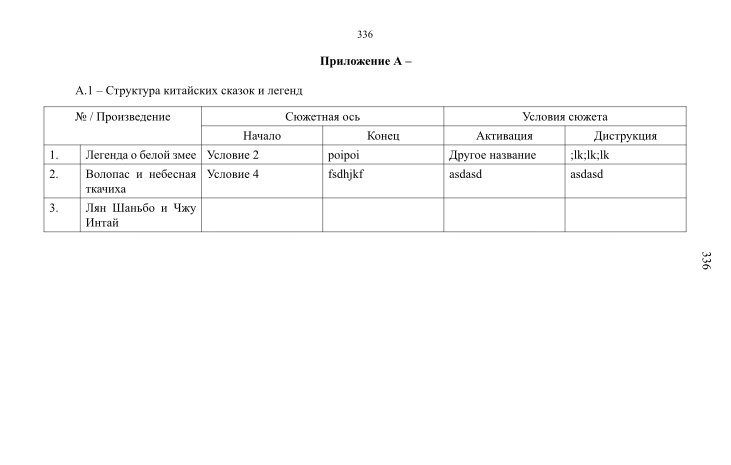
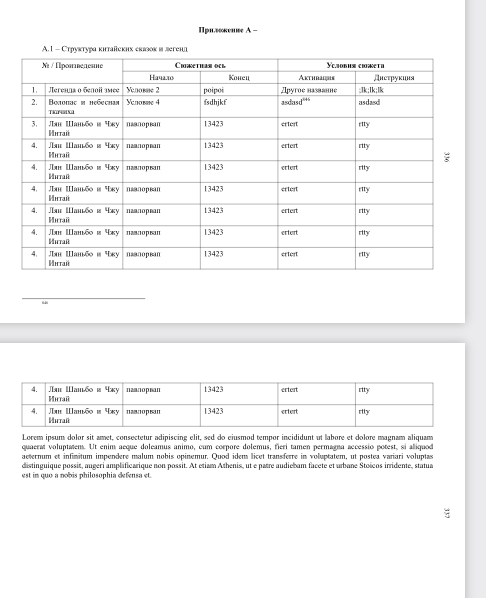
Got some problem with movement numbering in Appendix of my thesis.

Also I got some syntax for that, but it’s not working.

#set page(
  width: 297mm,
  height: 210mm,
  margin: (
    top: 2.5cm,
    bottom: 1cm,
    left: 2cm,
    right: 2cm,
  ),
  numbering: none,
  background: context {
    place(
      top + right,
      dx: 8mm,
      dy: 105mm,
      rotate(90deg)[#counter(page).display()],
    )
  },
)

Please share with your ideas.
Working in Typesetter 0.15.2

Changing dx in the place call to -8mm seems to do the trick: moving it by +8mm, it goes further to the right and is out of the page boundary.

1 Like

Thanks, it works. :heart:
But also new problems has appeared.
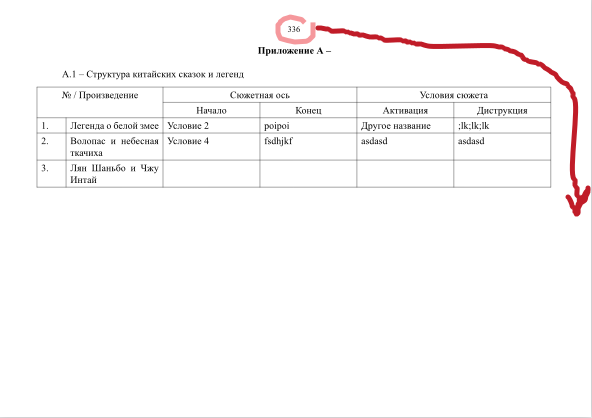
1.Two page numbers - how to remove page number on the top?
2. How to install 12pt Time New Roman on the right one?

Regarding the first problem, you must have another set rule that is still active. For example, you could have a set page(header: …) somewhere else that is not suppressed by the new rule.

For the other one, you can use the parameters of text to get what you want. For example:

  …
  place(
    …
    rotate(90deg, {
      set text(font: "Times New Roman", size: 12pt)
      counter(page).display()
    }),
  ),
  …
Thank you so much! Everything is perfect! :pray:

1 Like

Final code.

#pagebreak()
#set page(header:none)
#set page(
  width: 297mm,
  height: 210mm,
  margin: (
    top: 2.5cm,
    bottom: 1cm,
    left: 2cm,
    right: 2cm,
  ),
  numbering: none,
  background: context {
    place(
      top + right,
      dx: -8mm,
      dy: 105mm,
      rotate(90deg, {
      set text(font: "Times New Roman", size: 12pt)
      counter(page).display()
    }),
    )
  },
)
1 Like