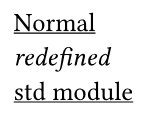
I’m trying to implement a custom function where the function does not follow of any previous #show implementation. Something as follows:
// This makes all links to have underlines in the document
#show link: underline

#let hiddenlink = (url, body) => {
  // I want this link to not have any underlines!
  #link(url)[#body]
}
Preferably without any state management / counters, what’s the best way of doing this?
The answer of @bluss is pretty well, but if u dont’t want to call the function nonunderline() every where, try:
#show link: it => {
  let b = it.body.text
  if b.at(-1) == "-" {
    show underline: u => u.body
    link(it.dest, b.slice(0,-1))}
  else {
    underline(it)}}

#link("https://www.a.com")[Web A]
#link("https://www.b.com")[Web B-]