Hi there, i’m a bit new. I would like to know if somebody can tell me how to align the address in Typst perfectly for a C5 envelope. I searched the forum but did not see anaything.
Your question is a bit light on details, so hopefully this is what you want.
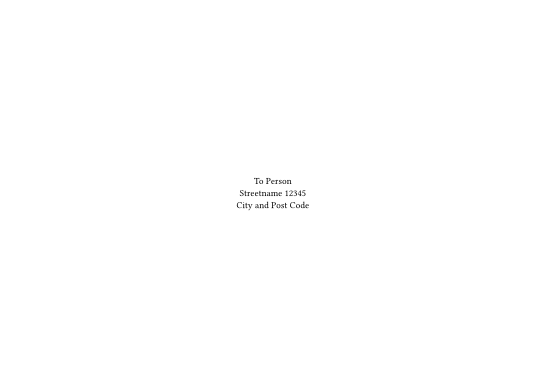
After looking up the size of a C5 envelope here, I put this in to Typst as the page size. Then setting the alignment to the middle (both vertically and horizontally) you can type things directly as the address:
#set page(height: 162mm, width: 229mm)

#set align(center + horizon)

To Person\
Streetname 12345\
City and Post Code
If you need a top left address
This one leaves the default alignment (top + left) alone and calls the align function with the to address.
#set page(height: 162mm, width: 229mm)

From Person\
Streetname 12345\
City and Post Code

#align(center + horizon)[
  To Person\
  Streetname 12345\
  City and Post Code
]
Left aligning the center address
In case you want the center address to be left aligned with its own text, you can put a new alignment inside of a box.
#align(
  center + horizon,
  box(align(left)[
      To Person\
      Streetname 12345\
      City and Post Code
  ])
)
The outer align is applied to the box, not the content within the box.
If you are not working with inline text, use block over box:
#align(center + horizon, block(align(left)[
  To Person \
  Streetname 12345 \
  City and Post Code
]))
The C5 size is already provided by "iso-c5":
#set page(paper: "iso-c5")
IIUC, you used opposite dimensions, which resulted in a landscape document:
#set page(paper: "iso-c5", flipped: true)
1 Like
Thanks a lot for your quick replies, and apologies for my rather sparse first message. Let me add some more context.
The whole idea of a C5 window envelope is that when you fold an A4 sheet and insert it into the C5 envelope, the recipient’s address—if printed at the right height and depth—lines up neatly with the transparent window. In my case, the address block should of course only appear on the first page of the letter template.
At the moment I have something like this:
// Window parameters C5
#let window_w = 90mm
#let window_h = 45mm
#let window_left = 25mm
#let window_top  = 50mm

// Address block exactly in the window
#place(dx: window_left, dy: window_top,
  box(
    width: window_w,
    height: window_h,
    stroke: 0pt,       // optional debug outline
    inset: 3mm         // inner margin for the text
  )[
    Name \
    Address \
    Zipcode Place \
    Country
  ]
)
This seems to work, but I’m not sure if this is considered the idiomatic way to do it in Typst. Should I be using #place for this, or is there a more canonical approach for positioning an address block relative to the page, especially if the page is otherwise using normal margins and text flow?
Any suggestions or best practices would be very welcome.
Thanks Andrew for those corrections. As for landscape vs portrait, it wasn’t specified on the website I linked which lengths were x or y and I assumed that it would be wider than it is tall.
I don’t feel qualified to give a proper answer about the idiomatic method, but what you have seems straight forward and easily modified in the case of a different window position. Maybe using a block instead of box as Andrew suggests.
As for dealing with varying margins, the background parameter of page ignores margins.
The clip parameter of block could also be useful for styling purposes.
1 Like
Place is literally for placing random things in random places on a page (in a container). It’s not always perfect, but it’s the right tool for the job regardless. Some issues come from margins and where in the project it’s called, but generally page.background does fix some of the problems.
P.S. In-text code requires backticks on the forum.
1 Like